



Table of contents
What's new?
We have introduced a new feature in Ads Manager that lets you save Meta lead forms as drafts before publishing them.
- You can now create and save Meta lead forms in draft state straight from the campaign creation flow in Ads Manager.
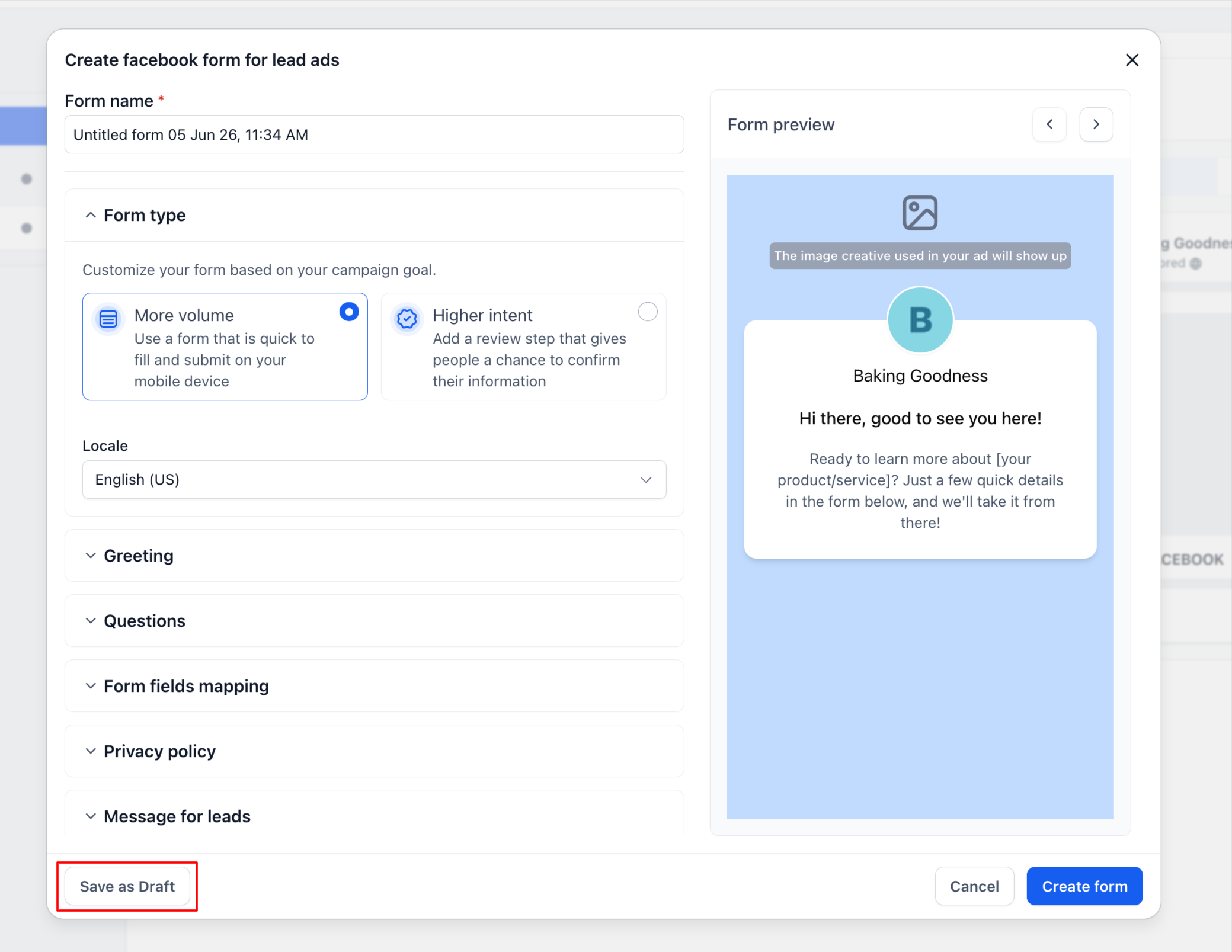
- We have added a dedicated “Save as draft” button inside the Facebook lead form builder.
- Draft forms are now marked with a ‘Draft’ badge in the form selection drop-down.
- You can now edit drafts directly from the form selector, using the edit icon.
- Campaign validation now detects draft or incomplete forms before ads are published.
- We have added warnings for forms with incomplete field mapping or in an unpublished draft state.
How it works
Inside the Meta lead form builder you can configure the form as usual, using the sections: Form type, Welcome message, Questions, Form field mapping, Privacy policy, Message for leads.
Instead of creating the form on Meta straight away, you can now click “Save as draft”.
Draft forms appear in the form selection drop-down with:
- A visible ‘Draft’ status label
- The creation date and time
- The option to edit them quickly through the dedicated icon
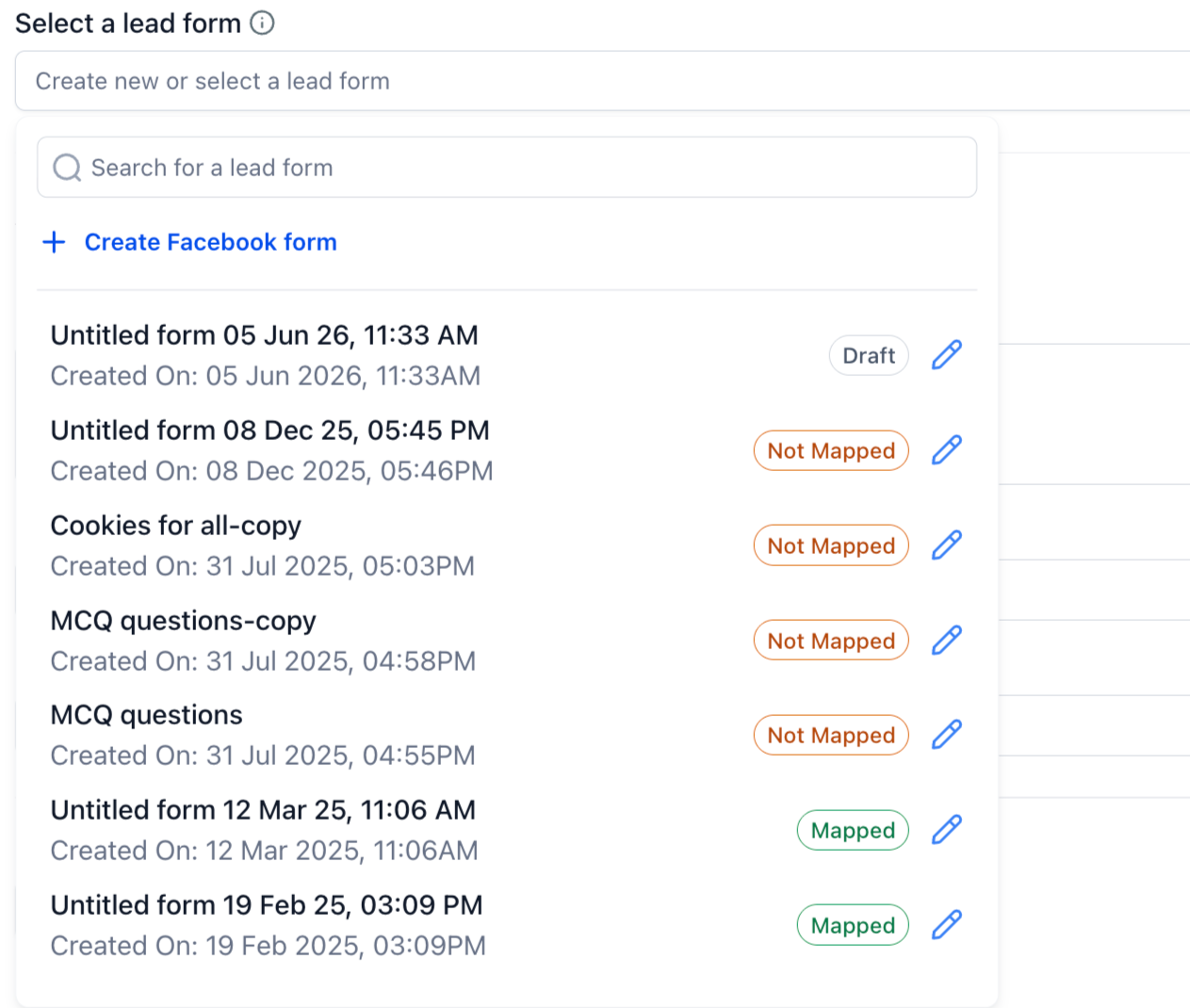
You can reopen drafts at any time, carry on editing them, complete the field mapping and finally publish the form.
If a draft form or a form with unmapped fields is selected while setting up a campaign, the system will show a validation message such as: “The selected form is in draft state and has unmapped fields. Publish the form and complete the field mapping before using it in a campaign.”
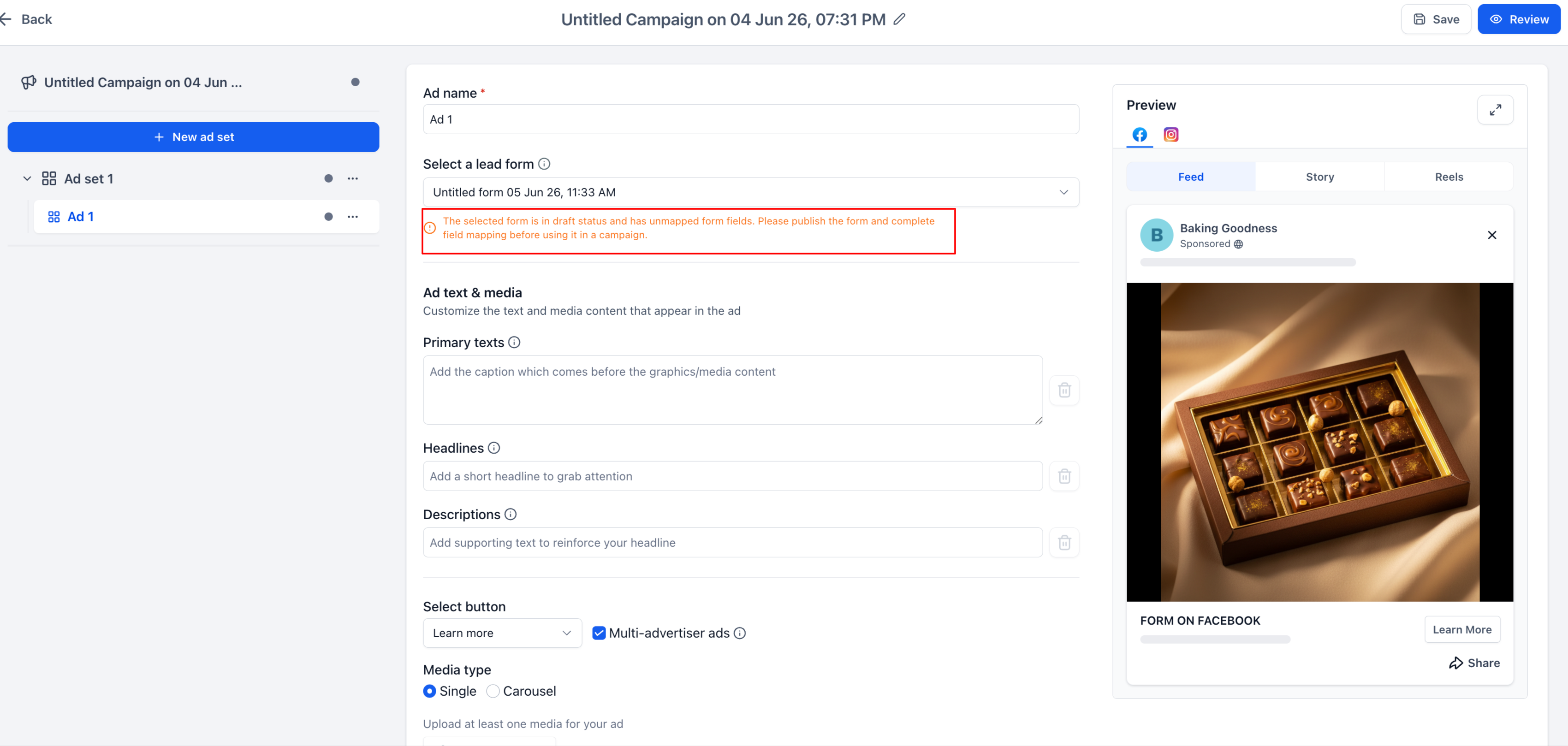
Once the form is fully configured and published, it can be used in campaigns.
Why it matters
Meta does not allow published lead forms to be edited, which makes mistakes very hard to correct once a form is live.
Draft support lets you build forms in several steps, without having to finalise the configuration immediately. This improves the campaign preparation flow, allowing you to:
- Save work that is not yet ready to be used
- Review forms before publishing them
- Complete the CRM field mapping at a later stage
- Reduce accidental publishing errors
This feature is particularly useful for anyone managing complex lead generation setups that require approvals or multi-step reviews.
Notes
- Draft forms cannot be used in active campaigns until they are published.
- Validation requirements are less strict when saving a draft, but they become mandatory for final publishing.
- Meta forms that have already been published will continue to work with no changes.
Public API documentation


