



Table of contents
Summary of the update
Custom values are now supported in the Ads Manager ad copy fields for Meta, Google and LinkedIn campaigns.
You can insert reusable values that are specific to your business, such as company name, town, support email, offer name, service area, phone number or other saved custom values, straight into the supported text fields.
These values are displayed correctly in the campaign preview and review screens, helping you confirm the final ad content before publishing.
What's new?
- Custom values in ad copy - You can now insert custom values into the eligible text fields for Meta, Google and LinkedIn campaigns.
- Picker for inserting custom values - A new option lets you search for, select and add saved custom values straight into the supported text fields, such as primary text, headlines, descriptions and introductory text.
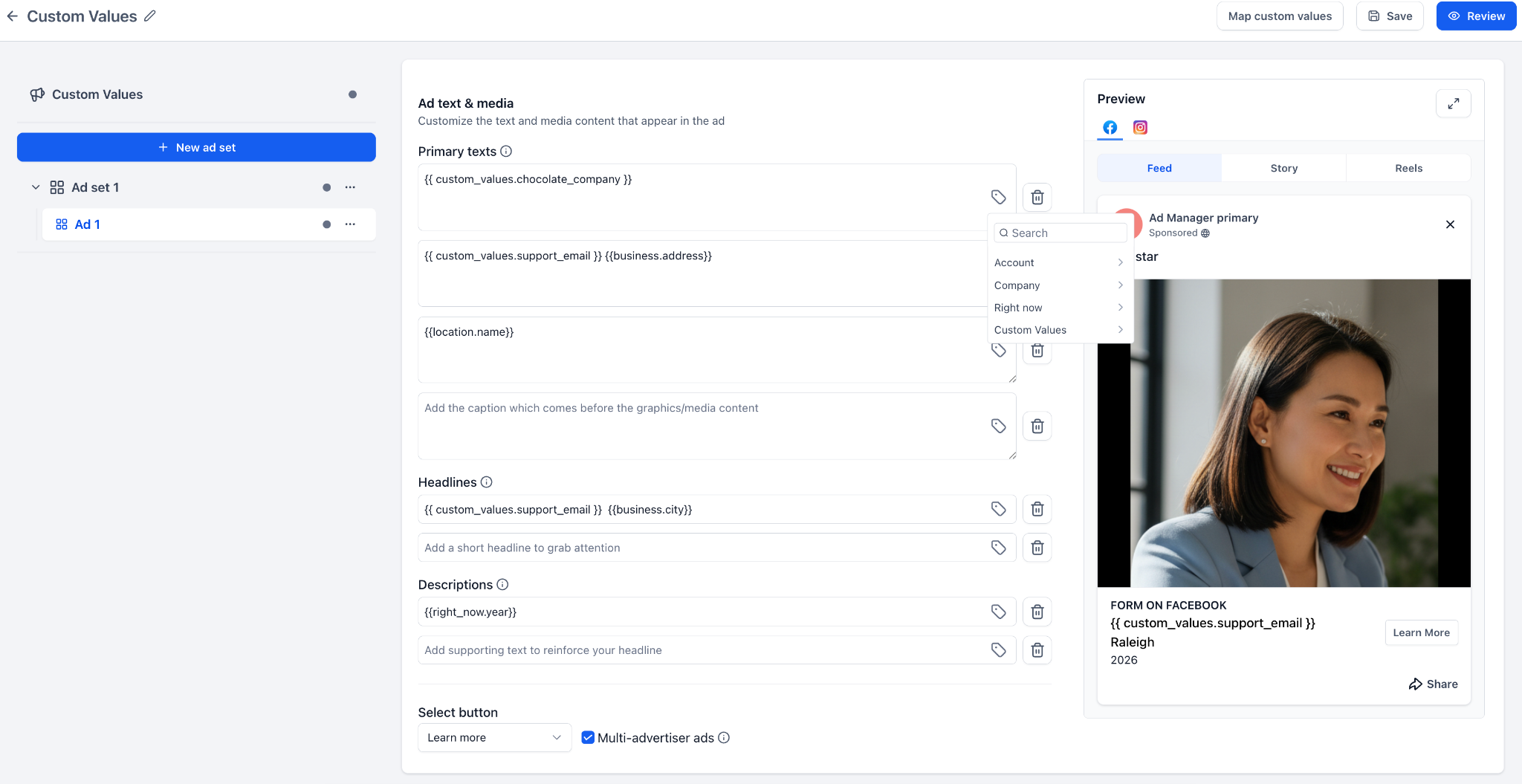
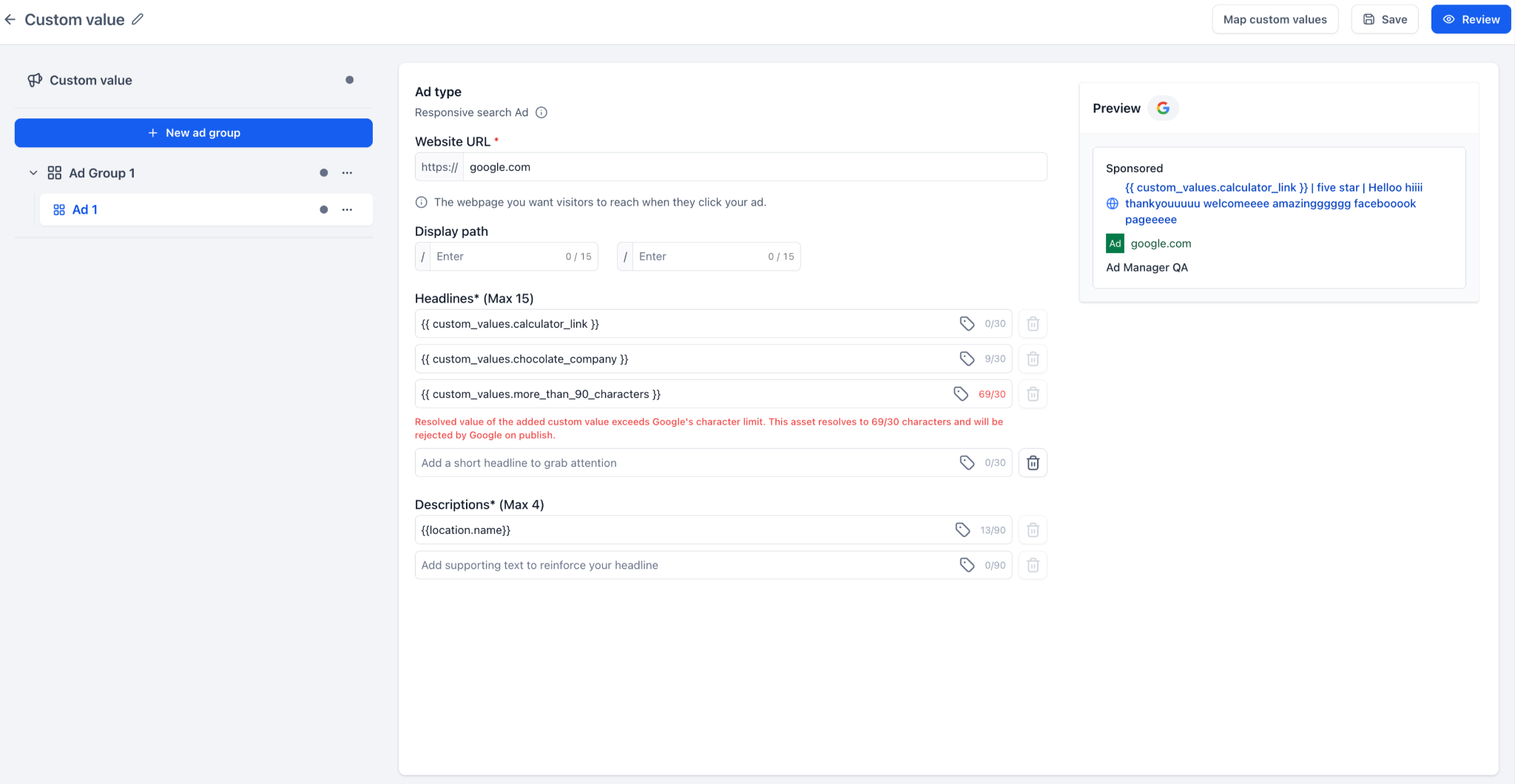
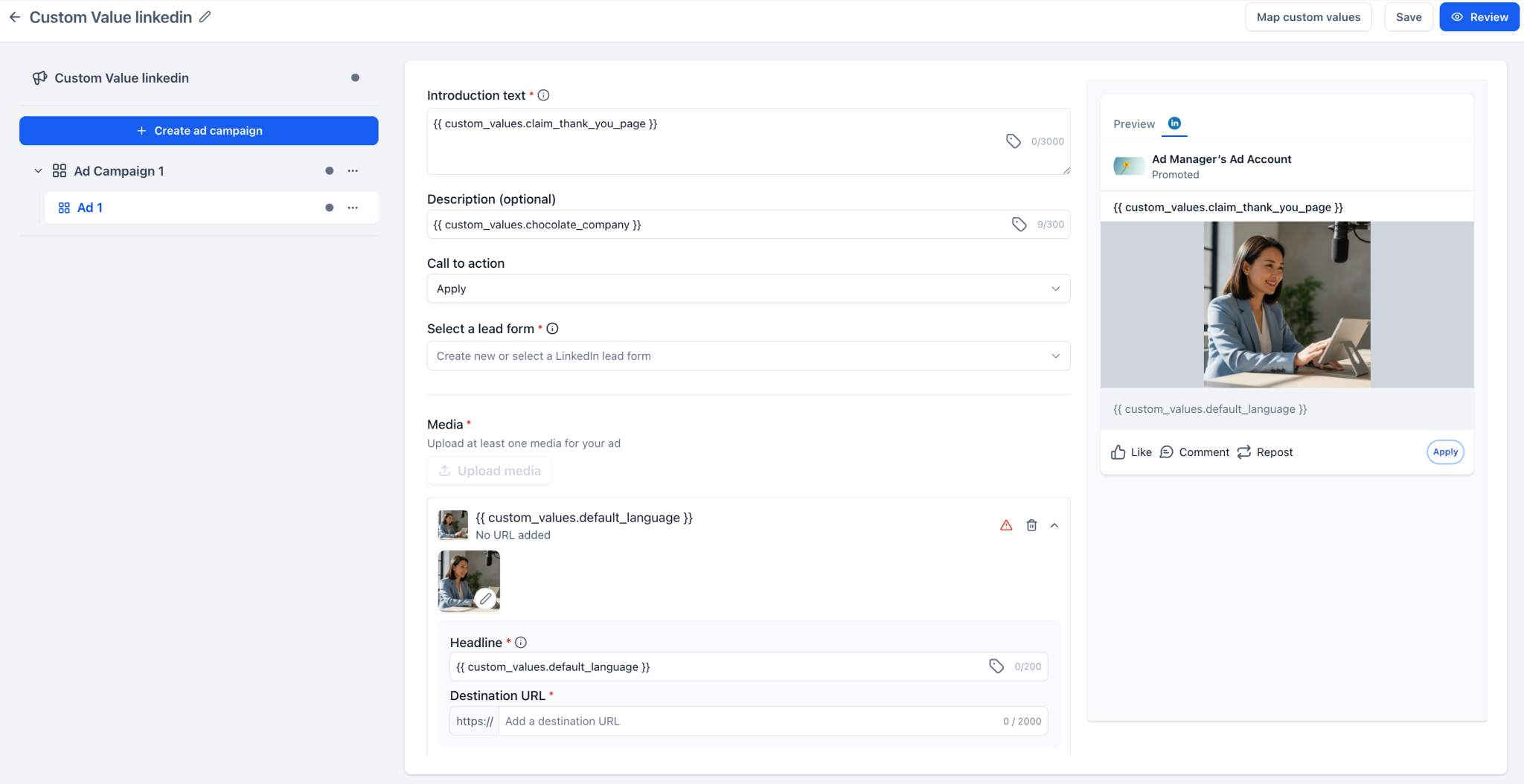
- Mapping custom values before publishing - The new "Map custom values" action lets you add or review the missing values used in the campaign before you publish it.
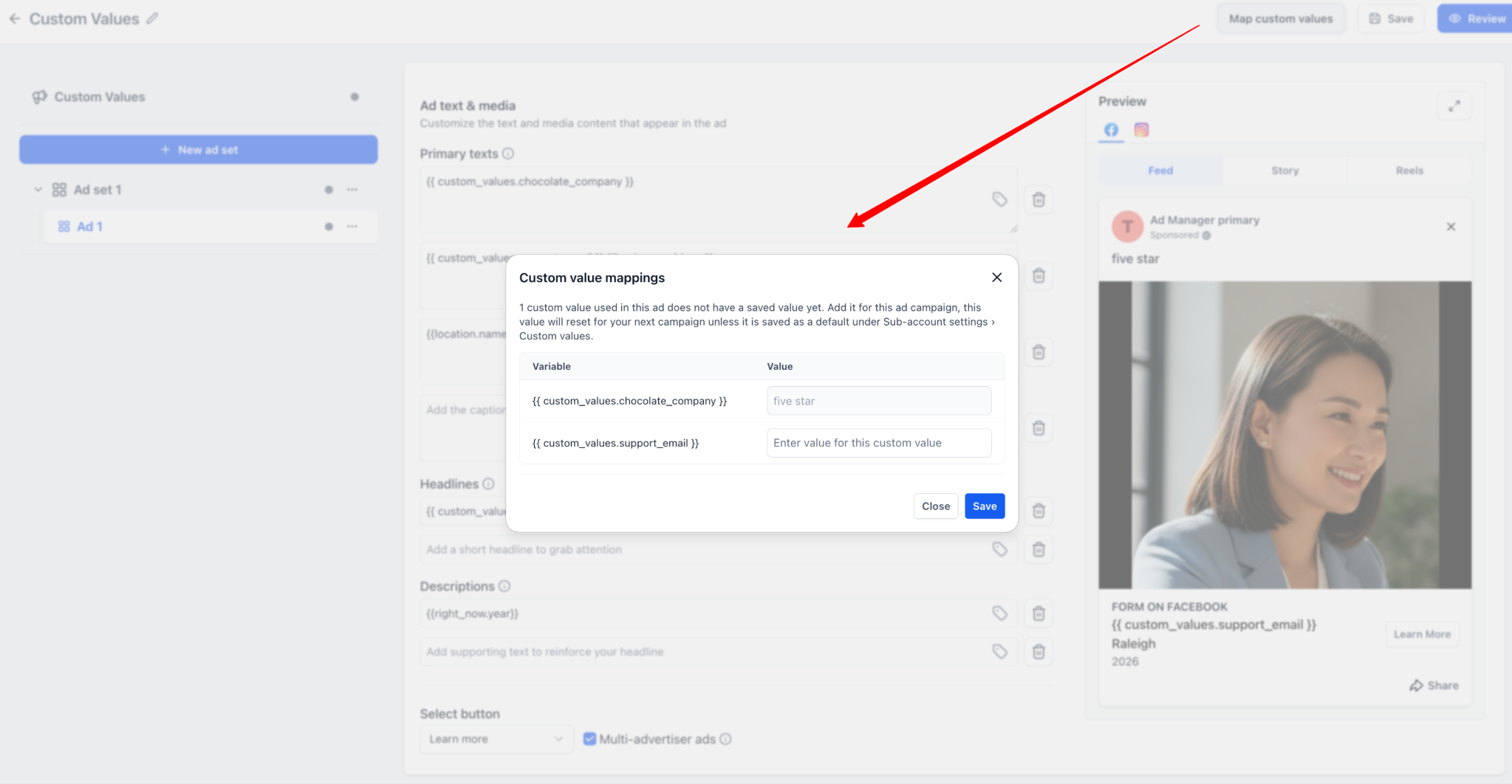
- Preview with real values - The preview and review screens now show the final copy with the custom values already filled in, so you can check exactly what will appear in the published ad.
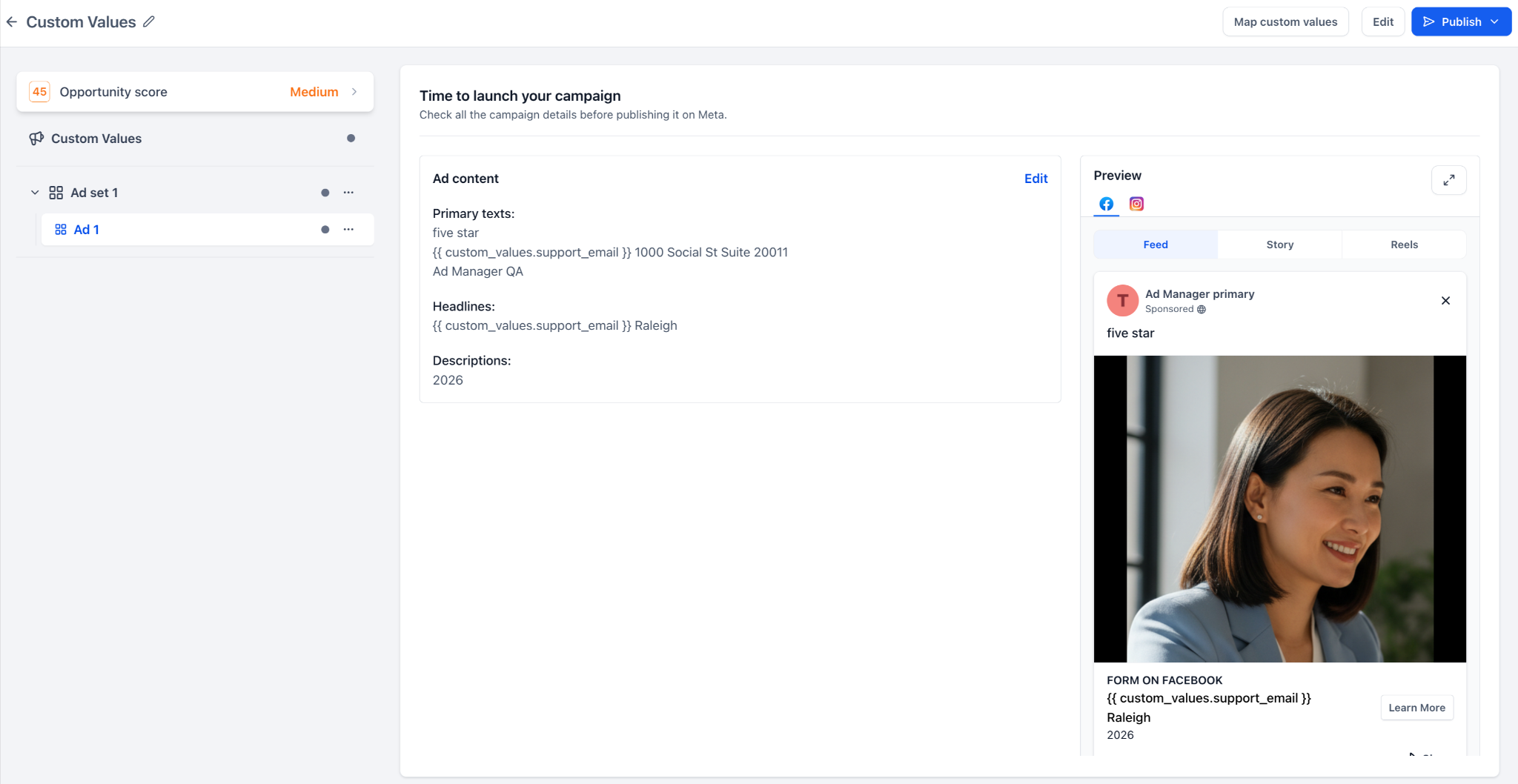
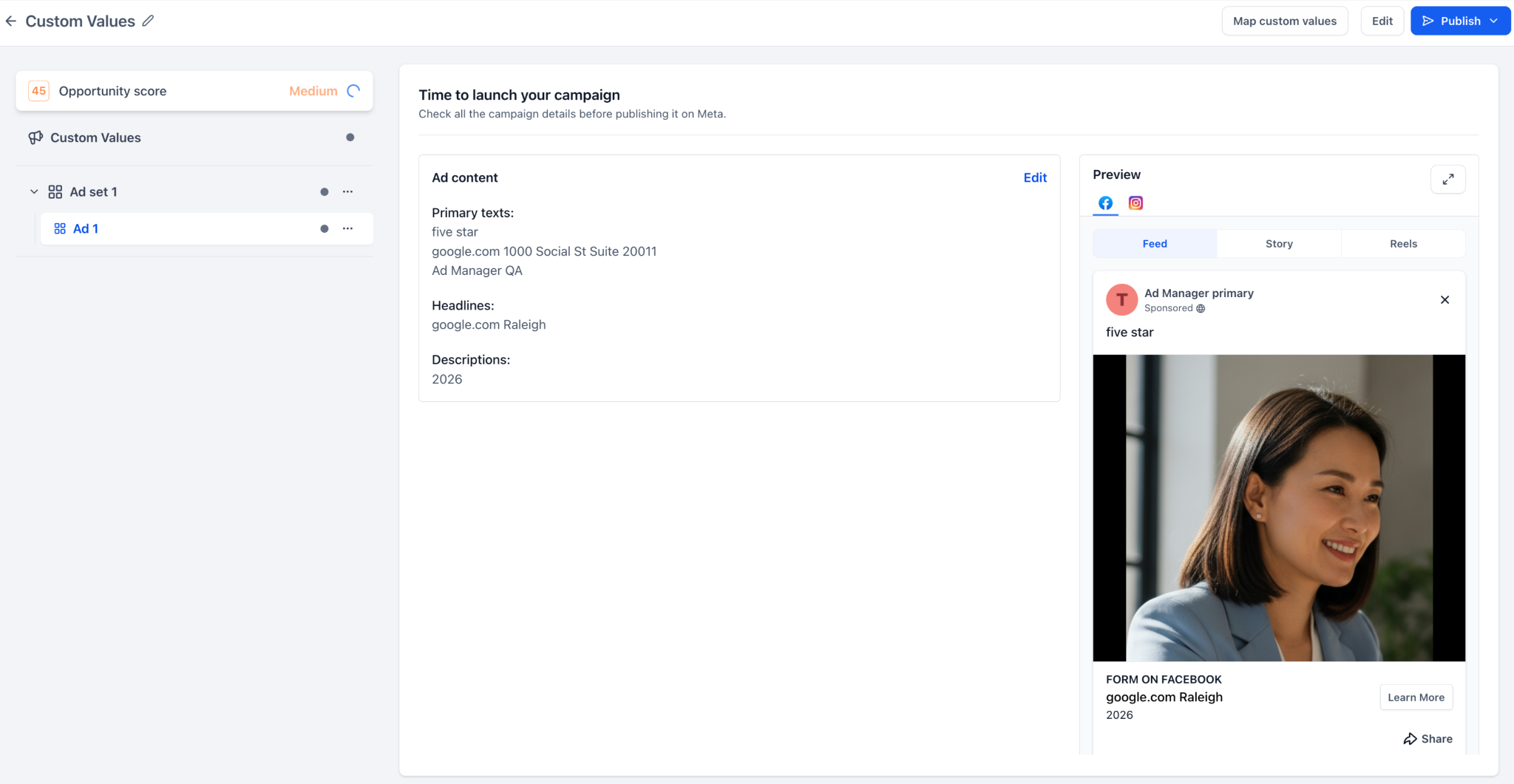
- Validation for safer publishing - Ads Manager now warns you when custom values are missing, invalid, empty or exceed the platform character limits, helping to prevent publishing issues.
- Reusable templates - Campaign templates can keep the custom value keys, making it easier to reuse the same template for different campaigns and map the specific values before launch.
How do you use this feature?
- Go to Ads Manager.
- Create or edit a campaign for Meta, Google or LinkedIn.
- Open the ad copy section.
- Click the "Insert custom values" icon next to a supported text field.
- Search for and select the custom value you want to use.
- Carry on building the campaign.
- Click "Map custom values" if any value needs to be added or reviewed.
- Review the final copy in the preview/review screen.
- Publish the campaign once all validations have passed.
Why this feature matters
Businesses often reuse the same details across several campaigns, such as company name, city, phone number, support email, offer name, promotional copy and so on.
Previously, these details had to be added manually in every campaign. That created extra work and increased the chances of ending up with inconsistent ad copy.
With custom values in ad copy, you can now:
- Build campaigns faster
- Cut down repetitive copy entry
- Keep your ad copy consistent
- Reuse campaign templates easily
- Preview the final copy before publishing
- Avoid publishing issues caused by missing or invalid values
Notes
- Custom values are supported only in the eligible text fields.
- Custom values are not supported in URL fields, CTA drop-down menus, lead form selectors, media upload fields, targeting, budget or bidding strategy fields.
- You can save campaigns as drafts even if the custom values still need attention.
- A warning is shown if the required custom values are missing, invalid or exceed the character limits.
- Updating a custom value after publishing will not automatically update the ads that are already live; you will need to republish the campaign after making the changes.


