
Table of contents
What's new?
The ad template library now supports multi-level ad campaign previews for Meta, Google and LinkedIn.
You can now see the full campaign hierarchy, including several ad groups and the individual ads within each structure. We have also added platform-specific preview experiences, in line with native placements and formats.
The preview has been unified and built into both the template library and the campaign creation flow in Ads Manager.
How it works
When you select a campaign template from the library or from Ads Manager, the new preview window will show you the entire structure in a clear, navigable way.
You will be able to see:
- The full hierarchy: Campaign → Ad group → Ads.
- Several ads within each group.
- A live preview panel specific to each placement.
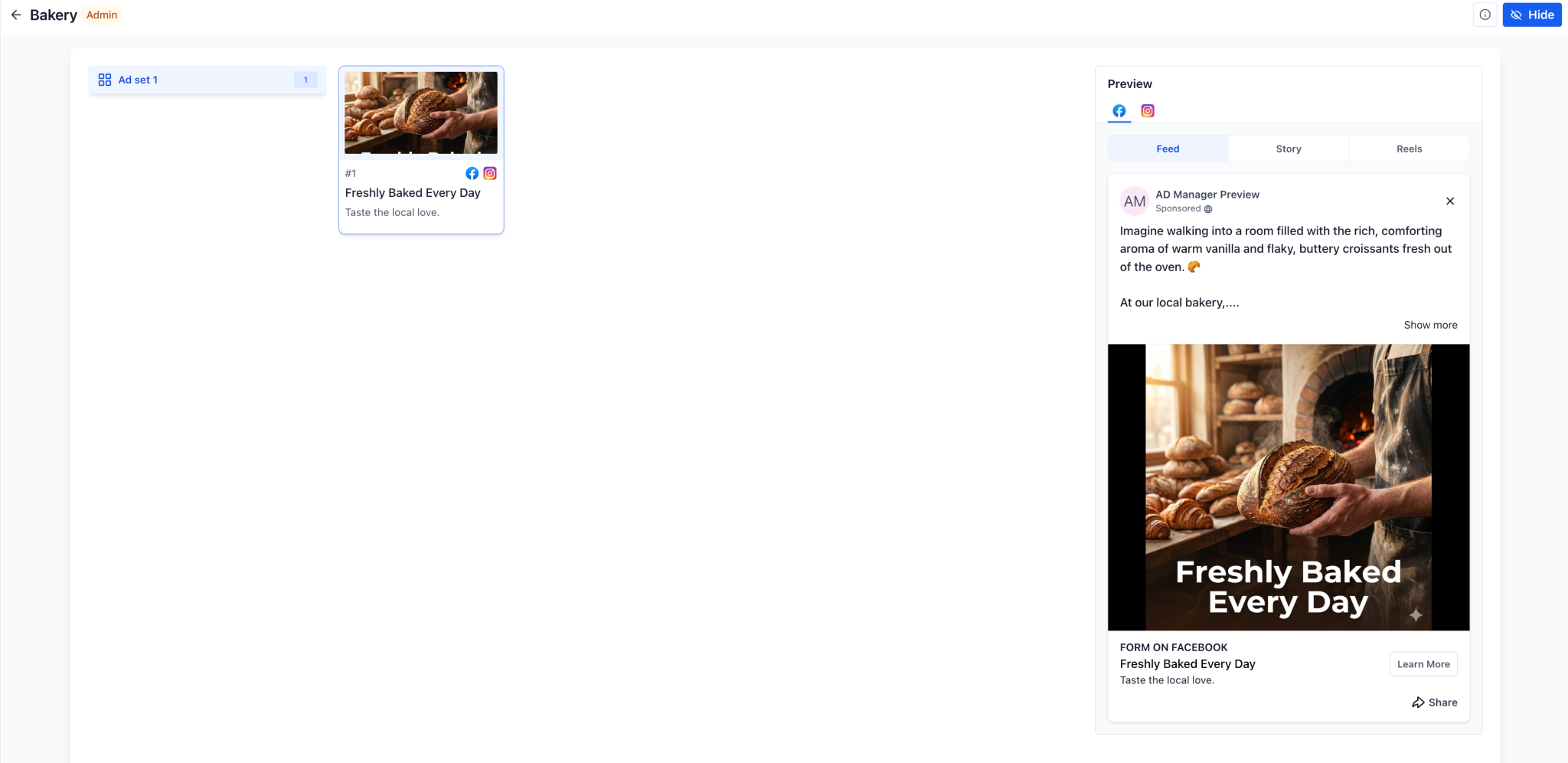
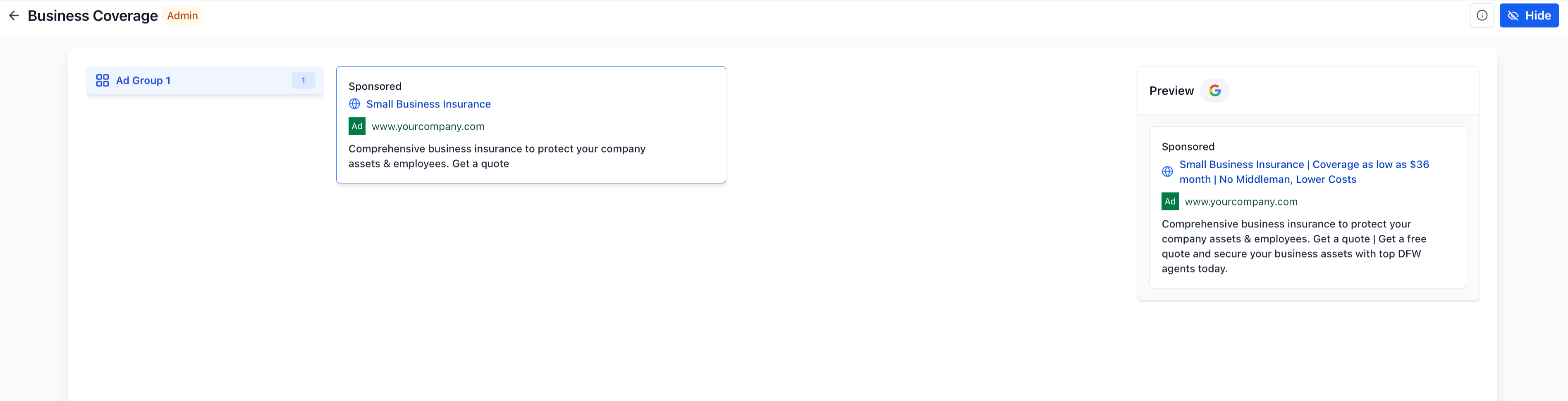
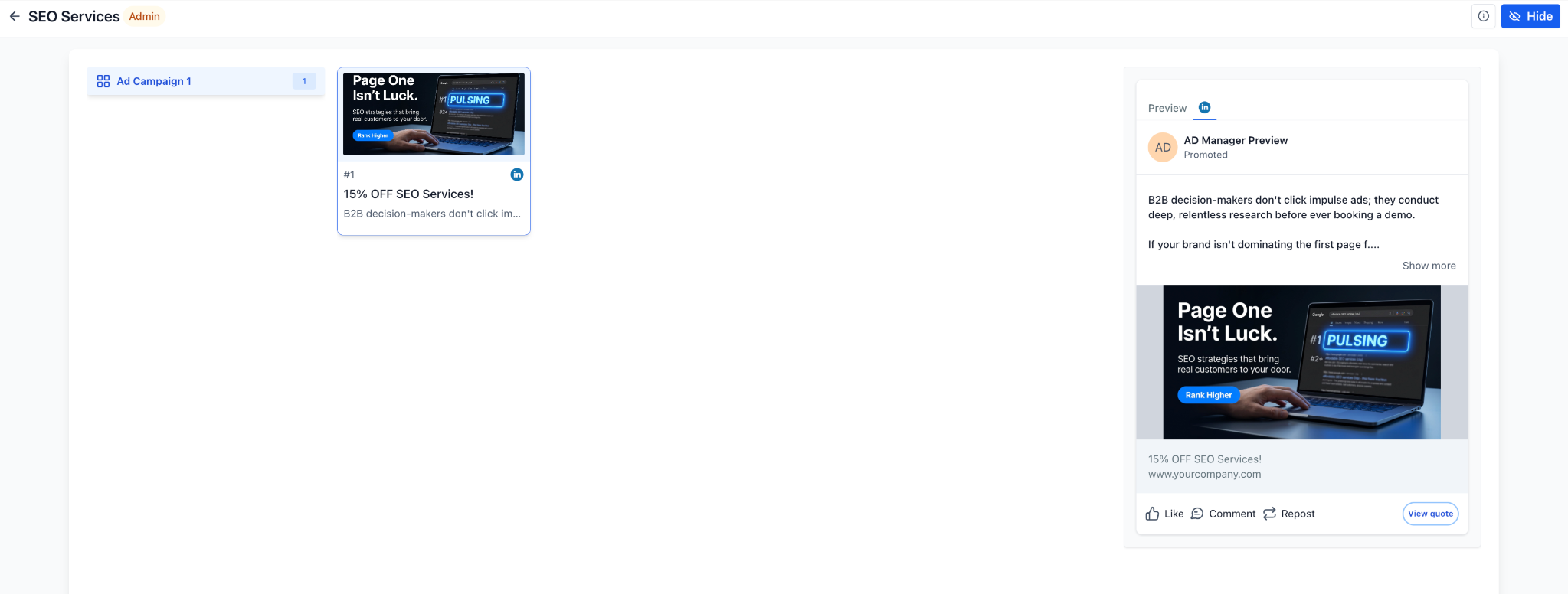
The side navigation lets you move from one ad group to another and see the related creatives instantly. The same preview experience is available when you create campaigns using templates directly from Ads Manager in Futuria CRM.
Why it matters
This new feature gives you greater visibility of the complete campaign structure even before you create it, making it easier to understand templates that contain several ad groups and creatives.
It removes the confusion that could arise from the previous previews, which showed only one ad at a time, and creates an experience that feels more natural and consistent with the Meta, Google and LinkedIn platforms.
This lets you build campaigns with greater confidence and make the most of the templates available to you.
Additional notes
- The new preview also works with the templates you have created yourself, with several ad groups and ads.
- The preview component has been centralised and simplified to make maintenance easier and improve future scalability.
- The placements shown in the preview include:
- Meta: Feed, Stories, Reels
- Google: Search, YouTube, Gmail
- LinkedIn: LinkedIn native placement
- It includes user interface improvements, refinements to the full-screen preview and optimisations for non-scrolling previews.
- This feature is available both in the template library and when creating template-based campaigns in Ads Manager.