Table of contents
- Your payment button, in your own words
- The challenge
- Our solution
- How this update helps your business
- How to get started
- Good to know
Your payment button, in your own words
From today you can customise the checkout button label on your payment links. Move beyond the standard "Pay", "Book" or "Donate" with wording that fits your brand and your offer perfectly. No code, no complications: write the text and publish.
The challenge
The payment link is the last thing a customer sees before completing a purchase. Until now, you were limited to three generic button labels: Pay, Book or Donate.
If your offer is a subscription, a registration or a membership, those labels may not have been a good fit. A call to action that does not match creates friction, and friction can cost you conversions.
Our solution
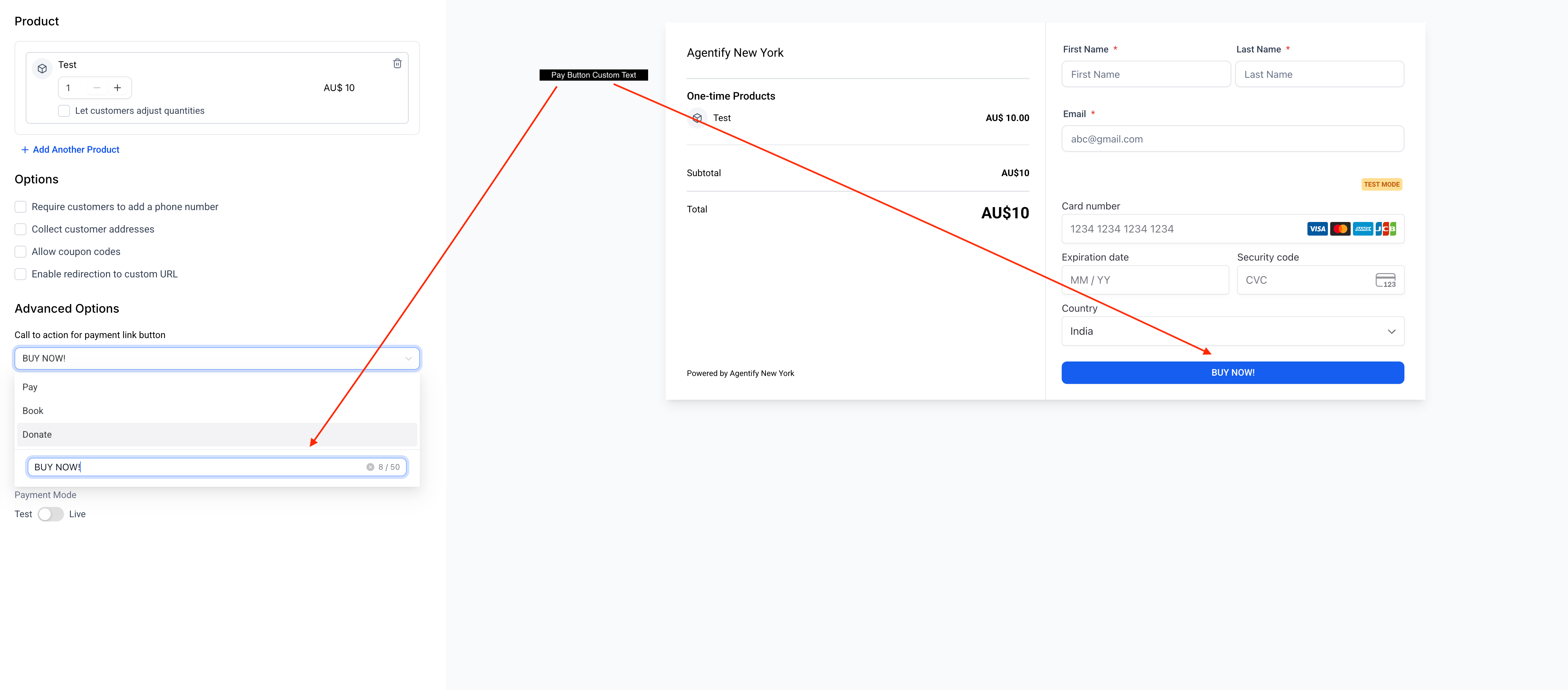
The payment link builder now includes a field for customising the button text, available under Advanced Options. You can pick one of the preset labels or enter custom text of up to 50 characters.
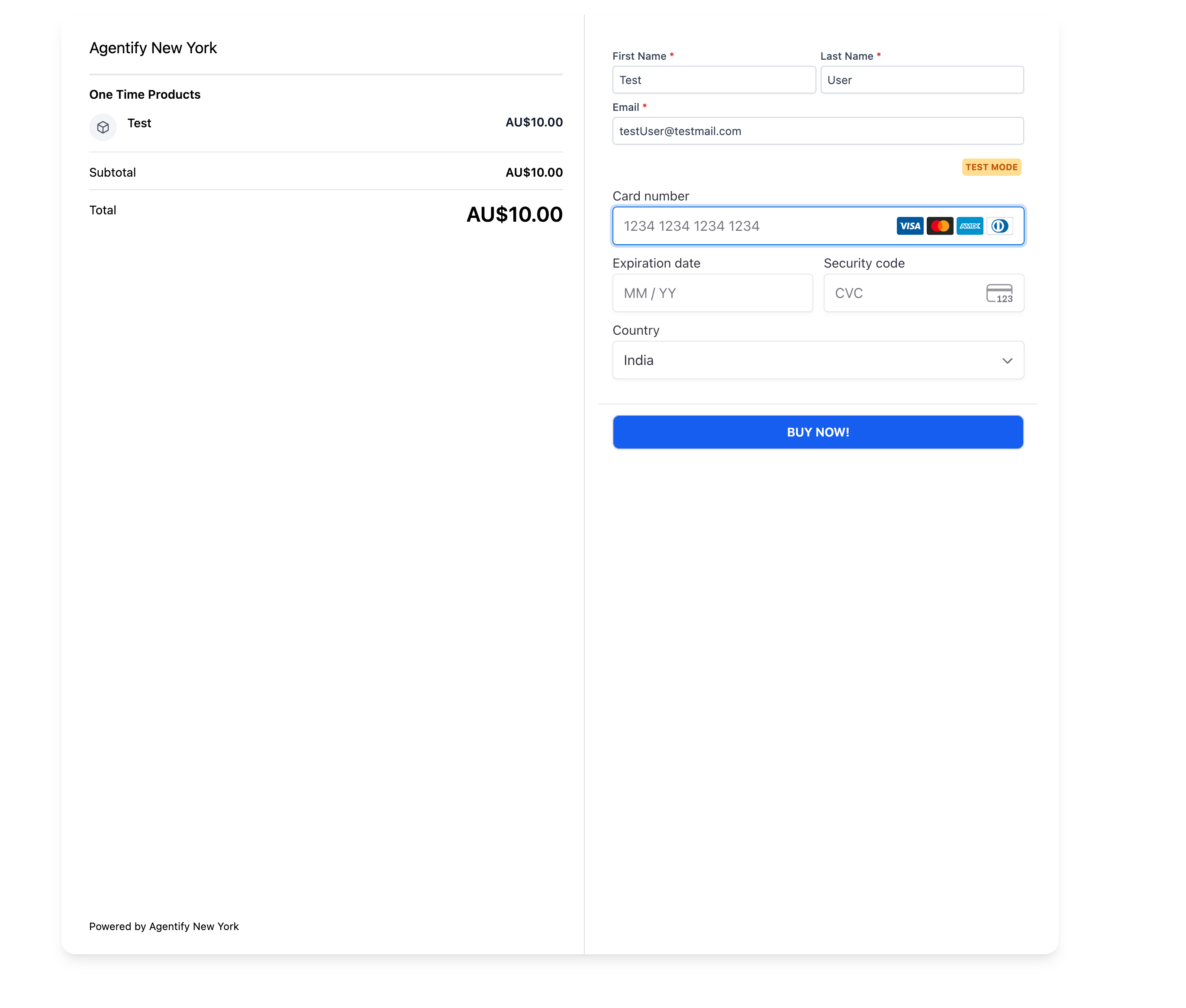
The text updates instantly in the checkout preview, so you know exactly what your customers will see before you share the link.
How this update helps your business
- Convert more customers: a call to action that matches your offer reduces hesitation at the point of payment.
- Keep your brand consistent: use the exact language your audience responds to, such as "Secure your place", "Sign up now", "Get instant access" and many more.
- Work faster: no more working around generic labels with creative workarounds. Change the button text in under 30 seconds.
- Suited to every use case: courses, events, services, subscriptions, donations. One tool for any call to action.
How to get started
- Open the payment link builder: go to Payments → Payment links and open an existing link or create a new one.
- Scroll down to Advanced options: under "Call to action for the payment link button", open the drop-down menu.
- Choose a preset or customise it: select Pay, Book or Donate, or click the custom text field and type your own label (up to 50 characters).
- Preview and publish: the button text updates in real time in the checkout preview on the right. Click Save when you are happy with it.
Good to know
- Custom button text is available for every type of payment link.
- Custom labels have a maximum limit of 50 characters.
- Available on web (in the payment link builder). Customers will see the custom text on every device.
- Changes apply to new sessions; customers already on the checkout page will see the previous label until they refresh.