Table of contents
🎉 What's new
We have extended the smart default values feature to several sections of the quiz results page, making setup far quicker and more intuitive.
This feature, previously available only in the "Call to action" section, now also applies to:
Individual category section
Score by category section
Total score section
This update is designed to simplify the setup of the results page, cutting repetitive manual work and the risk of errors.
✨ Highlights
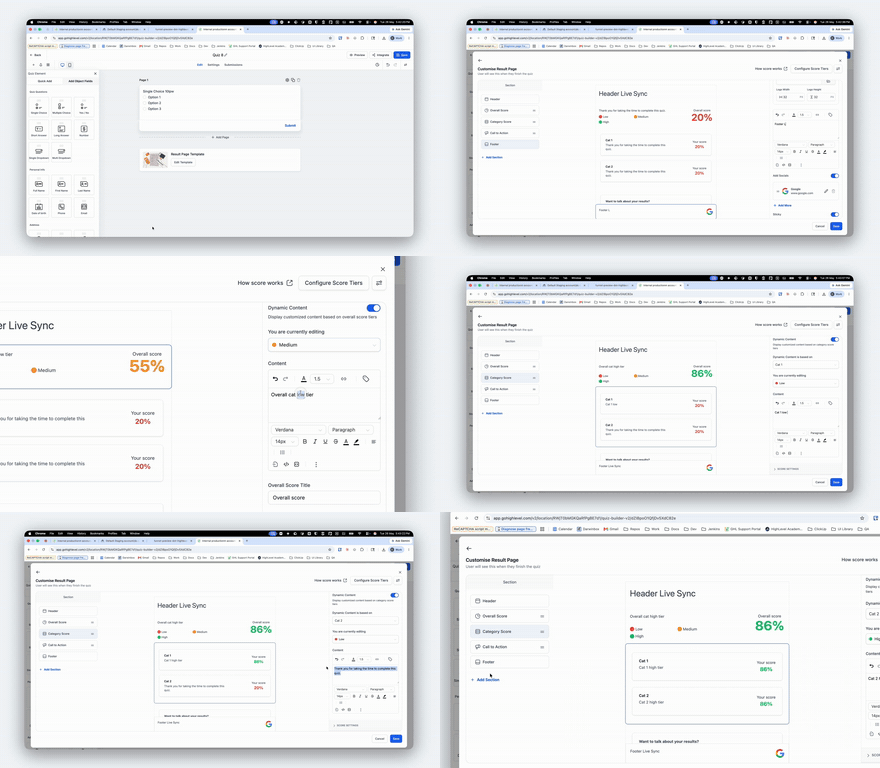
Smart propagation of default values: when you configure the first level (e.g. Low / Medium / High) of a category, the values you enter are now used automatically as defaults for the other levels in the same category. You can also see your changes in real time in the preview for every level.
Faster results page setup: you no longer have to enter the same information several times across different levels and sections, which dramatically reduces setup time. ⏱️
A cleaner user experience: conditional display behaviour is unchanged. If required "call to action" fields such as the name or the link are left empty, the button is not shown, but the rest of the content remains visible.
Improved data structure for scores: we have improved the way score configurations are saved. This ensures there are no more overlaps between levels sharing the same name, making configurations more reliable and scalable. 🛠️
⚙️ How it works
Configure the first level within a section (e.g. "Low").
The relevant values automatically populate the other levels in that category.
Customise individual levels only where you need to.
Save the quiz to apply the changes.
📝 Notes
These improvements apply automatically to all new quizzes.
For existing quizzes you need to save the quiz again to activate the new behaviour.
The aim of this improvement is to create a smoother, faster and more scalable quiz setup experience for every user. 🚀