Table of contents
- Overview
- What's new?
- Customisable listings with variants and inventory
- Inventory tracking and availability control
- Flexible pricing models
- Flexible booking types
- Multi-item bookings
- Customer booking page
- Flexible booking management (admin side)
- Dedicated rentals calendar view
- Getting started
- Why it matters
Overview
We are delighted to announce that the Rentals feature is now available to everyone! 🎉
Rentals is a powerful new addition to our scheduling suite, built specifically for businesses that manage bookable inventory such as equipment, vehicles, spaces, holiday homes, event set-ups and much more.
Unlike traditional appointment scheduling, the Rentals feature is designed for duration-based and inventory-based bookings, giving you full control over availability, pricing logic, booking types and multi-item checkout.
Whether you rent by the hour, day, week or month, the Rentals feature gives you the flexibility to model your business accurately.
What's new?
Customisable listings with variants and inventory
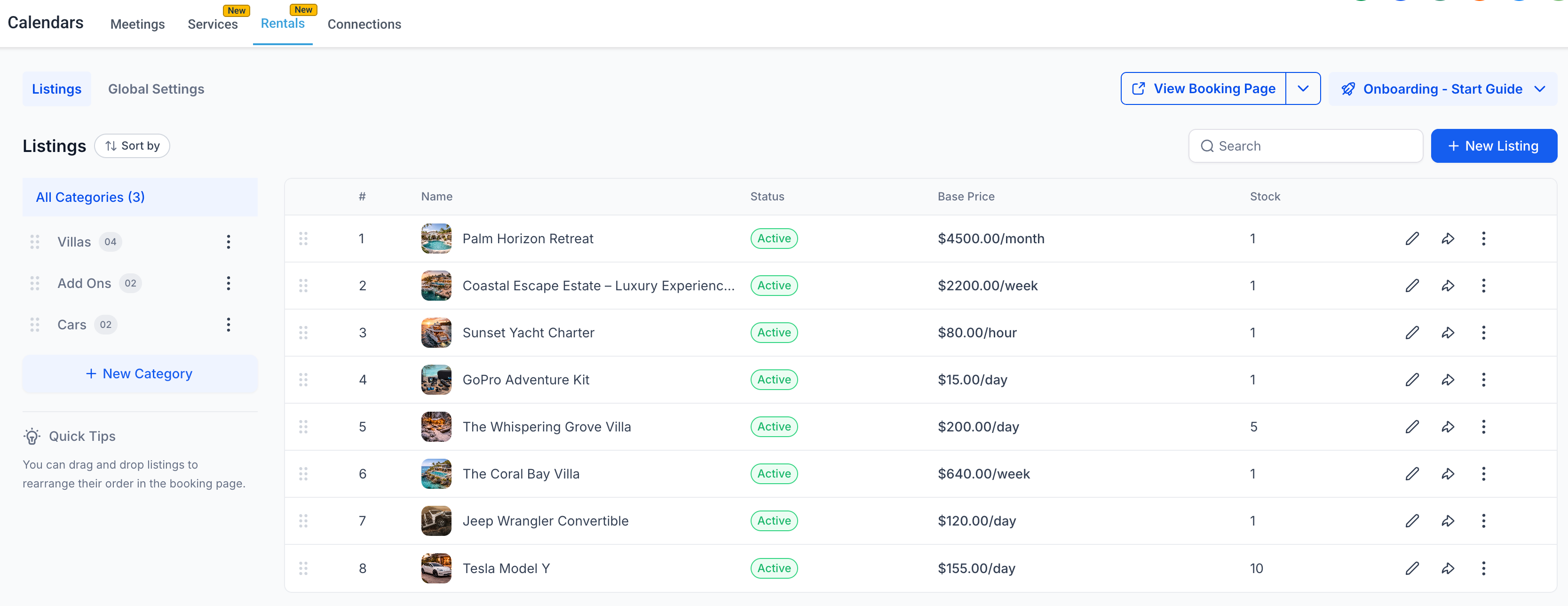
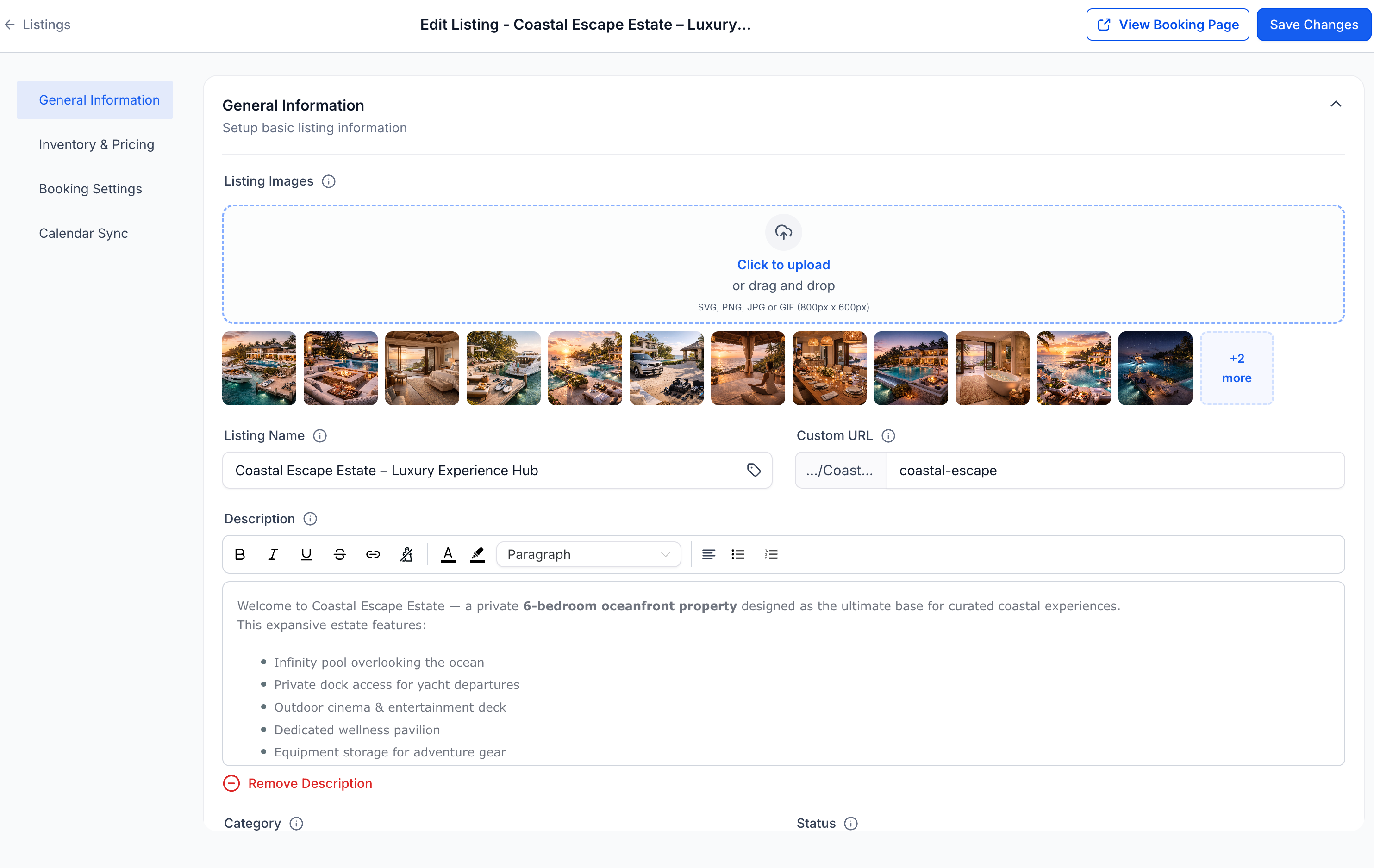
- Create a listing for every rental offer and configure:
- Hourly, daily, weekly or monthly pricing
- Quantity tracking
- Variants (size, type, configuration and so on)
- Rules for notice periods, buffer times and booking windows
Inventory tracking and availability control
- Check how many units of each item are available at any given moment.
- The system automatically:
- Checks availability on the selected dates
- Prevents overbooking
- Blocks unavailable inventory
Flexible pricing models
- Set up pricing that fits your business, with support for:
- Hourly, daily, weekly and monthly rentals
- Day-based pricing
- Seasonal pricing
- Tiered pricing by duration and quantity
- Security deposits
Flexible booking types
Choose how customers can book, based on your business model:
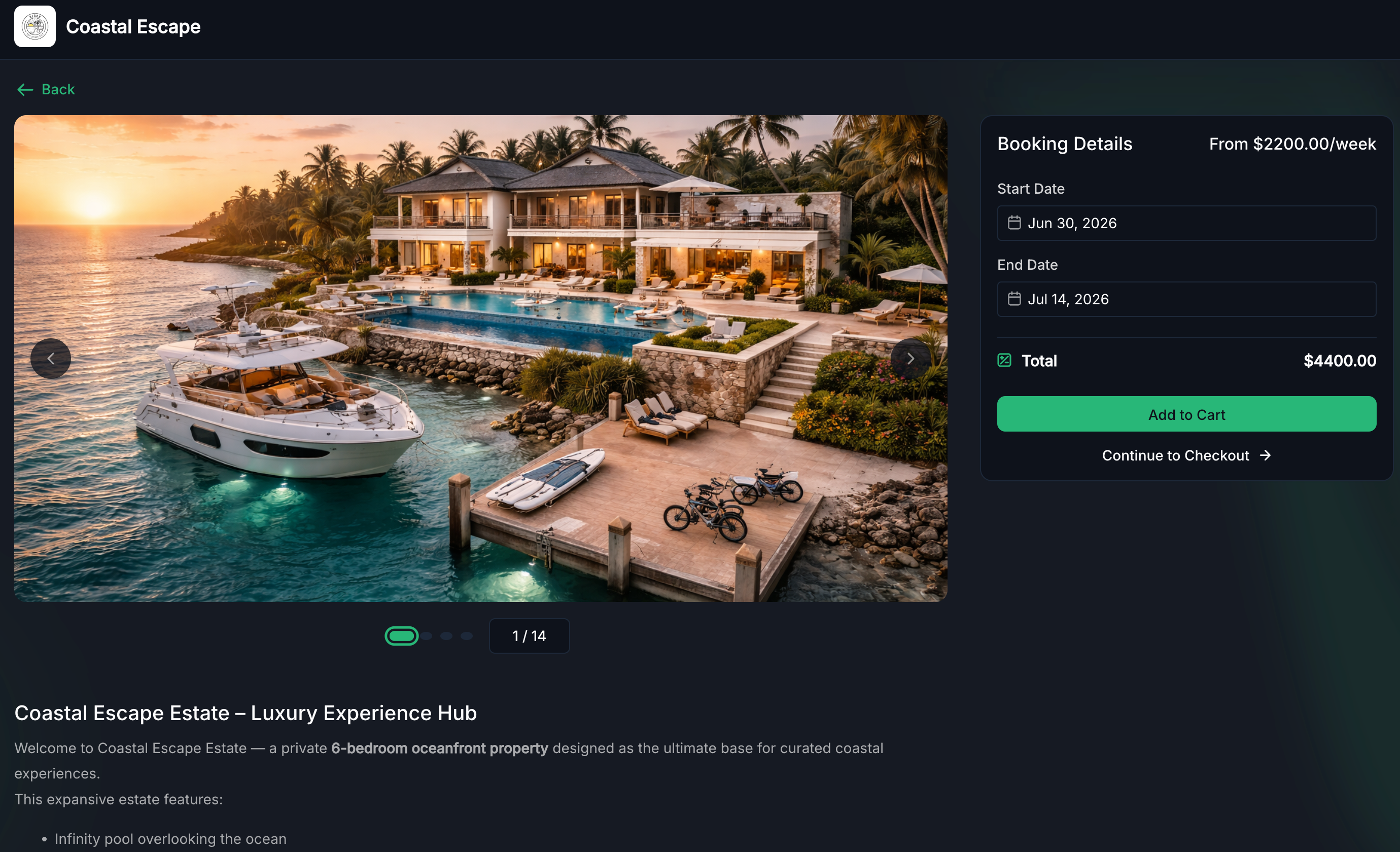
- Date and time picker – Ideal for hourly and short-term rentals
- Date picker only – Perfect for daily or overnight rentals
- Fixed-duration bookings – Offer predefined packages (a 4-hour rental or a 3-day package, for example)
Every listing can define its own booking behaviour.
Multi-item bookings
Customers can book several rental items in a single checkout, which is perfect for packages, event set-ups or combined equipment rentals.
Customer booking page
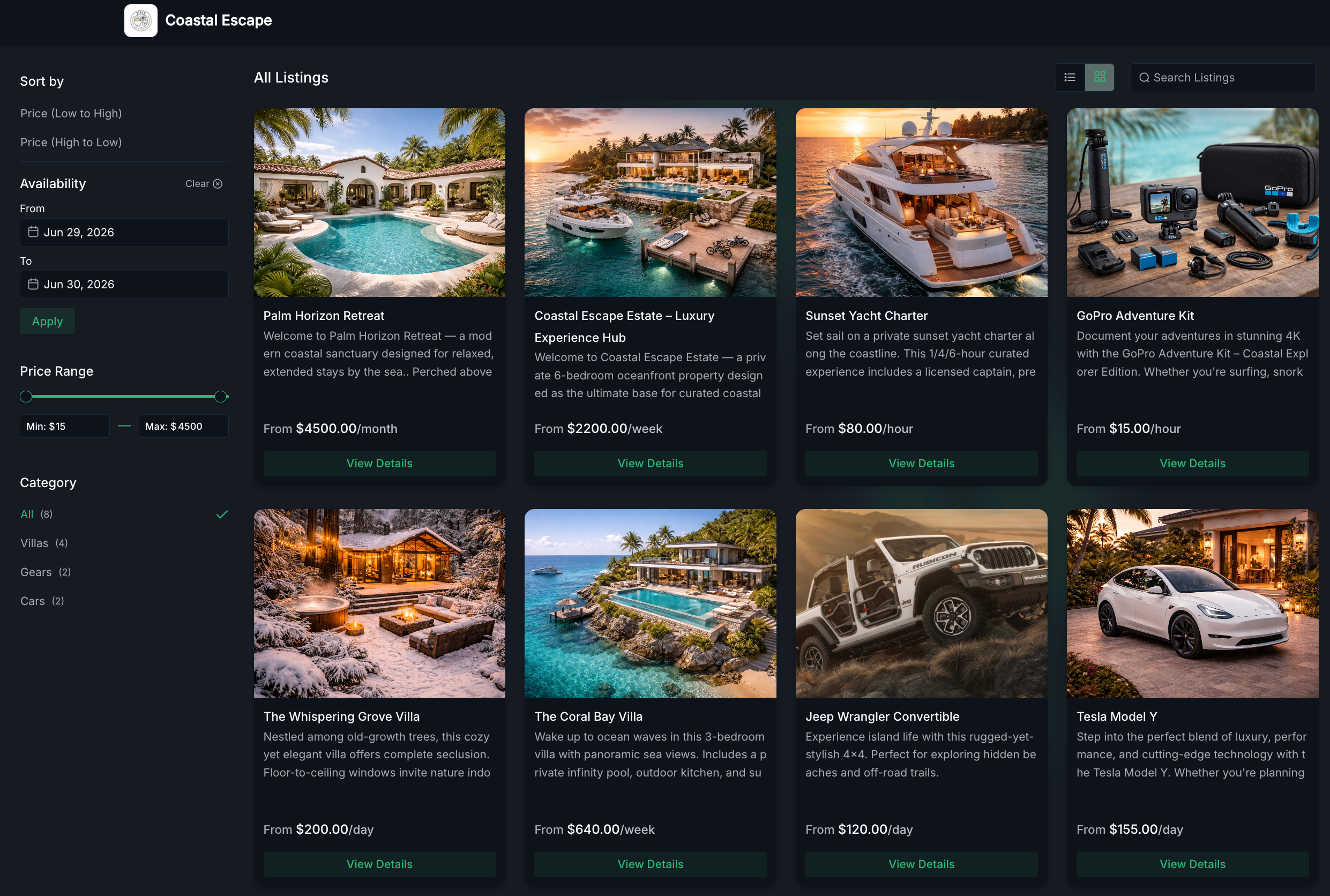
Offer a dedicated, customisable public booking page that:
- Displays listings and categories
- Shows availability in real time
- Delivers a smooth booking experience
This gives rental businesses a streamlined, professional booking experience.
Flexible booking management (admin side)
The Rentals feature includes a complete booking management system:
- Create bookings manually or block slots directly from the app
- Add several items to a single booking
- Edit dates, duration, quantities or prices
- Generate invoices automatically for every booking
- Collect payments from the app
- Track the booking lifecycle
- View and manage all bookings from the appointment list view or the calendar view
Dedicated rentals calendar view
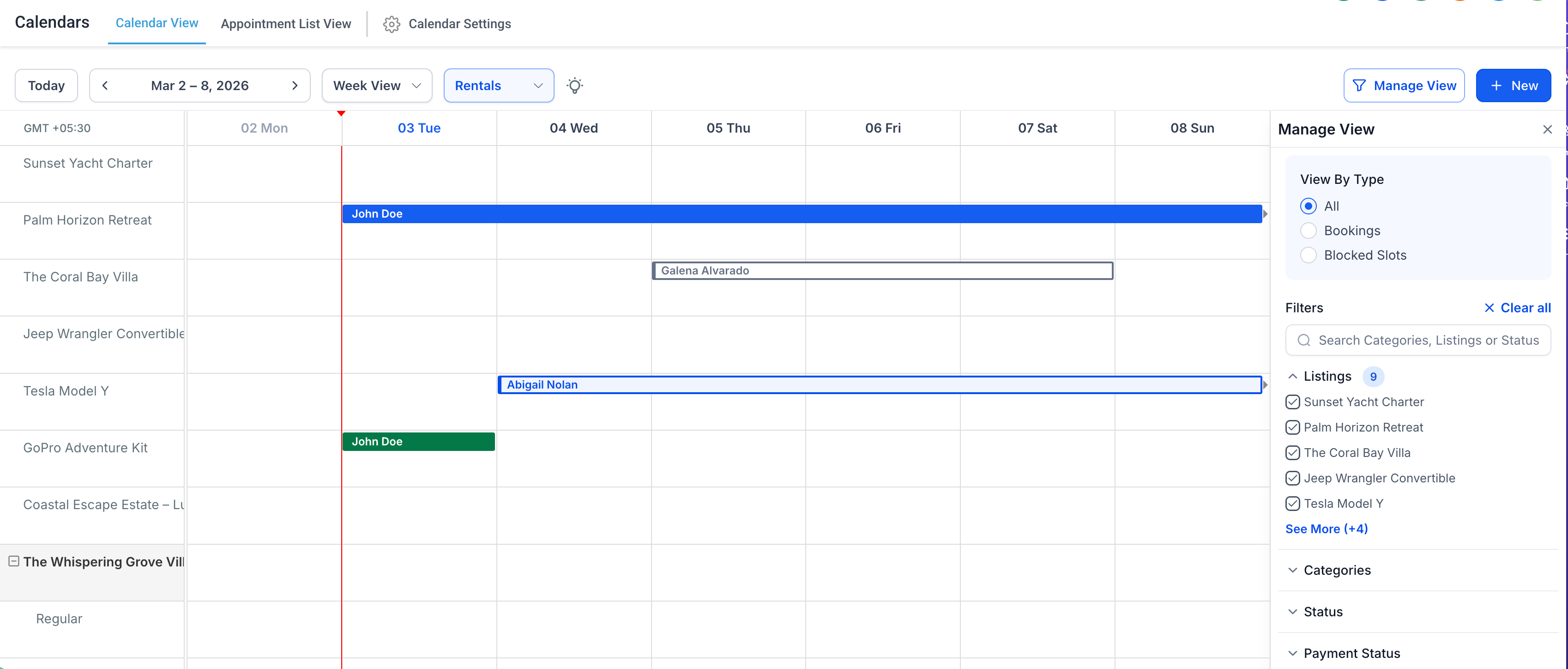
A purpose-built calendar lets you:
- View bookings for every item in one unified grid
- Identify bookings by status with colour coding
- Filter by item, category, booking status or payment status
- Open and manage bookings directly from the calendar
- Run all your rental operations from a single centralised view.
Getting started
To start using the Rentals feature:
- Go to Calendars → Calendar settings → Rentals
- Create your first rental listing
- Configure pricing, inventory, availability and booking settings
- Set up your general business settings in Global settings
- Preview your customer booking page
- Start managing bookings from the appointment list view or the Rentals calendar view
Why it matters
The Rentals feature lets you:
- Offer hourly, daily, weekly and monthly rentals
- Manage inventory, quantities and variants with confidence
- Support multi-item bookings in a single checkout
- Handle payments, invoices and blocked slots in one place
- Sync availability with external platforms through calendar synchronisation
- Run your rental operations without depending on third-party tools
- Expand into sectors such as holiday homes, equipment hire, event management, vehicle rental, coworking spaces, mobility services and more