


Table of contents
What's new
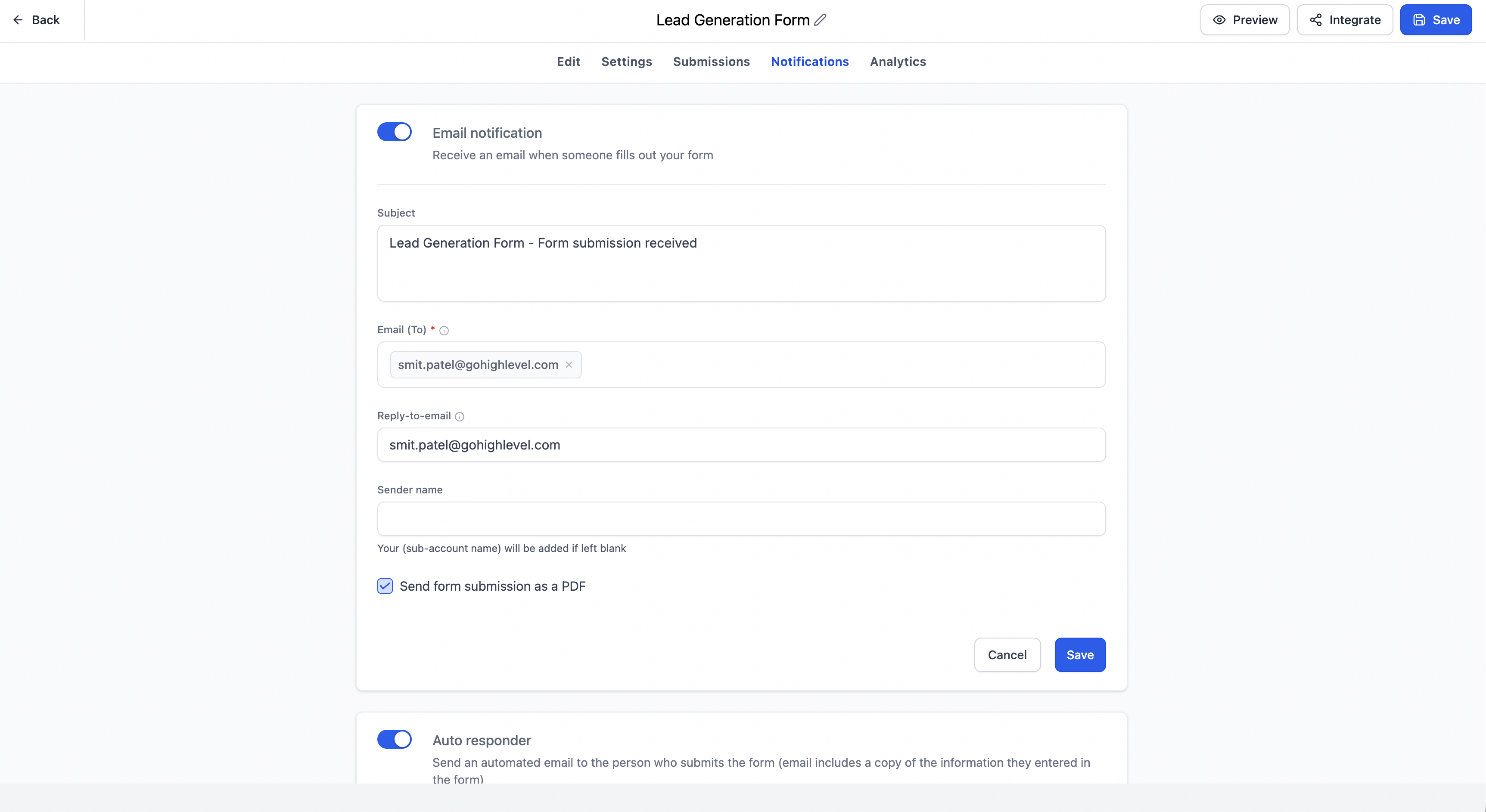
We have improved how visible notifications are in forms, surveys and quizzes, moving them from an icon to a dedicated tab inside the builder.
We have also enhanced the builder tooltips with clearer descriptions, contextual messages and direct links to help centre articles, so you can understand each setting without leaving the editor.
These changes come from our users' feedback, particularly from newer users who found it hard to locate the notification settings and to understand some builder options without help from support.
Key features
- Notifications now have a dedicated tab inside the builder.
- Better visibility and discoverability of the notification settings.
- Enhanced tooltips in forms, surveys and quizzes with clearer guidance and contextual messages.
- Added "Learn more" links to the relevant help centre articles.
- Less need to turn to support to find and understand settings.
- A more intuitive, simpler experience for everyone, new and existing users alike.
How it works
Previously, the notification settings were reached through an icon in the builder, which was easy to overlook, especially for new users.
With this update, notifications are now available in a clearly visible tab, so everyone can quickly find and manage their notification preferences.
We have also improved several builder tooltips, providing more detailed explanations, contextual messages based on the type of field selected and direct links to the help centre documentation where relevant.
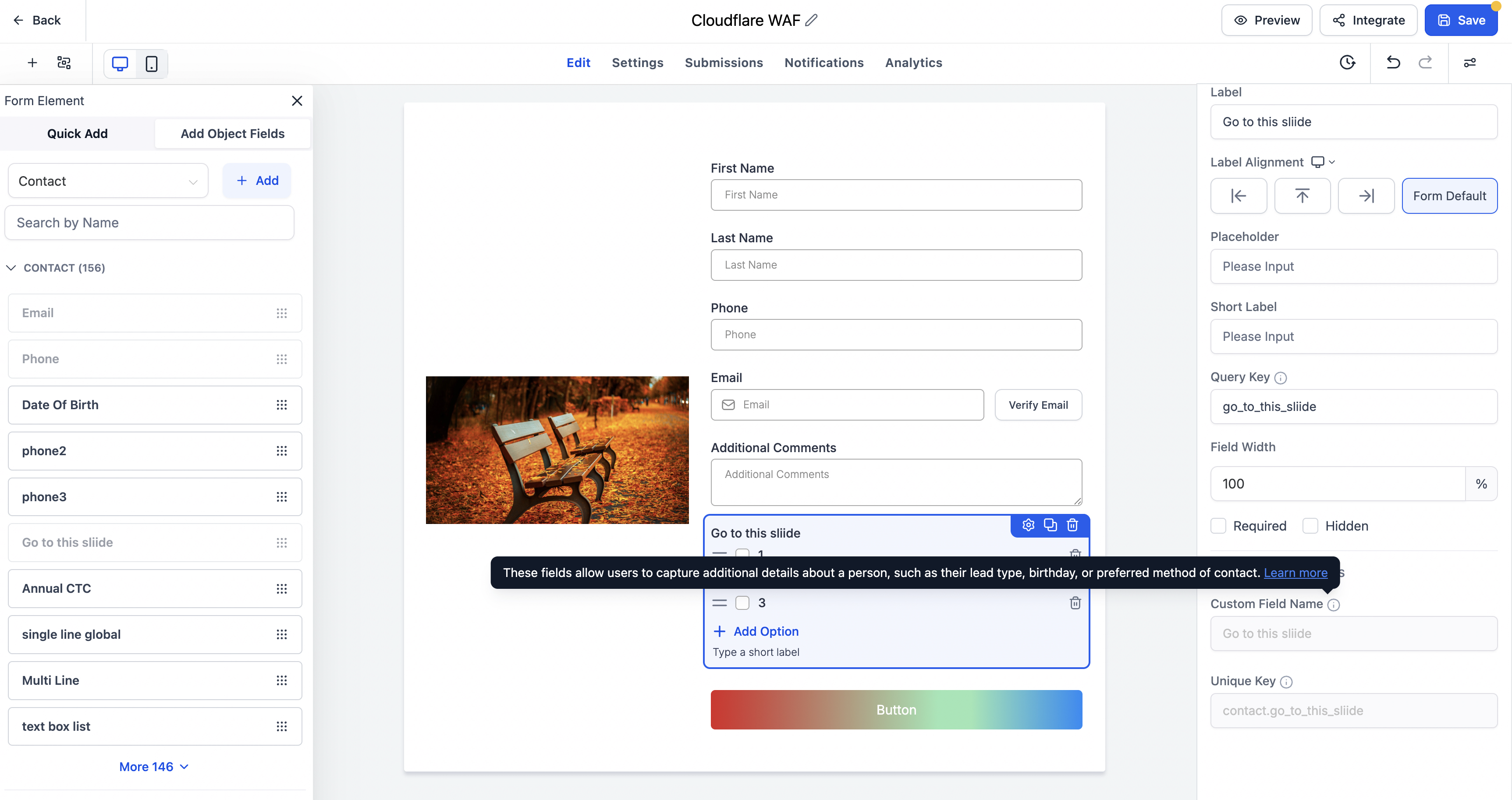
This helps users understand the configuration options better without interrupting their work.
Notes
- No changes have been made to the existing notification functionality.
- This update focuses on improving accessibility, navigation and guidance inside the product.
- Tooltips have been enhanced across forms, surveys and quizzes with clearer descriptions and contextual help centre links where relevant.
- Available for forms, surveys and quizzes.
By making notifications easier to find and offering more useful in-product guidance, we help users get up and running faster, with a smoother and simpler onboarding experience.


