


Table of contents
What changes
Futuria CRM now lets you control whether the "Sign in with Google" option appears on the Client Portal sign-up and login pages. Administrators can enable or disable sign-in with Google directly from the Client Portal settings.
This gives businesses the flexibility to align their users' sign-up experience with their compliance and data governance requirements, such as the GDPR and other European regulations.
Key points of this release
- Switch sign-in with Google on or off: Choose whether to show or hide the Google button on your portal's sign-up and login pages.
- Simple management: Control sits directly with the account administrator, with no need to raise a support request.
- Flexibility for compliance: Remove third-party sign-in to align with regional privacy regulations (e.g. GDPR).
How to use it
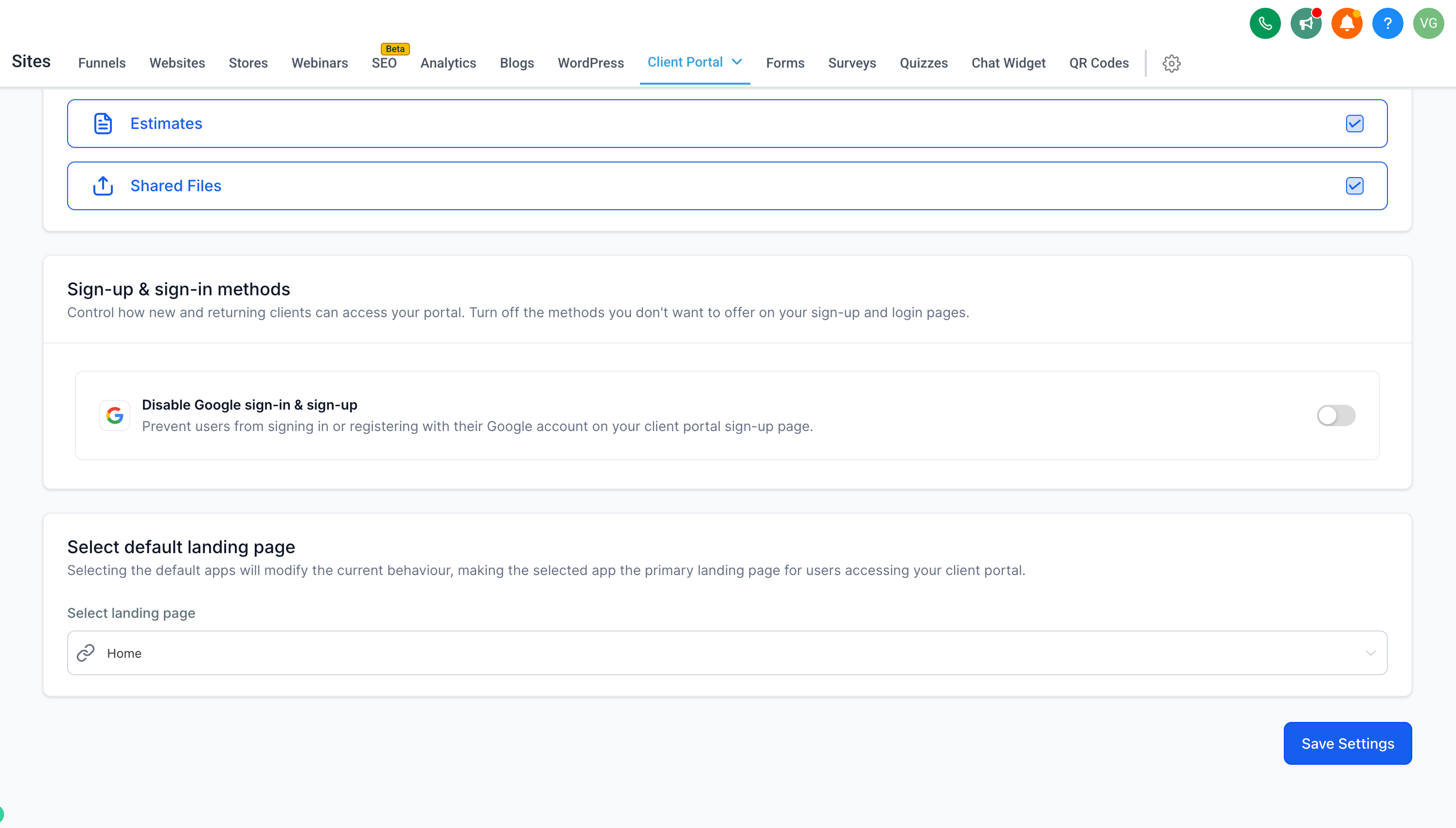
- Go to your account → Sites > Client Portal Settings.
- Open App Permissions and scroll down to Sign-up and login methods.
- Switch the Disable sign-up and login with Google option on or off.
- Click Save Settings — done!
Why this release matters
Previously, sign-in with Google was always active and could not be disabled. That raised regulatory compliance concerns for businesses operating under European data processing requirements (GDPR).
Now, every account has full control over which authentication options appear in its portal. That way, the sign-up experience can be perfectly aligned with your business and regulatory needs.
Additional notes
- When the option is disabled, contacts can only sign up or log in with an email address and password, or by using a security code.
- The setting is specific to each account and is managed from the Client Portal app permissions.
This feature is available on the web version of the Client Portal.


