



Table of contents
You can now reorder your sales pipelines
From today you can reorder your pipelines directly in the Opportunities view. Reorganise them by dragging, or move them to an exact position from the Actions menu. The new order is saved and kept even after you refresh the page.
What has changed
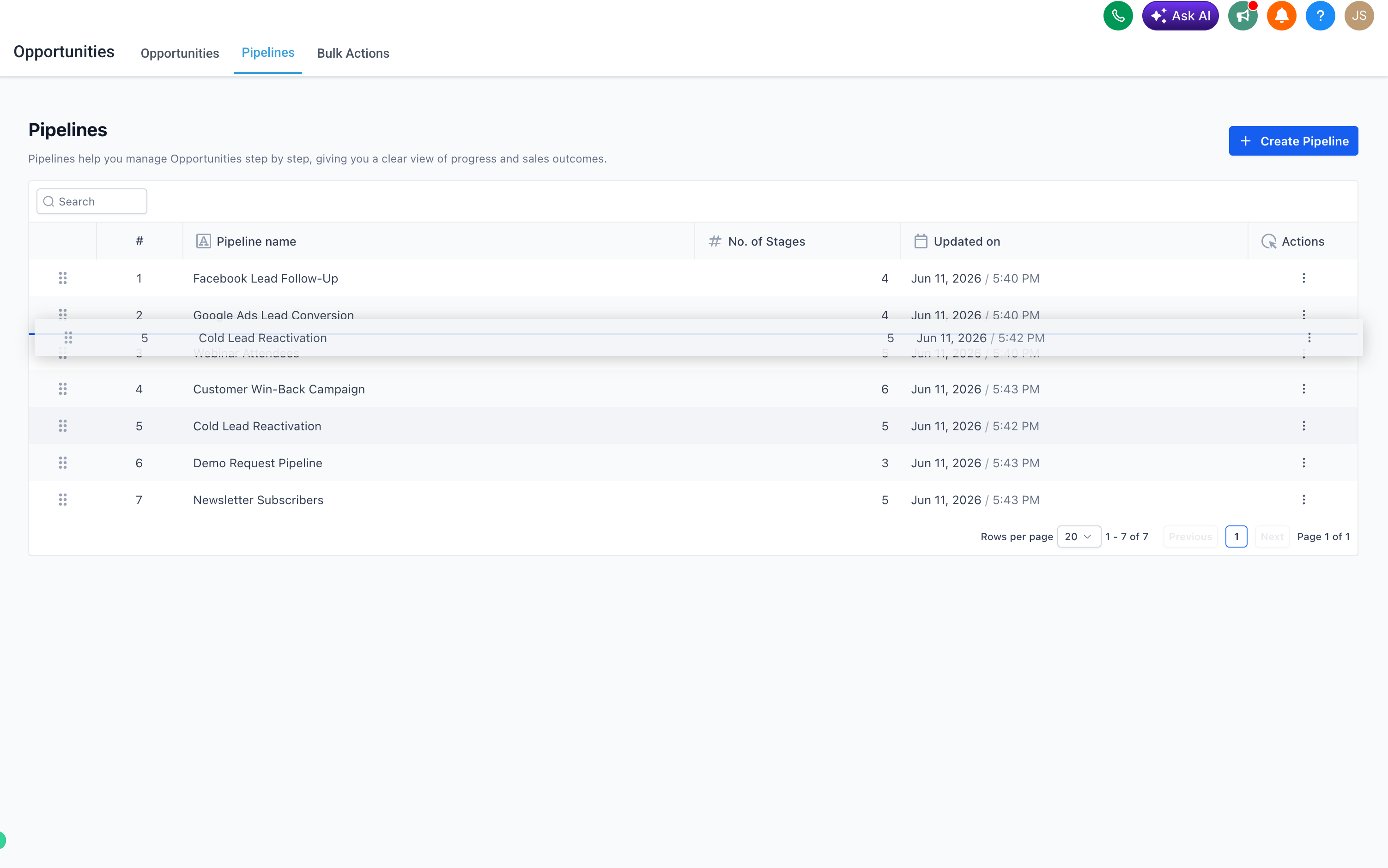
- Drag and drop to reorder pipelines in the Opportunities view.
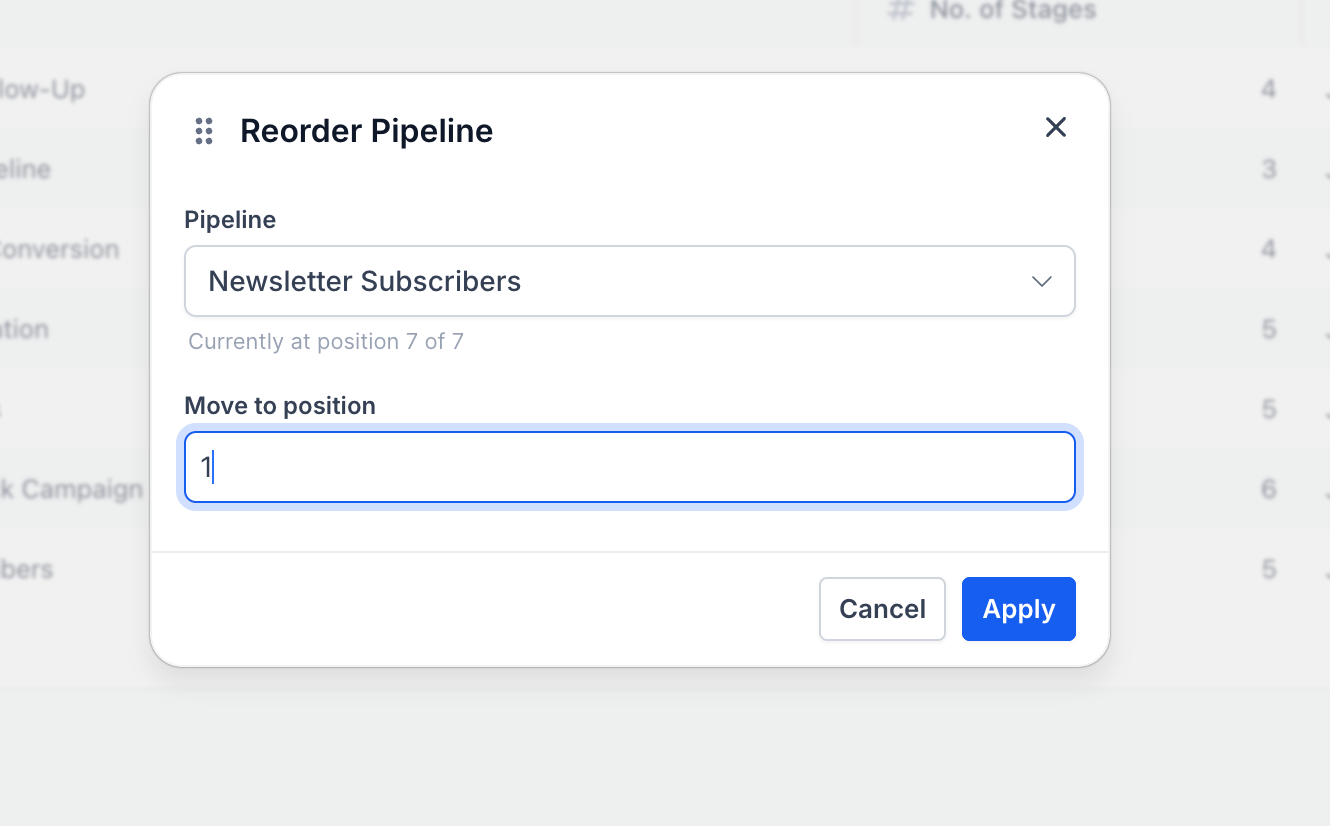
- A "Move to position" option in the Actions menu (the three dots) for precise repositioning, even across different pages.
- The pipeline order is an account-level setting and is kept for every user.
- Only users with administrator privileges can reorder pipelines.
How it works
Go to Opportunities → Pipelines.
To reorder, drag a pipeline by its handle to the position you prefer.
Alternatively, click the Actions menu ⋯ (the three dots) on a pipeline and select Move to position to place it at a specific point.

The new order is saved automatically, with no further steps required.
Why it matters
Previously, the order of pipelines in the Opportunities section was fixed and could not be customised. Anyone managing several pipelines had no way to prioritise or highlight the ones they used most, other than by choosing specific names.
This update gives you full control, straight from the pipelines view, letting you organise your workspace in whatever way works best for you.


