Table of contents
- Save completion progress for forms, surveys and quizzes
- ✨ What's new
- 🌟 Key points
- ⚙️ How it works
- 📋 Important notes
Save completion progress for forms, surveys and quizzes
Long forms have just become far easier to complete! 🎉 With the new Save progress feature, people can pause a multi-step form, survey or quiz without worry and come back later to continue from where they left off.
Simply switch the feature on with a click and Futuria CRM takes care of the rest.
✨ What's new
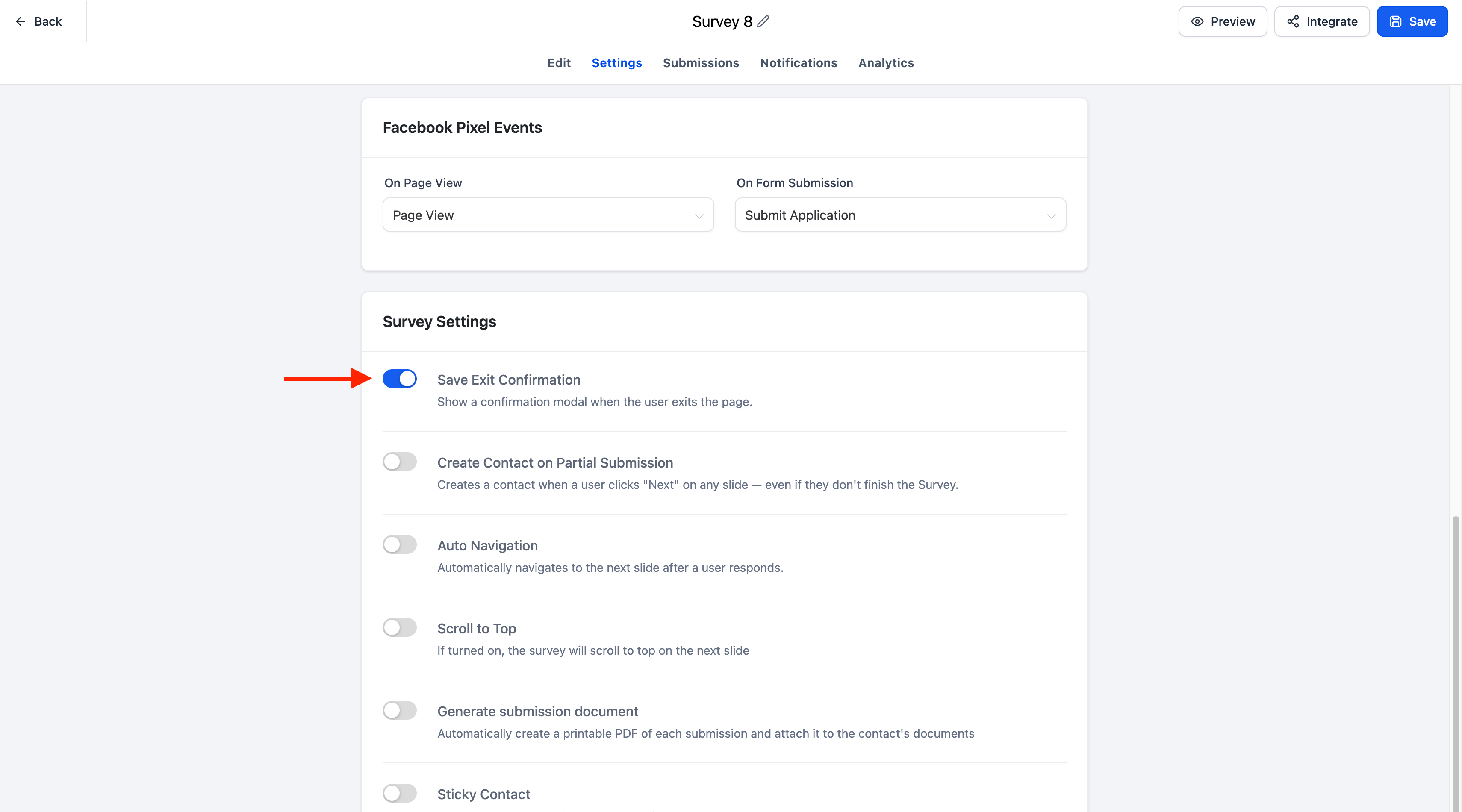
The Settings tab of forms, surveys and quizzes now includes a new toggle called "Save on exit". When this option is on, the respondent's progress is saved automatically if they leave the page before submitting, so they can easily resume later.
🌟 Key points
- Automatically saves progress for multi-step forms, surveys and quizzes.
- Turn the feature on or off easily with the "Save on exit" toggle.
- People can return later and carry on from where they stopped.
- A dialogue box lets the respondent choose whether to continue or start again from scratch.
- The resume dialogue adapts automatically to the branding of your form, survey or quiz: the button colour inherits the footer colour and the text font matches the one used for labels.
- Fully supported on both desktop and mobile devices.
⚙️ How it works
- Open the Settings tab of your form, survey or quiz.
- Turn on the "Save on exit" toggle.
- The user starts filling in a multi-step form, survey or quiz.
- If they close the browser, refresh the page or navigate elsewhere before submitting, their progress is saved automatically.
- When they return to the same form, survey or quiz, a dialogue appears allowing them to:
- Continue from where they left off, or
- Start again with a fresh submission.
📋 Important notes
- The Save progress feature is available for multi-step forms, surveys and quizzes.
- The feature is managed with the "Save on exit" toggle in the Settings tab.
- Progress is saved automatically only when the feature is enabled.
- The resume dialogue adapts automatically to the branding of your form, survey or quiz.
- Existing forms, surveys and quizzes are unaffected until the feature is explicitly enabled.