


Table of contents
New tags to organise and filter your courses
Finding the right course has become even easier! We have introduced course tags to help creators organise their content and make it simpler for learners to discover relevant material.
What's new?
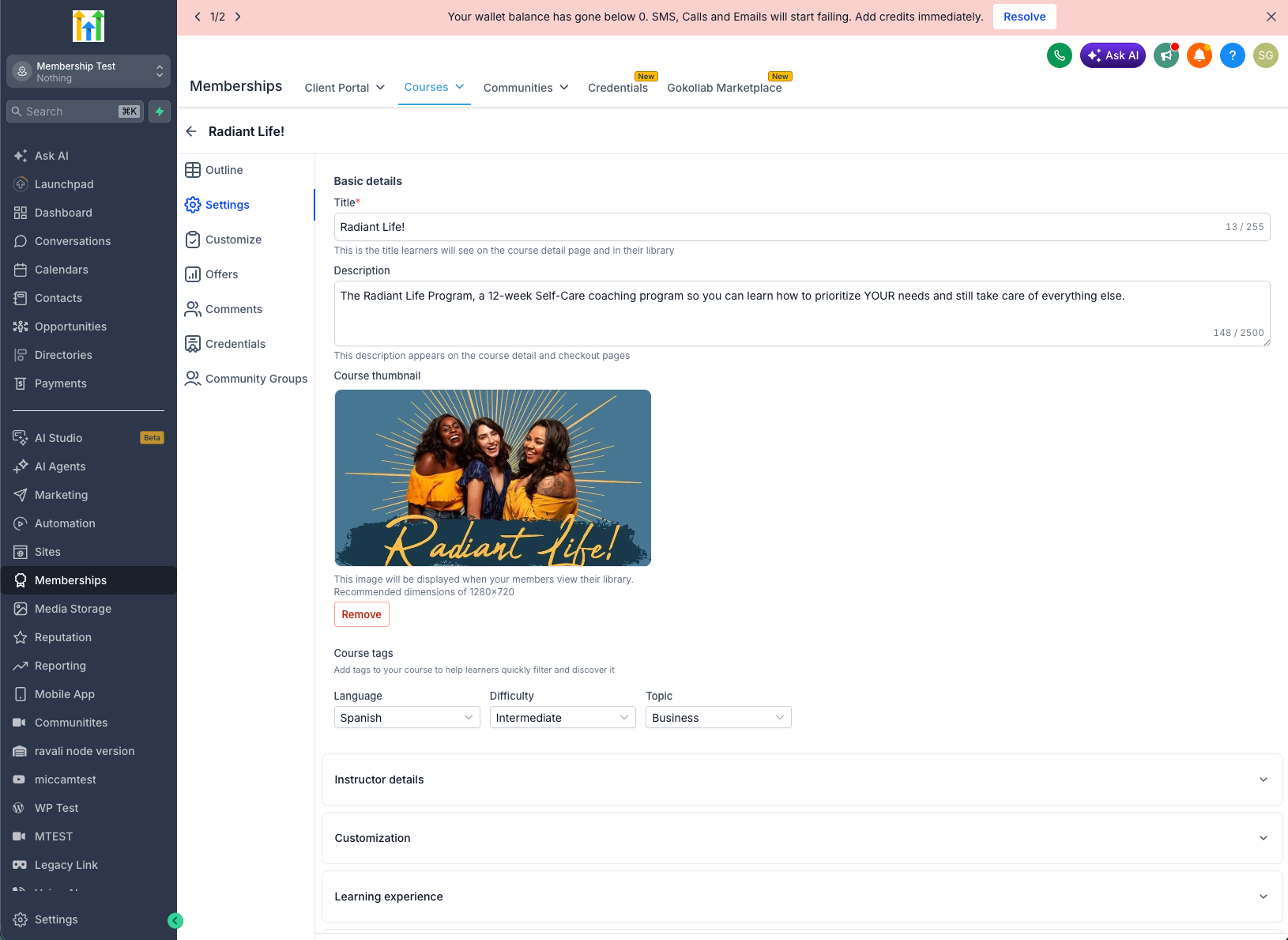
- 🏷️ Add tags for Language, Difficulty and Topic from the course settings.
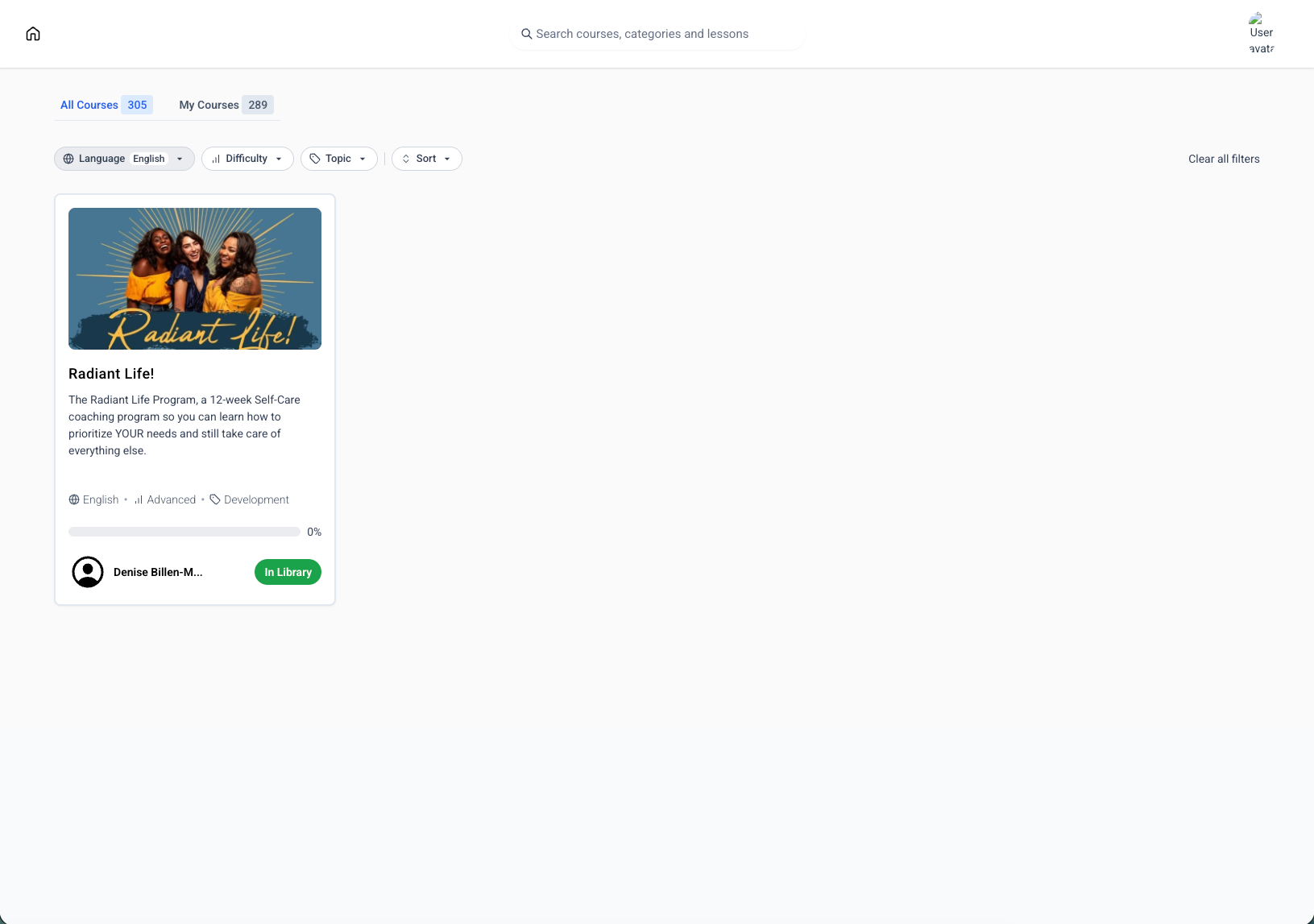
- 🔍 Learners can filter the course library using these tags.
- 📚 Tags are shown directly on the course cards for quick identification.
- 🌐 Standardised, predefined tags ensure consistent categorisation across all courses.
- 📖 Available in both the "All courses" and "My courses" views of the library.
Why it matters
This new feature lets you help learners quickly find the courses that match their language, skill level and interests. You can build a cleaner, better organised learning library as a result.
Categorise courses without resorting to custom fields or manual organisation, offering a more polished, catalogue-like browsing experience inside the client portal.
How to get started
- Go to Courses, select a course and click Settings.
- In the "Course tags" section, choose the appropriate Language, Difficulty and Topic.
- Save the course.
- Your learners can start using the new filters straight away to discover courses more easily.
What's next
We will soon be introducing the ability to create custom tags as well.


