


Table of contents
- What is the SLA performance dashboard?
- Key benefits of the SLA performance dashboard
- SLA metrics explained
- Performance by user and channel
- SLA reporting rules and access
- How to use the SLA performance dashboard
- Frequently asked questions
What is the SLA performance dashboard?
The SLA performance dashboard is a reporting view inside conversations that shows how your team is performing against the SLAs (Service Level Agreements) you have configured. It helps you monitor the main SLA outcomes and response behaviour, and understand where performance is strong or where improvement is needed.
Instead of relying only on the activity of individual inboxes, the dashboard centralises SLA performance. Administrators can review the key metrics, compare results across users and channels, and use this information to improve response coverage and team efficiency.
Key benefits of the SLA performance dashboard
- Centralised visibility: analyse SLA performance in a single place, with no need for manual checks across individual conversations.
- Quick problem spotting: identify when response times are stretching by monitoring SLA outcomes and average response times.
- User accountability: understand how individual team members are performing against SLA expectations.
- Channel data: compare performance across different channels to see where delays occur most often.
- Better informed decisions: use the report data to improve workflows, response coverage and team performance.
SLA metrics explained
Understanding how each SLA metric is calculated helps teams read the dashboard results correctly. These definitions make it easier to assess performance, explain results internally and prevent confusion when comparing SLA data over time.
| Metric | Description |
|---|---|
| % SLA met | The percentage of messages answered within the time defined by the SLA. For example, if the SLA applies to 100 messages and 60 receive a reply before the deadline, the percentage of SLAs met is 60%. Messages where the SLA is still running (neither met nor breached) are excluded from this calculation. |
| % SLA breached | The percentage of messages not answered within the time defined by the SLA. Only messages whose SLA outcome has been determined (met or breached) are included. |
| Average response time | The average time taken to reply to messages where a reply was sent. Only messages with a completed SLA assessment are included. |
| Messages with SLA met | The total number of messages that received a reply within the time defined by the SLA. |
| Messages with SLA breached | The total number of messages that did not receive a reply before the time defined by the SLA expired. |
| Messages tracked with SLA | The total number of messages an SLA was applied to and whose outcome has been determined. It only includes messages where the SLA was met or breached. Messages where the SLA is still running are not included. |
Performance by user and channel
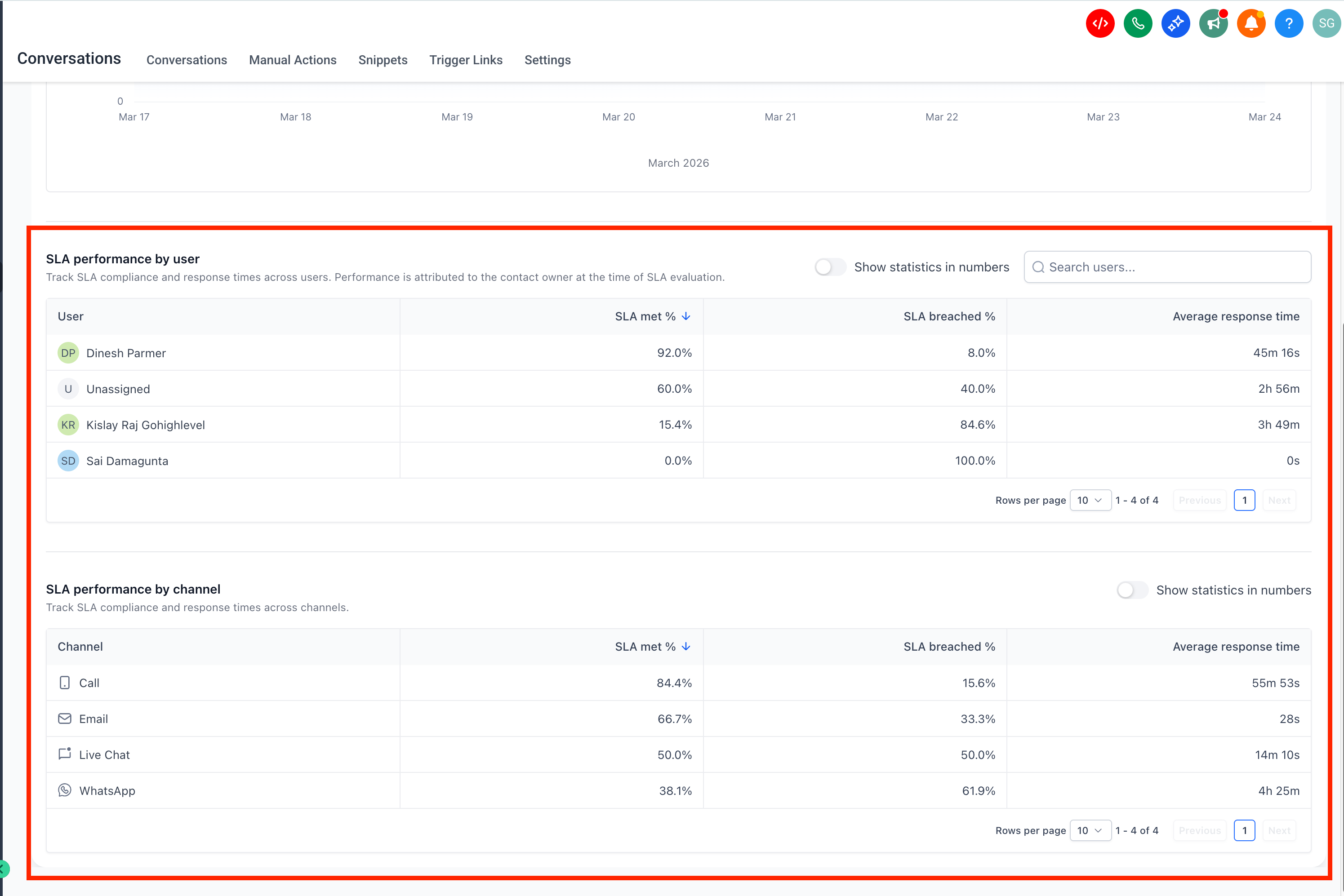
Detailed performance analysis helps you move from a generic report to useful, actionable information. Reviewing results by user and by channel makes it easier to see where delays occur and where support, process changes or workload adjustments may be needed.
The dashboard includes user-level and channel-level reports, so administrators can compare performance across team members and communication channels. This helps identify the top performers, uncover training opportunities and reveal which channels may need better coverage or faster follow-up processes.
User and channel reports can help you to:
- Recognise the team members who consistently meet SLA expectations.
- Identify users who may need training or workload support.
- Compare response performance across different channels.
- Spot patterns that may call for workflow or staffing changes.
SLA reporting rules and access
Knowing how SLA data is counted is essential to reading the dashboard correctly. These rules explain which messages are included, how ownership is assigned, who can view the report and when the data becomes available.
- Only messages with a completed SLA assessment, that is met or breached, are included in the reports.
- Conversations marked as read without a reply are excluded.
- SLA performance is attributed to the user assigned at the time of the assessment.
- Only administrators can access the SLA performance reports.
- Data for the SLA performance dashboard is available from 23 May 2026 onwards.
How to use the SLA performance dashboard
A clear review process helps teams get more value out of SLA reports. Starting from the overall results and then moving into the detailed analysis makes it easier to understand overall performance and identify where action is needed.
- Sign in to your Futuria CRM account and make sure conversation SLAs are already configured. Our guide on conversation SLAs explains how to define response time targets for incoming conversations.
- Open the dashboard from the conversations analytics area.
Go to Conversations → Analytics → SLA performance.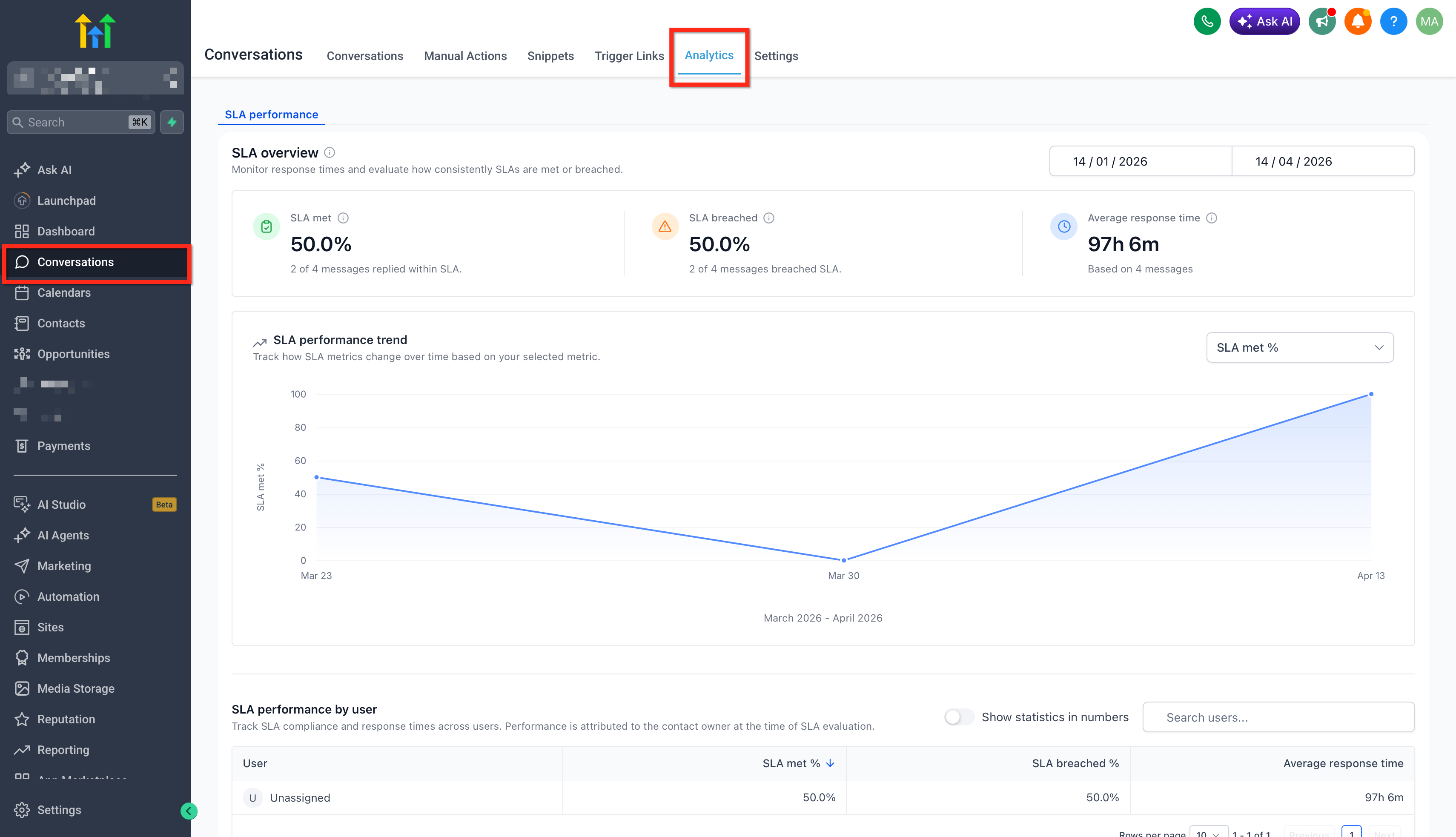
- Select a time range and review the summary metrics.
Review the dashboard using a relevant reference period to assess current performance and overall SLA adherence. Start with % SLA met, % SLA breached and average response time to understand overall responsiveness before moving into the detailed analysis.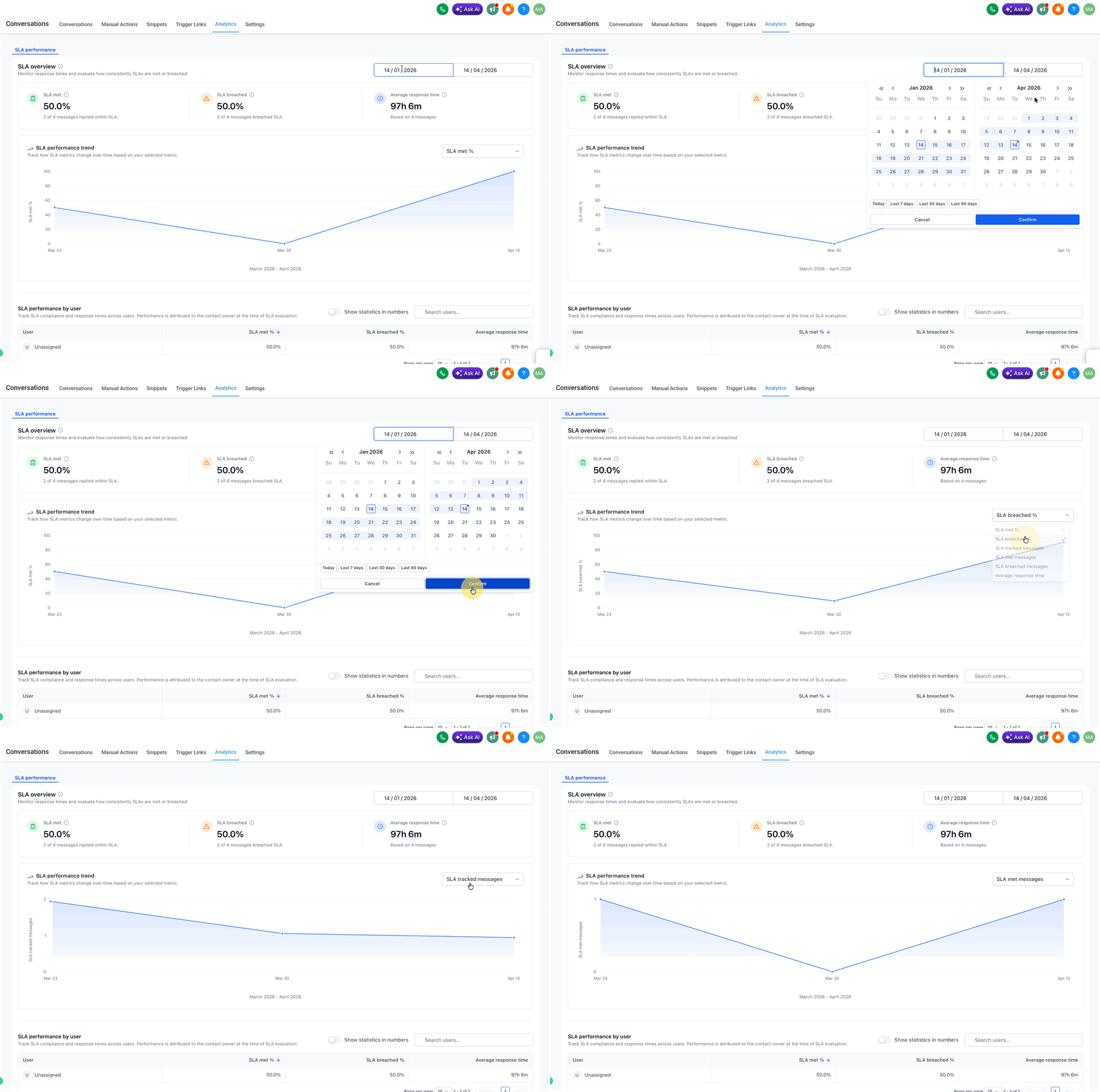
- Analyse performance at user and channel level.
Use these views to identify where delays occur and where operational changes may be needed.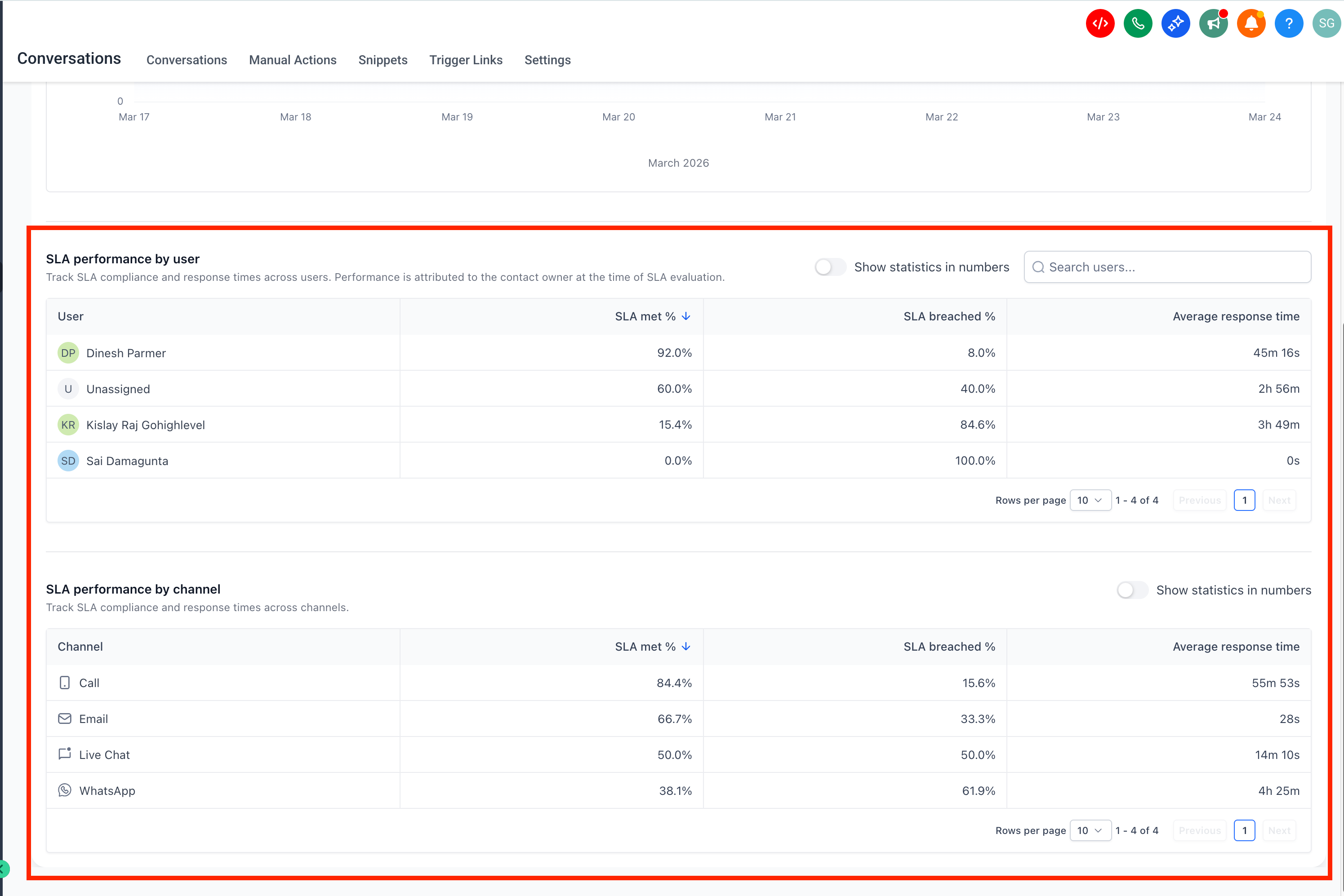
Frequently asked questions
What does the SLA performance dashboard measure?
It measures how well your team meets the response time targets of your conversation SLAs, showing SLA outcomes, response times and user and channel performance.
Who can access the SLA performance dashboard?
Only administrators can access the SLA performance reports.
Are all messages included in the dashboard?
No. Only messages with a completed SLA assessment, that is met or breached, are included in the report.
Do conversations marked as read count towards SLA reports?
No, conversations marked as read without a reply are excluded.
How is SLA performance assigned when several users work on one conversation?
SLA performance is attributed to the user assigned at the time of the assessment.
What does "Messages tracked with SLA" mean?
It is the total number of messages an SLA was applied to and whose outcome was determined as met or breached.