


Table of contents
- What is Smart Send?
- Key benefits of Smart Send
- Eligibility requirements
- How the best-time recommendation works
- Improvements to the analytics dashboard
- How to set up Smart Send
- Frequently asked questions
What is Smart Send?
Smart Send removes any doubt about "When should I send?" by automatically recommending the optimal send time for each email campaign. The result is higher open and click rates with no extra configuration, perfect for anyone who wants data-driven results.
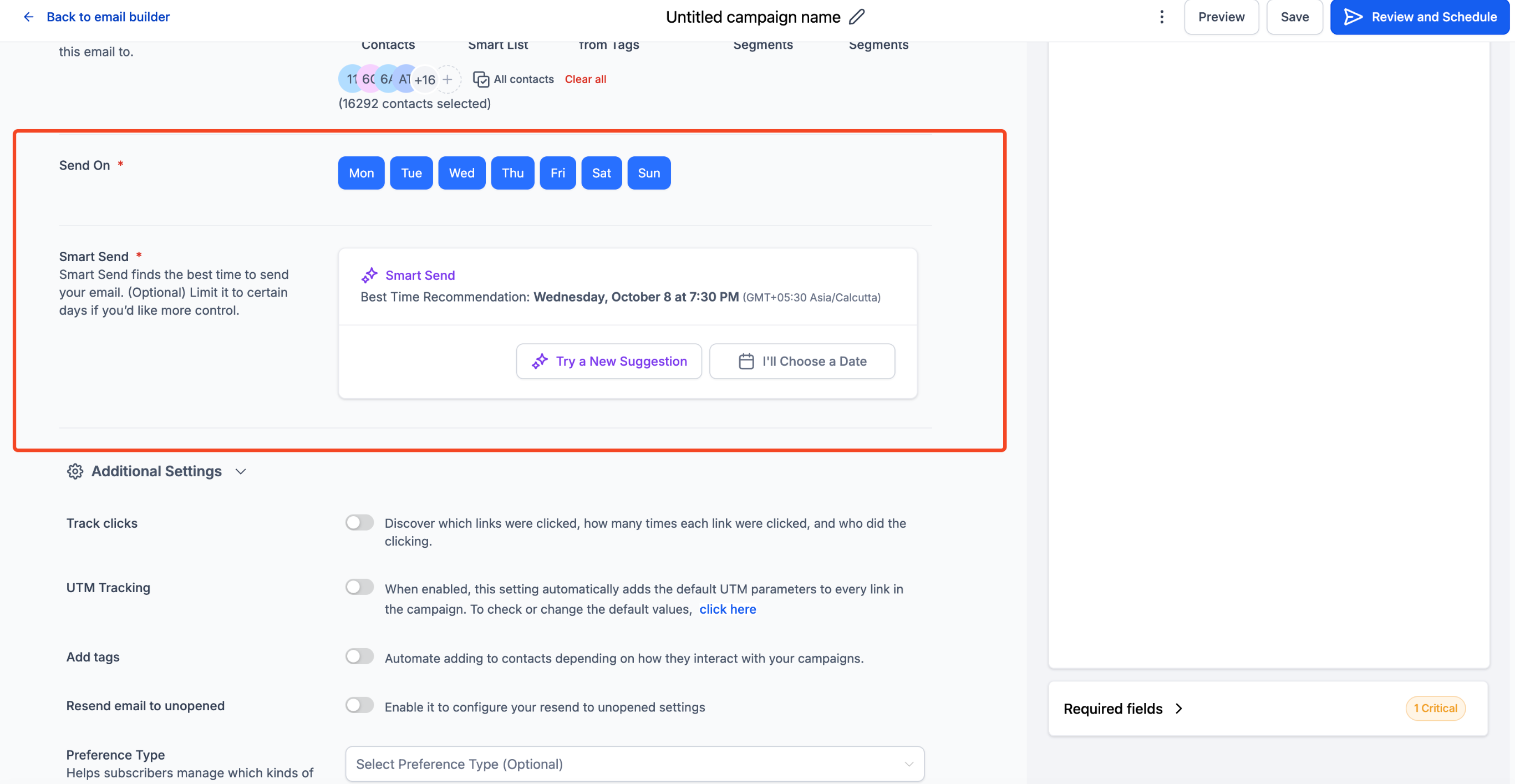
The feature analyses recipient interactions (opens, clicks and other events) from the last 60 days to identify the best moment to send your campaign. To make sure the recommendation is statistically sound, the account must have sent at least 1,000 emails in the last 60 days. When you request a recommendation, Smart Send processes the data and schedules your email for the time slot with the highest predicted engagement.
Key benefits of Smart Send
- Automatic lift in open and click rates, with no manual analysis needed.
- Built into your workflow: the option appears alongside "Send now", "Simple scheduling", "Batch sending" and "RSS scheduling" in the existing send flow.
- Flexibility: you can accept the recommendation or override it with a custom date and time.
- Transparent ROI: post-send analytics show the percentage lift in engagement compared with your account's historical average.
Eligibility requirements
Smart Send only works when Futuria CRM has enough recent data to make an accurate prediction.
- You need to have sent a minimum of 1,000 emails from the same account in the last 60 days.
- The campaign must be created in Email Builder → Campaigns.
- It is currently supported for standard email campaigns (support for A/B tests and batch sends is coming soon).
How the best-time recommendation works
Smart Send builds an engagement model based on the last 60 days that takes into account:
- Open events by time slot (based on the account time zone).
- Click events and other interactions to refine predictions on the activity that drives conversions.
- Relative performance against account averages, to avoid recommending time slots that have historically performed poorly.
If the data for a particular hour is insufficient, Smart Send automatically widens the time range until the model reaches a sufficient reliability threshold.
Improvements to the analytics dashboard
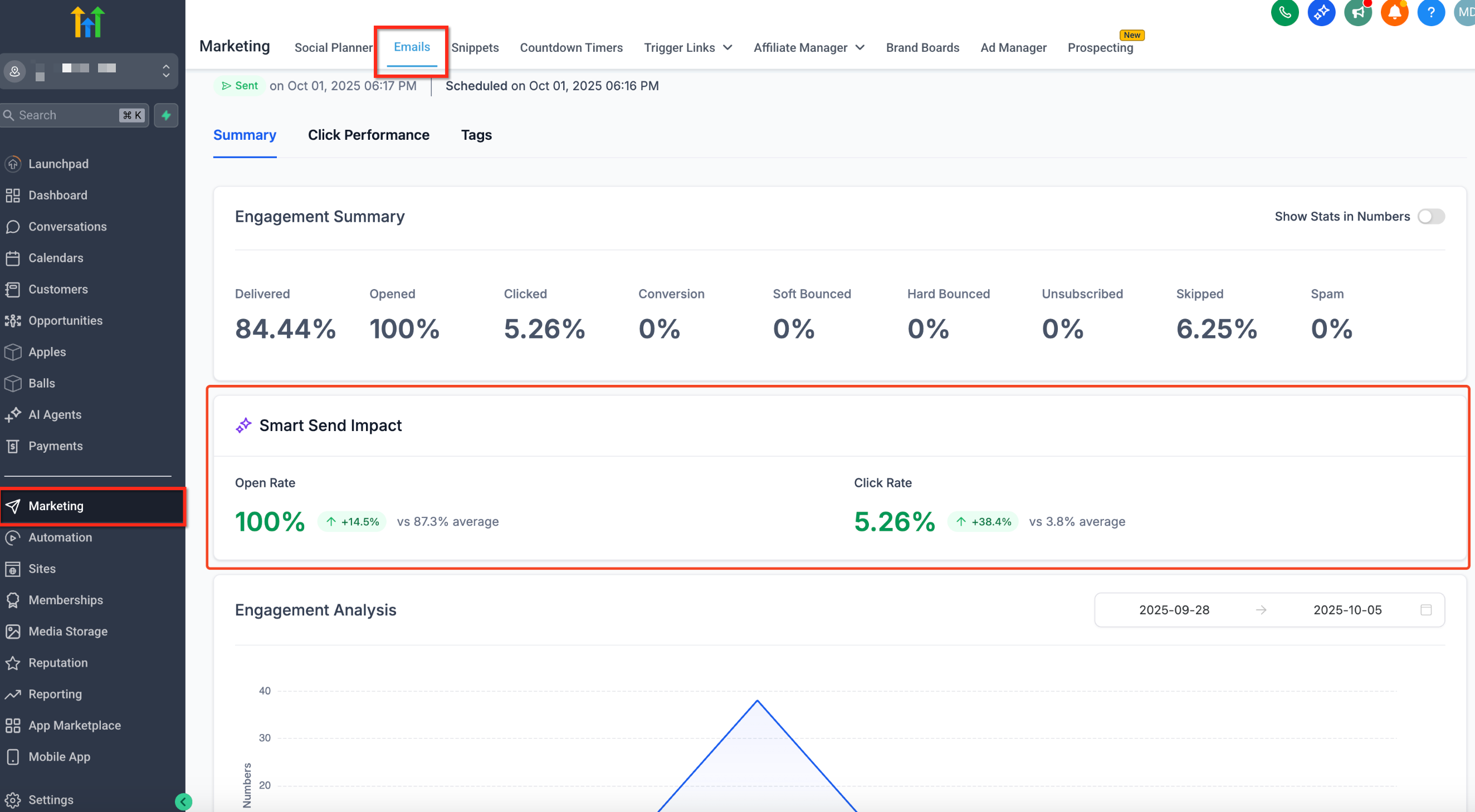
After a campaign is sent with Smart Send, the email statistics dashboard highlights:
- The engagement lift (%) compared with the account's 60-day baseline average.
- A detailed breakdown of opens and clicks for the recommended hour.
- A comparison chart between campaigns sent with Smart Send and those scheduled manually, to help you quantify the impact of the feature.
How to set up Smart Send
Launching a campaign with Smart Send is as simple as choosing a template.
1. Go to Marketing → Email.
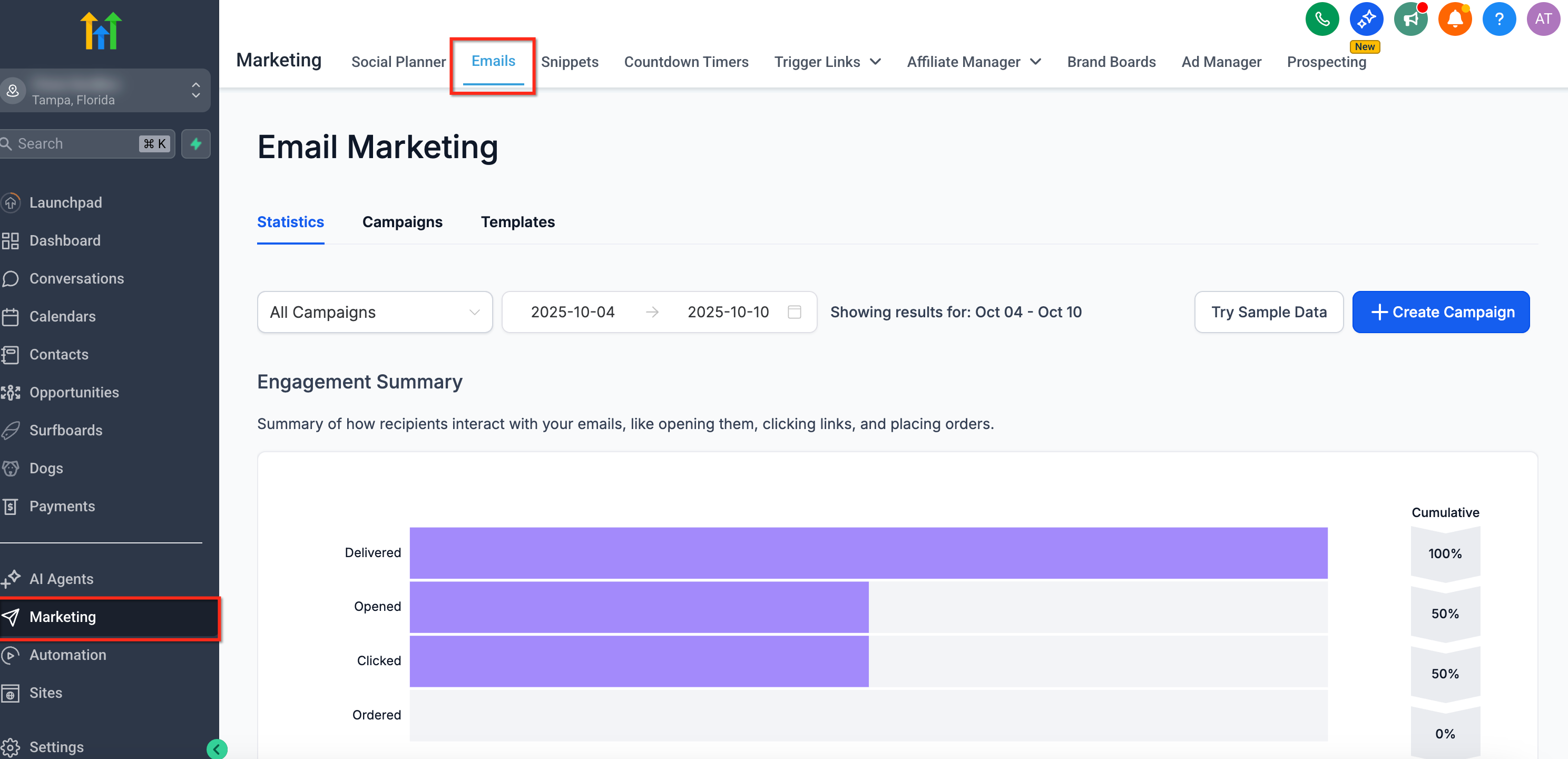
2. Click Campaigns → Create new campaign.
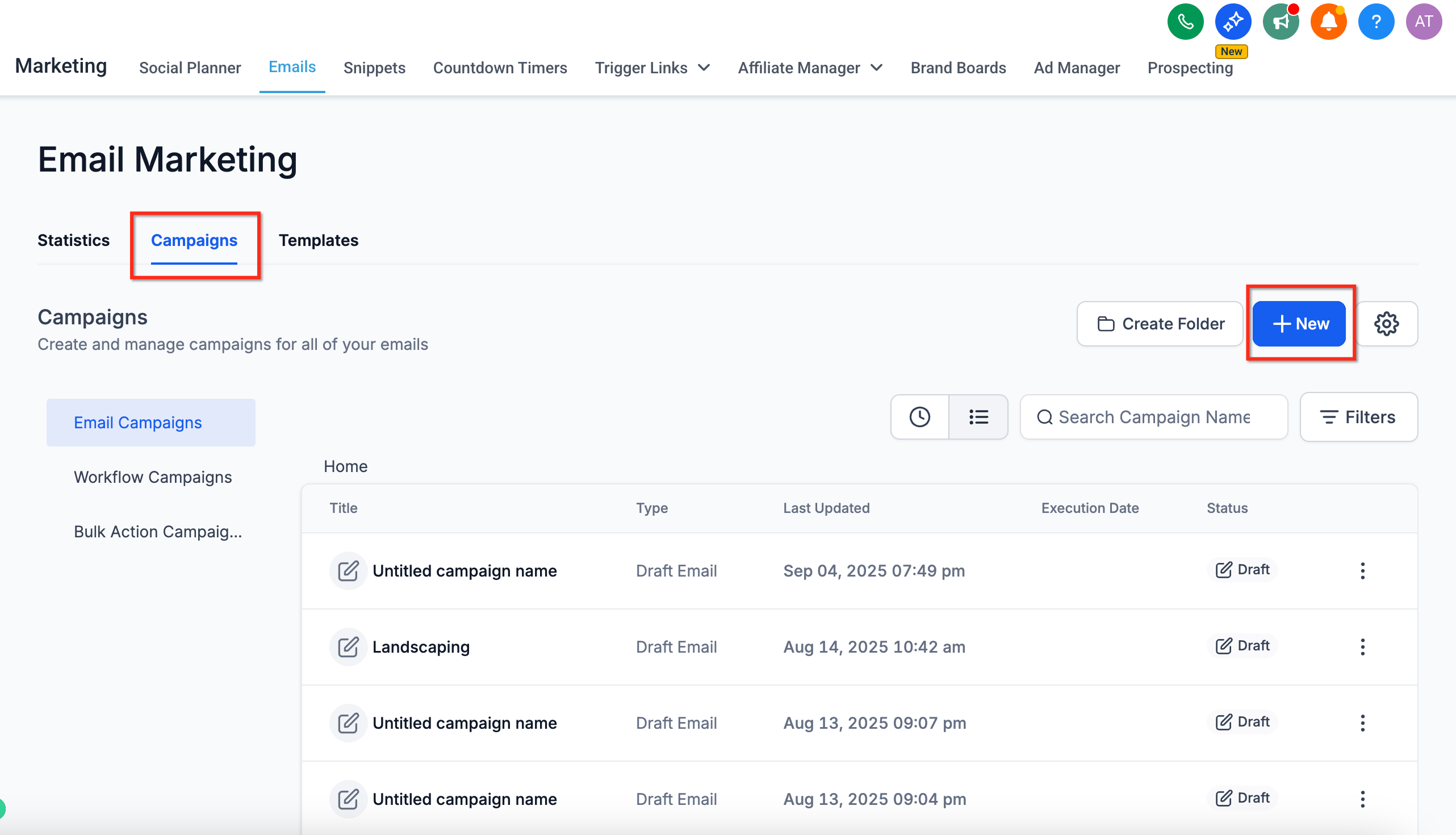
3. Design your email, then click Send or schedule.
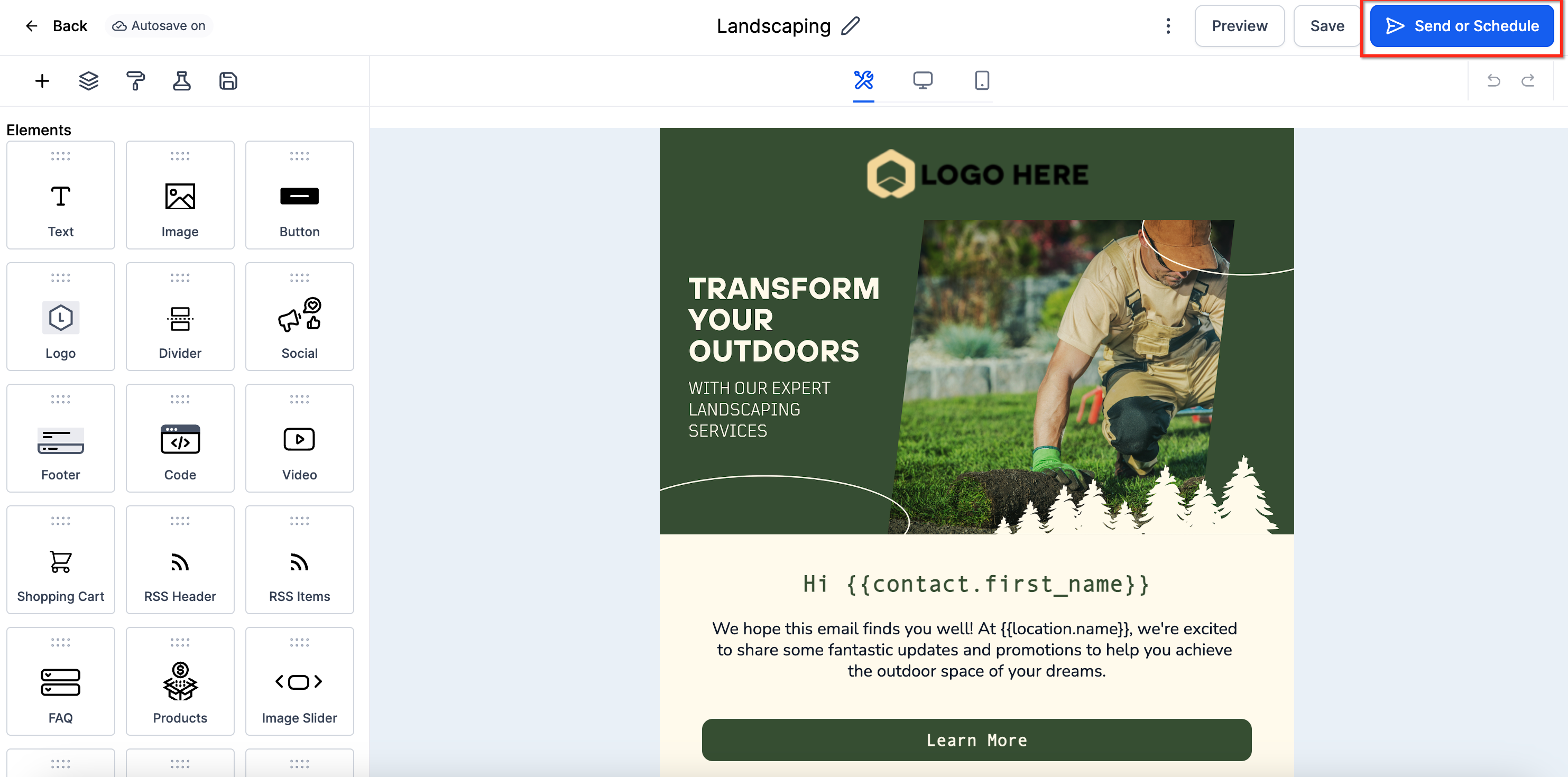
4. Choose Smart Send (the fifth sending option).
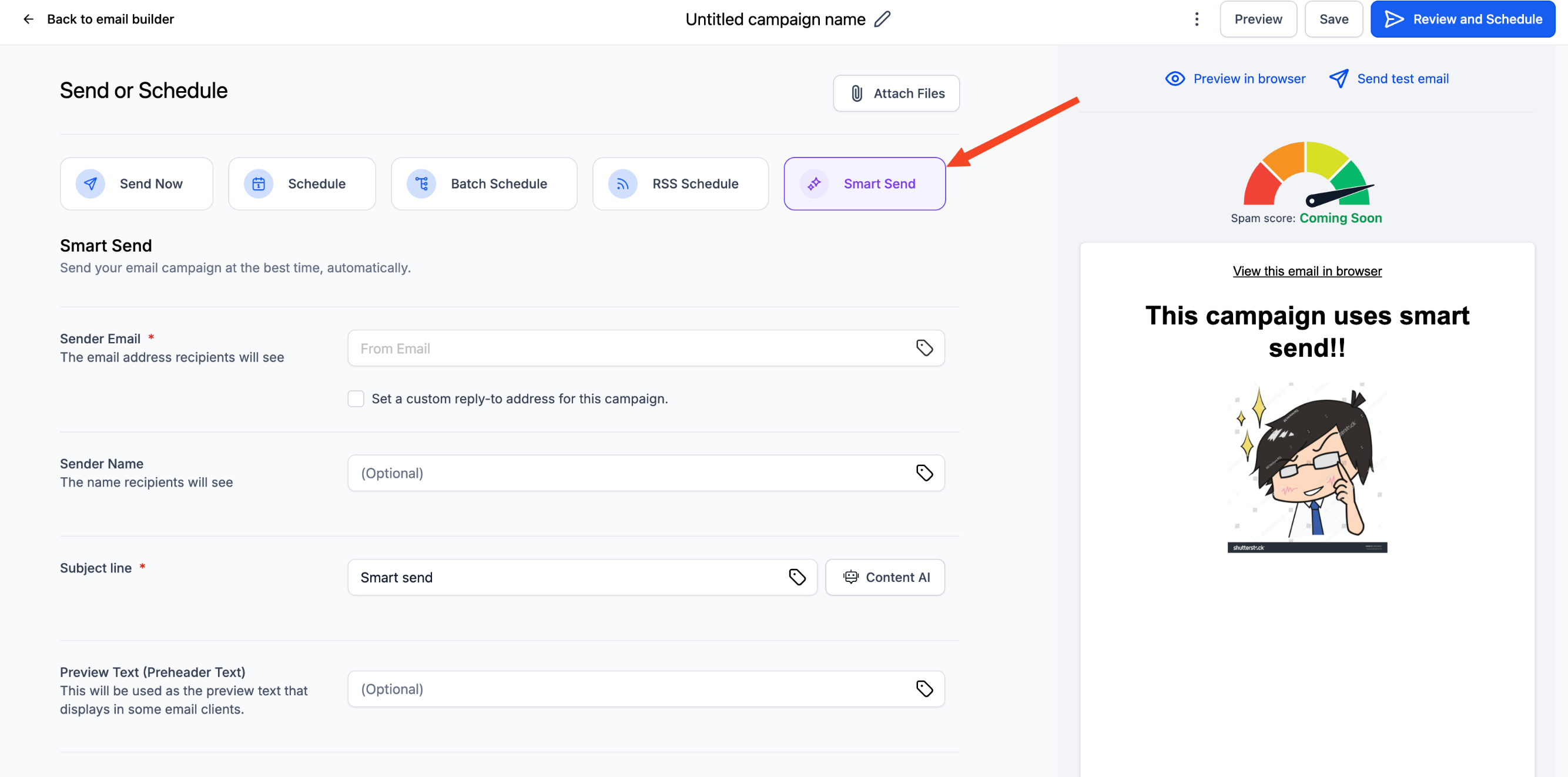
5. Fill in the required fields and click Get recommendation. Futuria CRM will show the best send time.
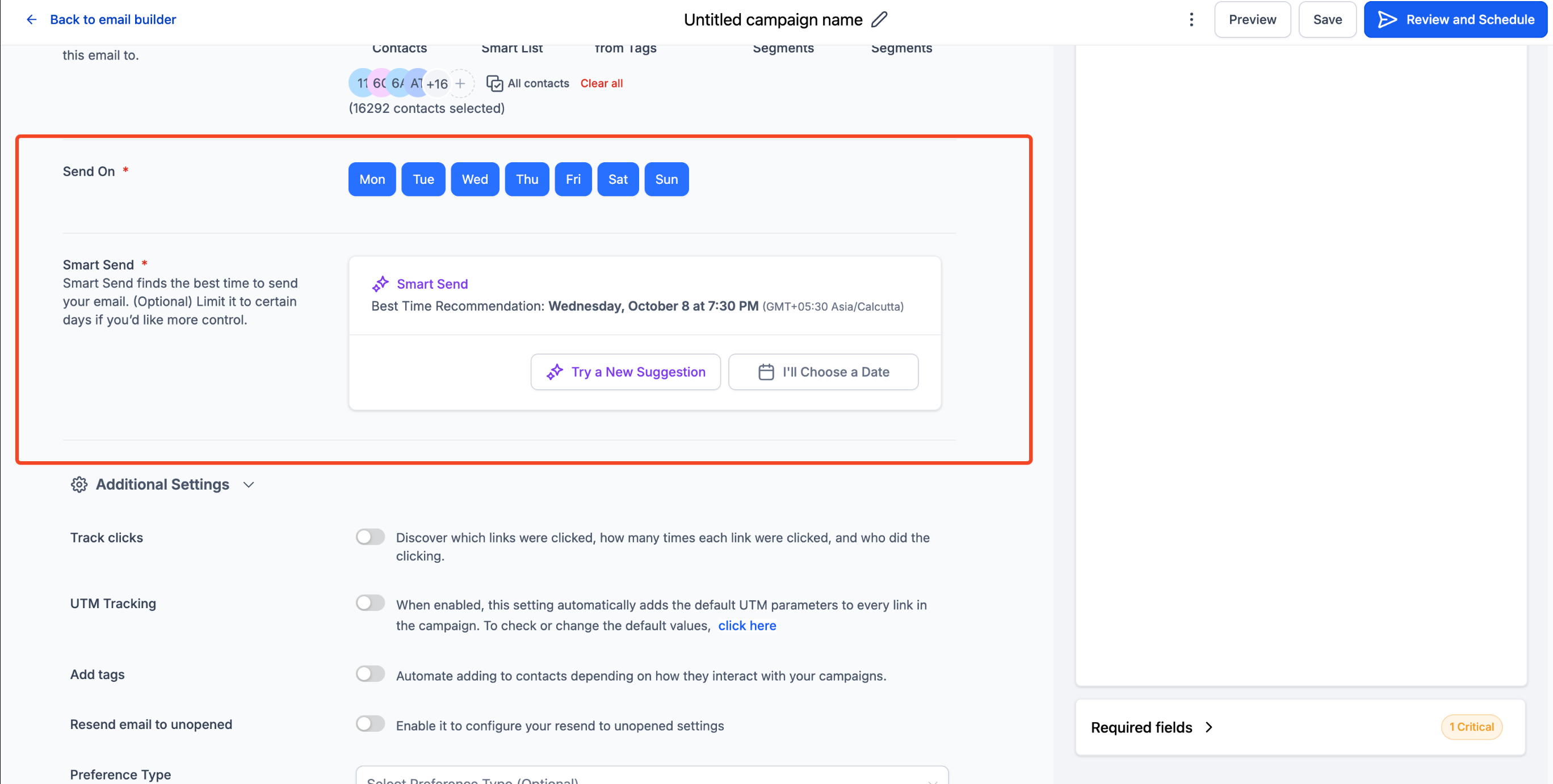
Tip: You can now schedule the campaign. Once it has been sent, check performance in Marketing → Email → Statistics to see the engagement lift.
Frequently asked questions
What if my account has not sent 1,000 emails in the last 60 days?
The Smart Send option will be disabled (greyed out). Use Simple scheduling until you reach the threshold; Futuria CRM will enable Smart Send automatically as soon as there is enough data.
Can I see which contacts received the email and at what time?
Yes. The campaign's Recipients tab shows the scheduled send time for each contact, so you can check delivery timings or export the data for deeper analysis.
Does Smart Send respect each contact's time zone?
At the moment, Smart Send optimises at account level. To send based on the individual contact's time zone, use Workflows with Wait → Date/Time actions.
Can I change the recommendation after clicking Schedule?
Absolutely. Just click Reschedule inside the campaign before the planned time, choose a new time and save.
Will Smart Send work with A/B tests?
Support for A/B campaigns is in development; for now, use Simple scheduling for A/B tests.
Is Smart Send available via API?
Not yet. API access will be announced in a future release.