Table of contents
- Template library overview
- Who is the template library useful for?
- Benefits of using the template library
- What's new in the template library?
- Template library for funnels and websites
- Template library for the social planner
- Search for and discover new templates
- Browse, view and compare templates
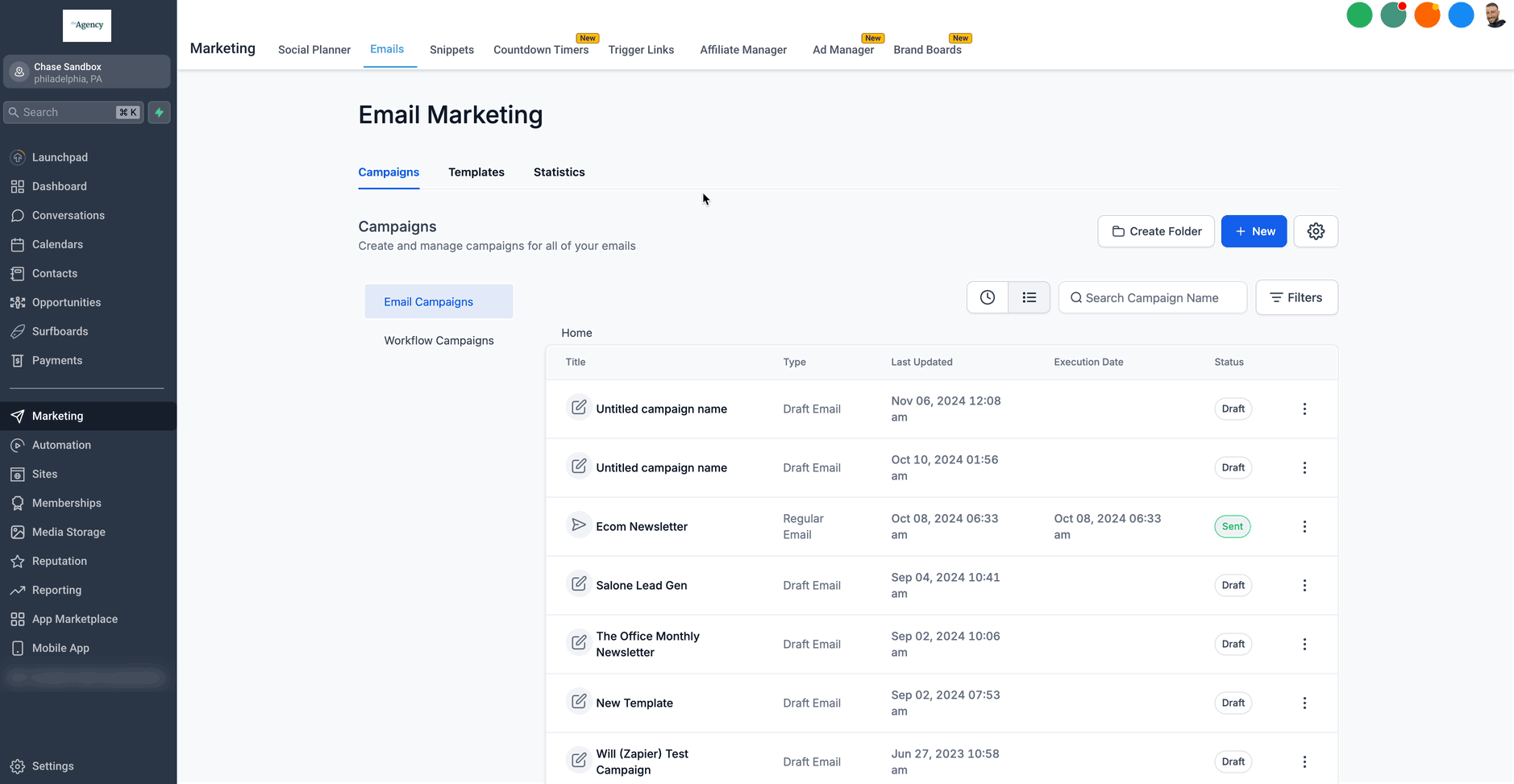
- Template library for the email builder
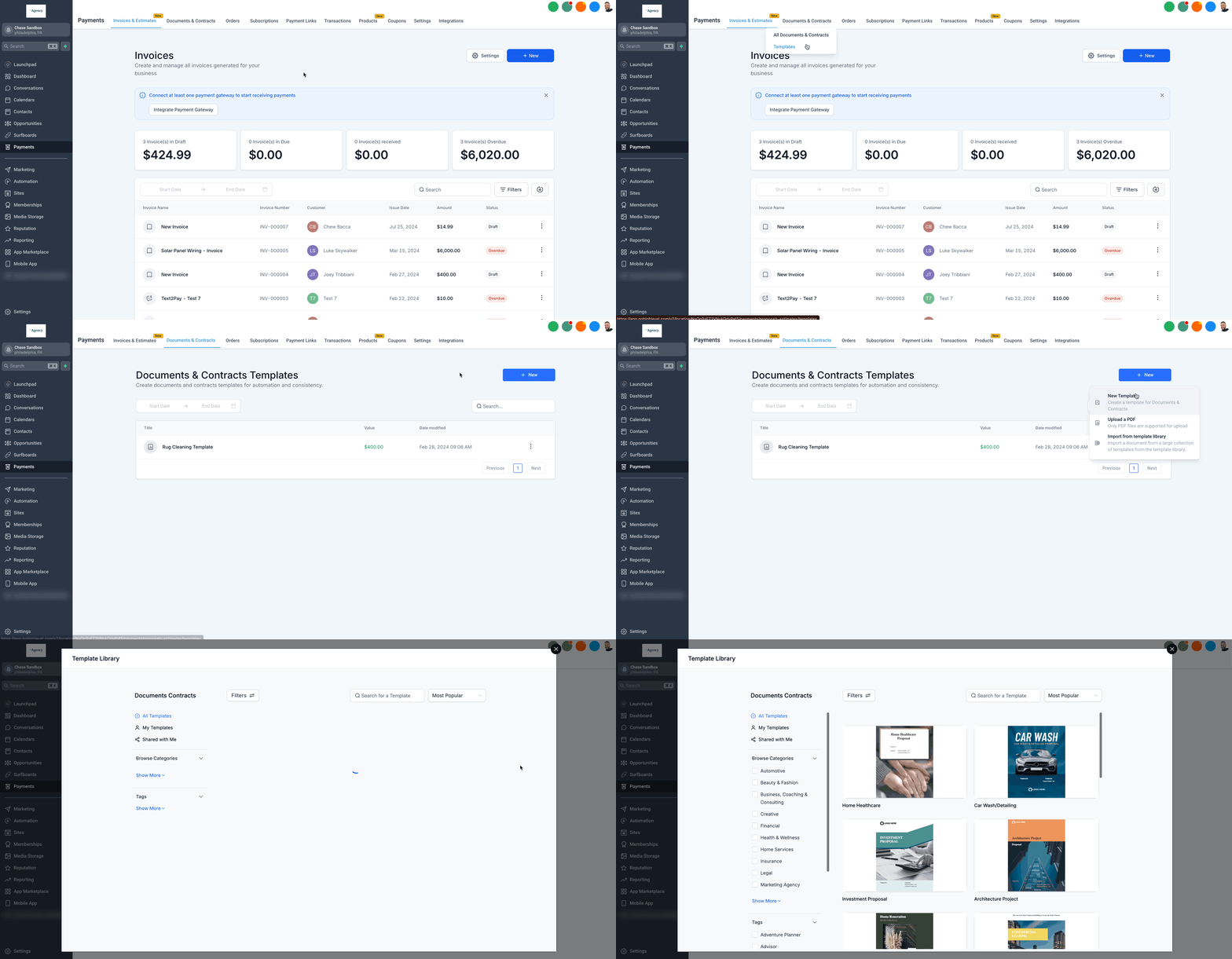
- Template library for documents and contracts
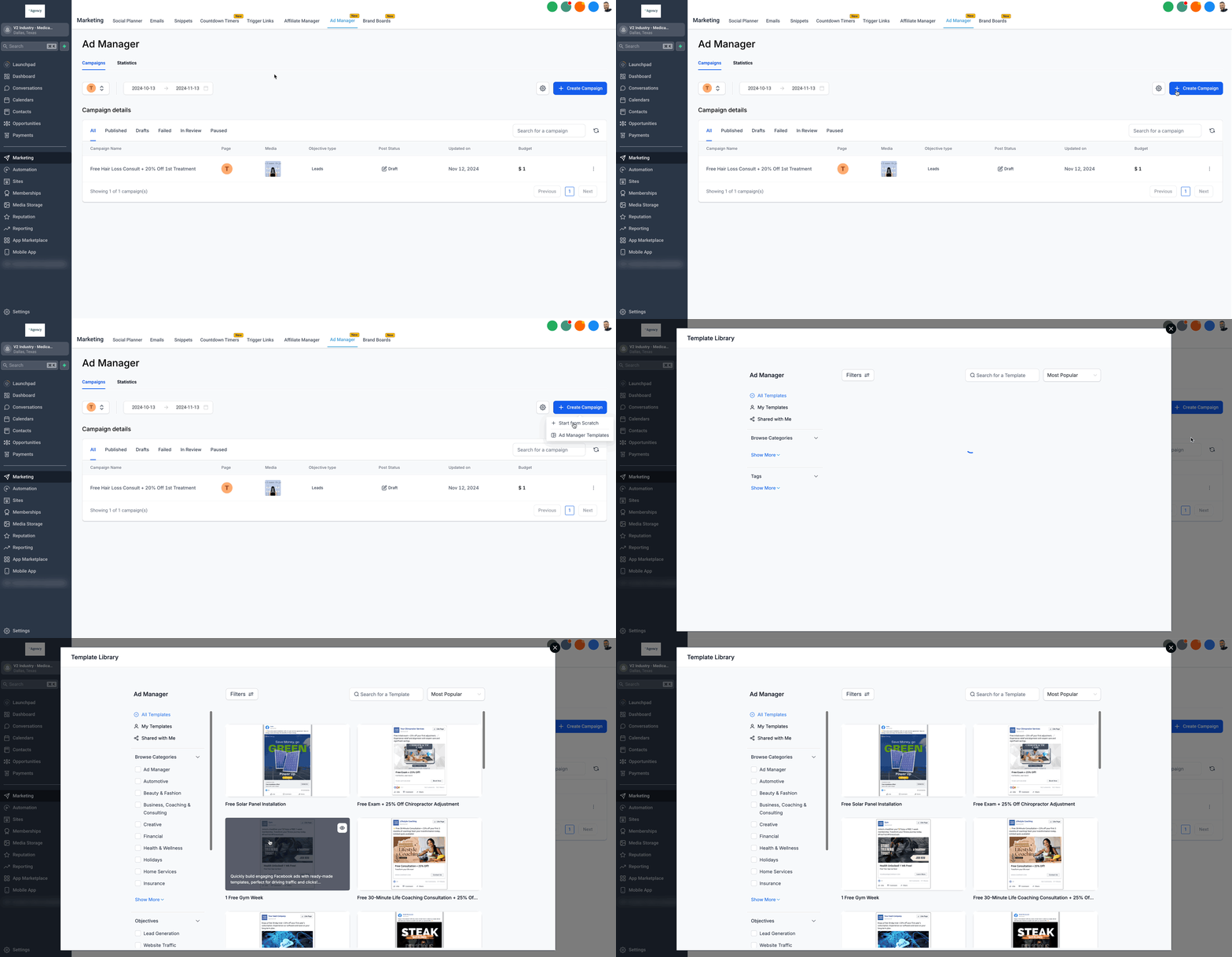
- Template library for the Ads Manager
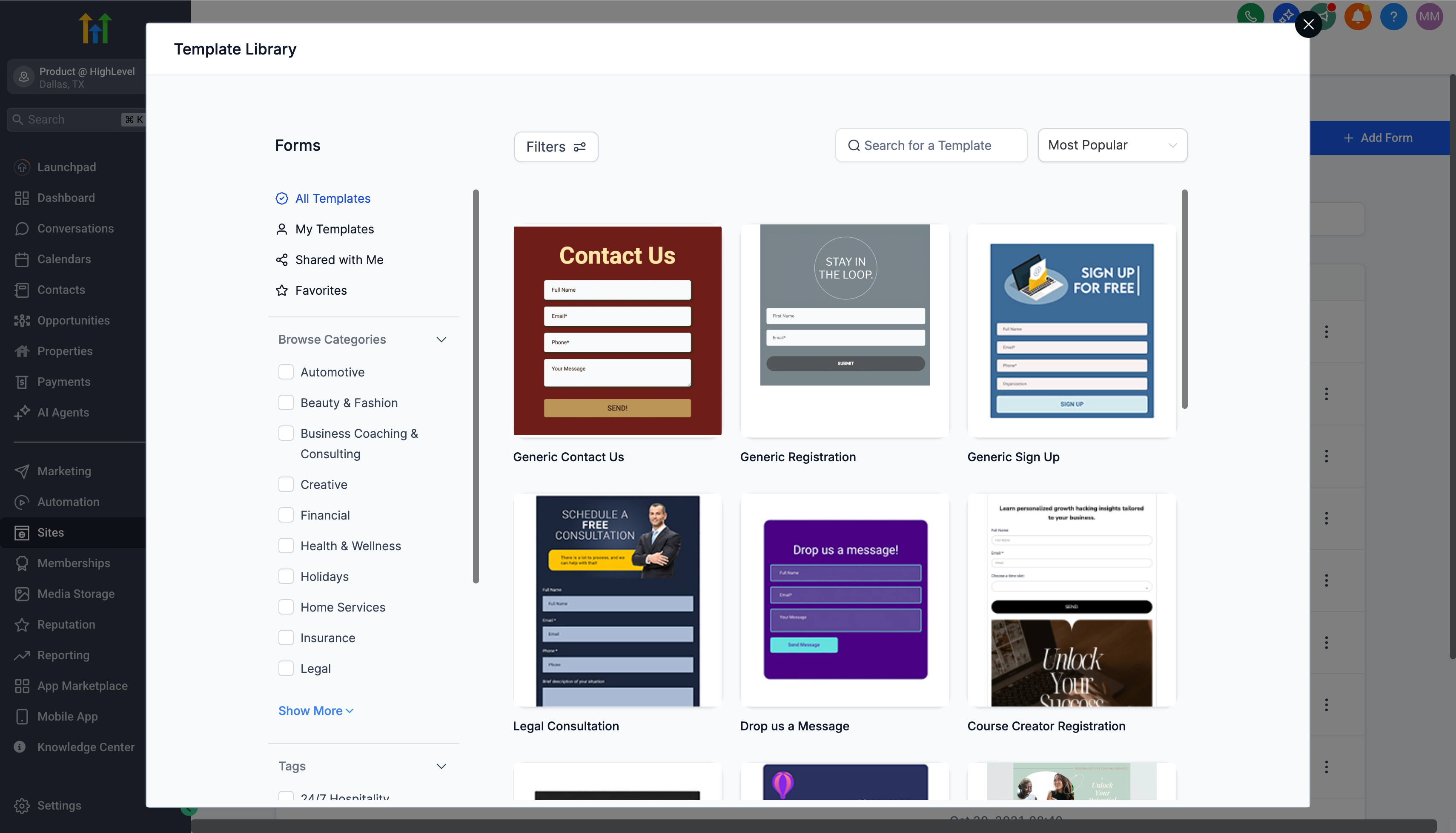
- Template library for forms
- Template library for surveys
- Template library for reports (coming soon)
- Frequently asked questions
Template library overview
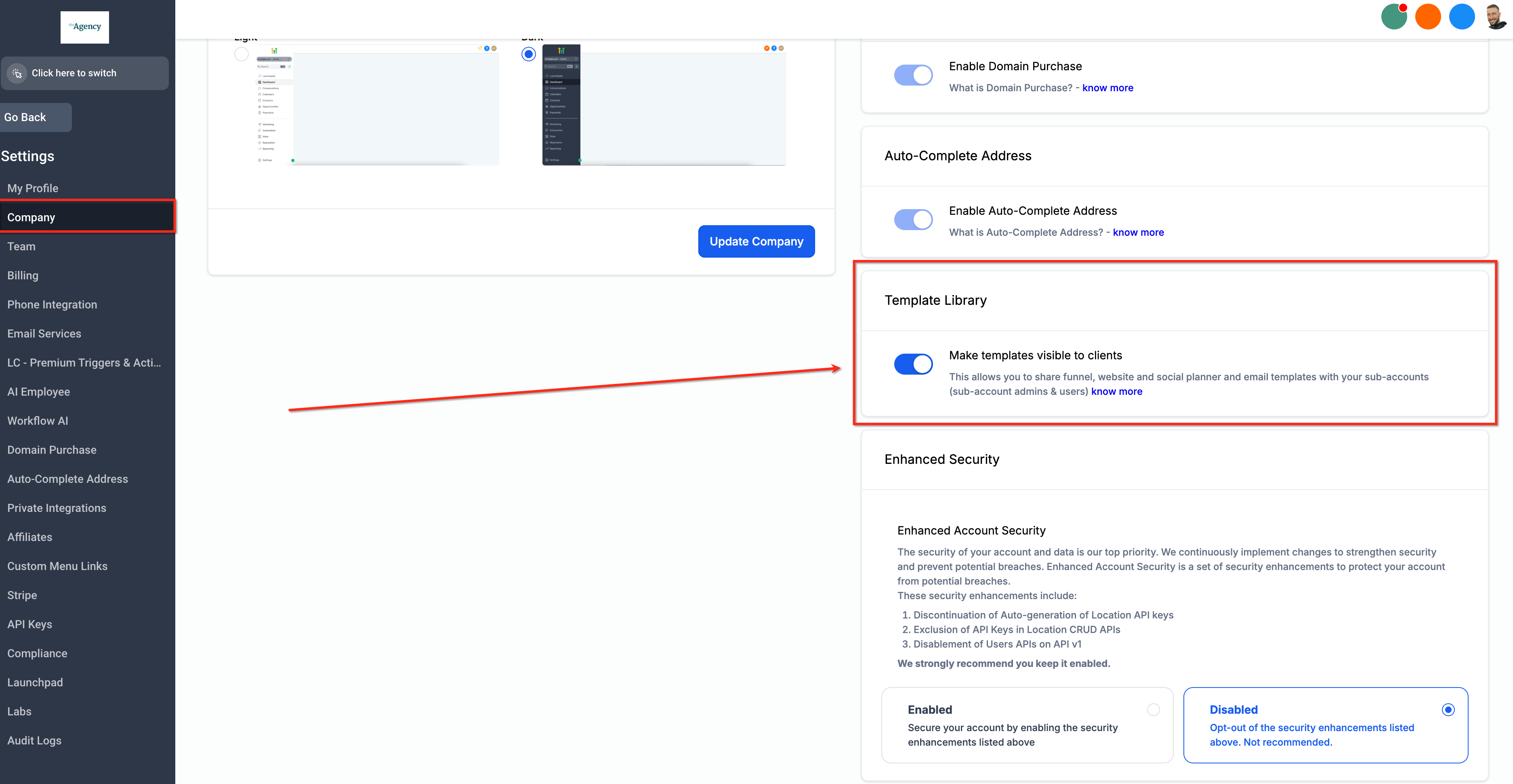
The Futuria CRM template library is a collection of professionally designed templates for websites, funnels, social media posts, email campaigns and much more. These templates include high-quality stock images and content, letting you create effective, polished marketing materials quickly.
Who is the template library useful for?
- Entrepreneurs and small businesses: to create professional marketing materials without having to hire a designer.
- Freelancers: to offer marketing services without needing advanced design skills.
- In-house marketing teams: to streamline design processes and keep brand consistency.
Benefits of using the template library
- Save time and effort: access ready-made templates to speed up the creation of your marketing materials.
- High-quality design: use templates with premium images and content to ensure a consistent look for your brand.
- Intuitive interface: filter and preview templates easily to find the ones that best suit your needs.
- Customisation: edit templates to align them with your brand by changing images, colours and text.
- Value for money: avoid the costs of bespoke design projects or hiring graphic designers.
- Accessibility: the library is available to all users with no extra costs or subscriptions.
What's new in the template library?
- Documents and contracts: create, upload and manage templates for legal documents and contracts. Simplify your paperwork by customising existing templates or creating new ones.
- Ads Manager: access more than 80 ready-made templates designed for a range of advertising objectives. Take advantage of real-time previews and built-in configurations to create ads faster.
- Reports and dashboards: upload and manage custom templates for your reports and dashboards. Protect sensitive data by masking it during upload and add a preview image for quick identification.
Template library for funnels and websites
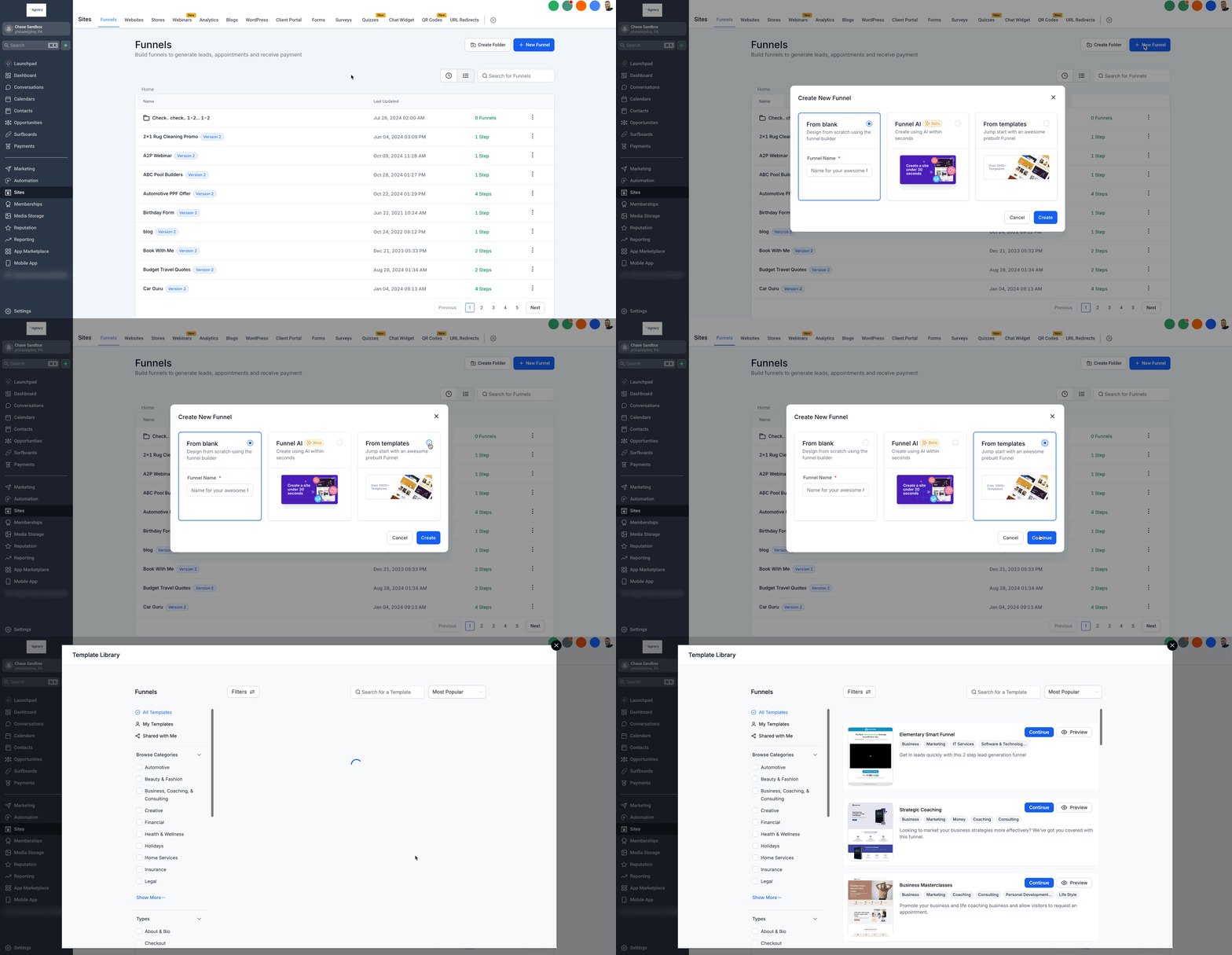
To use a template for your funnel or website, follow these steps:
- Log in to your Futuria CRM account.
- Go to Sites > Funnels (or Websites).
- Click New funnel (or New website).
- Choose Go to template library.
- Browse and select the template that best fits your needs.
Template library for the social planner
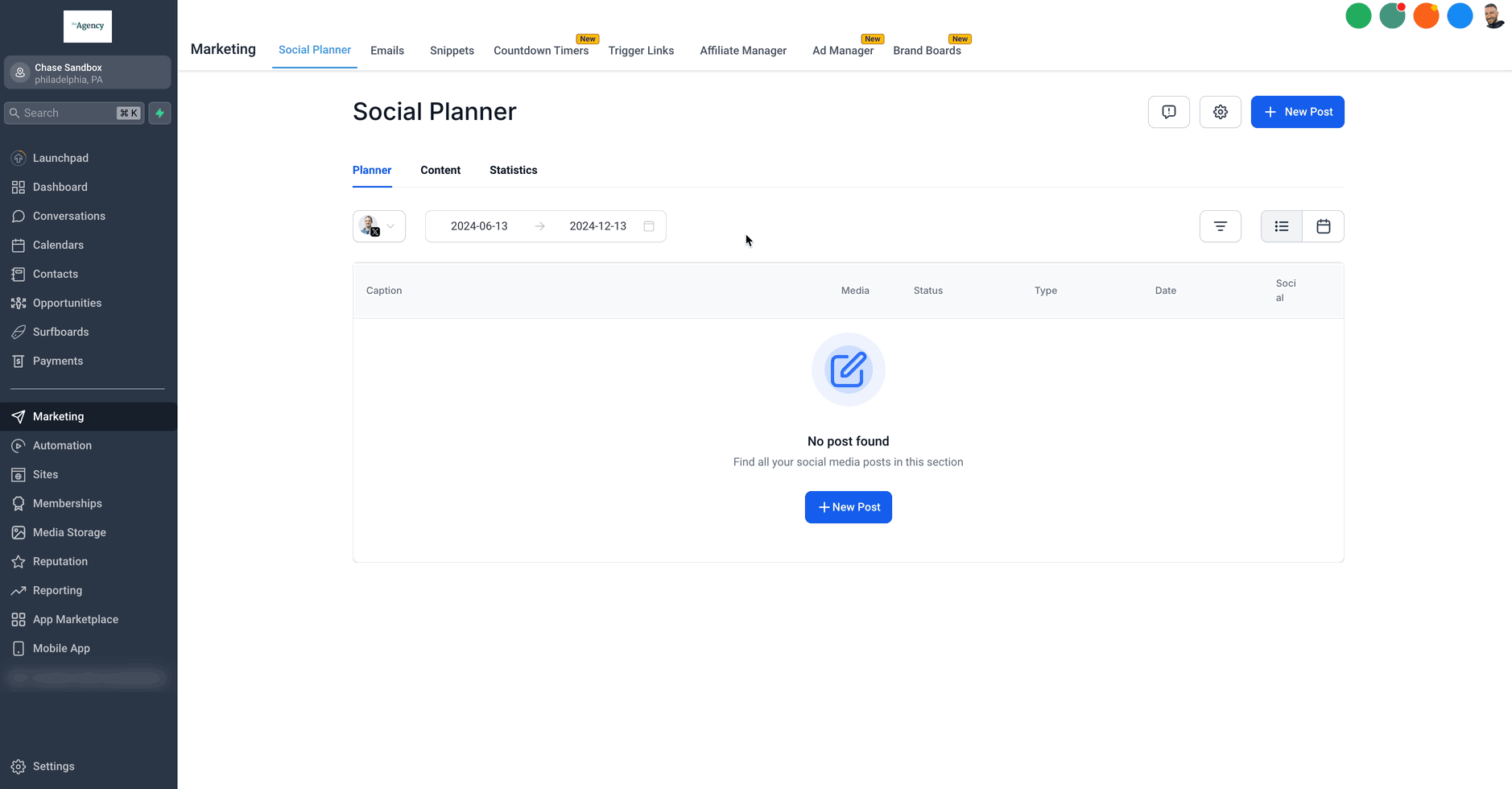
To use templates in the social planner:
- In your account, go to Marketing > Social planner.
- Click the + New post button.
- Select Choose social planner templates.
- Review and choose a template.
- Customise and schedule your posts as you prefer.
Tip: use the Type filter to quickly find the right format for the social planner (for example, Post or Story/Reel).
Search for and discover new templates
Use the search bar to find templates across the whole library faster. You can see recent searches, suggestions and trending topics, use multiple keywords to refine results, or search for templates by colour.
The library also helps you discover new templates through sections such as Most popular this week and Recently added.
Browse, view and compare templates
The improved browsing experience helps you assess templates faster:
- Larger thumbnails show more detail at a glance.
- Enhanced previews let you switch between mobile and tablet views with fewer clicks.
- Extra information (such as the number of downloads) helps you compare templates quickly.
- Use the grid/list toggle to switch between visual browsing and a compact list view.
Template library for the email builder
- Inside your account, go to Marketing > Email > Templates.
- Click the + New button to create an email template.
- Select Template library.
- Browse and choose a suitable template.
- Customise the template to align it with your brand.
Template library for documents and contracts
- Go to the Documents tab.
- Select Create new and open the Template library.
- Upload or customise a contract template.
Template library for the Ads Manager
- Go to Marketing > Ads Manager.
- Click Create ad and select a template from the library.
- Preview and customise the ad for your specific objectives.
Template library for forms
To access form templates, go to Sites > Forms > Builder > Add form > From template.
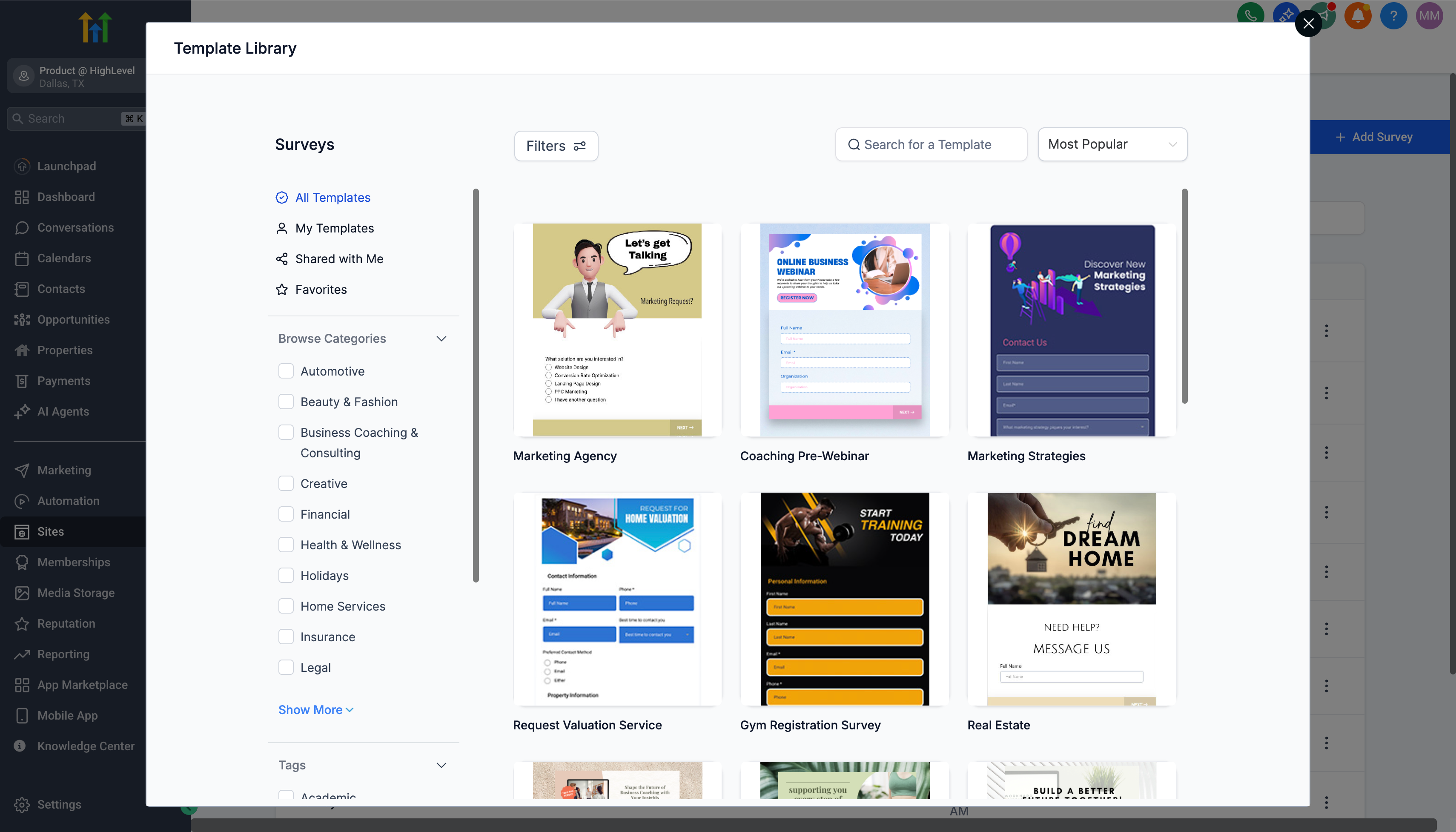
Template library for surveys
To access survey templates, go to Sites > Surveys > Builder > Add survey > From template.
Template library for reports (coming soon)
When this feature becomes available, you will be able to access the templates by going to Reports > Custom reports > New report > From template library.
Frequently asked questions
Are there any costs for using the template library?
No, the template library is available to all users at no extra cost.
Will the library include templates for other areas of Futuria CRM in the future?
We are considering expanding the template library to cover other areas of the platform based on user feedback and requests.