



Table of contents
- What are custom objects for the property sector?
- Key benefits of custom objects for the property sector
- Practical applications
- Expected results
What are custom objects for the property sector?
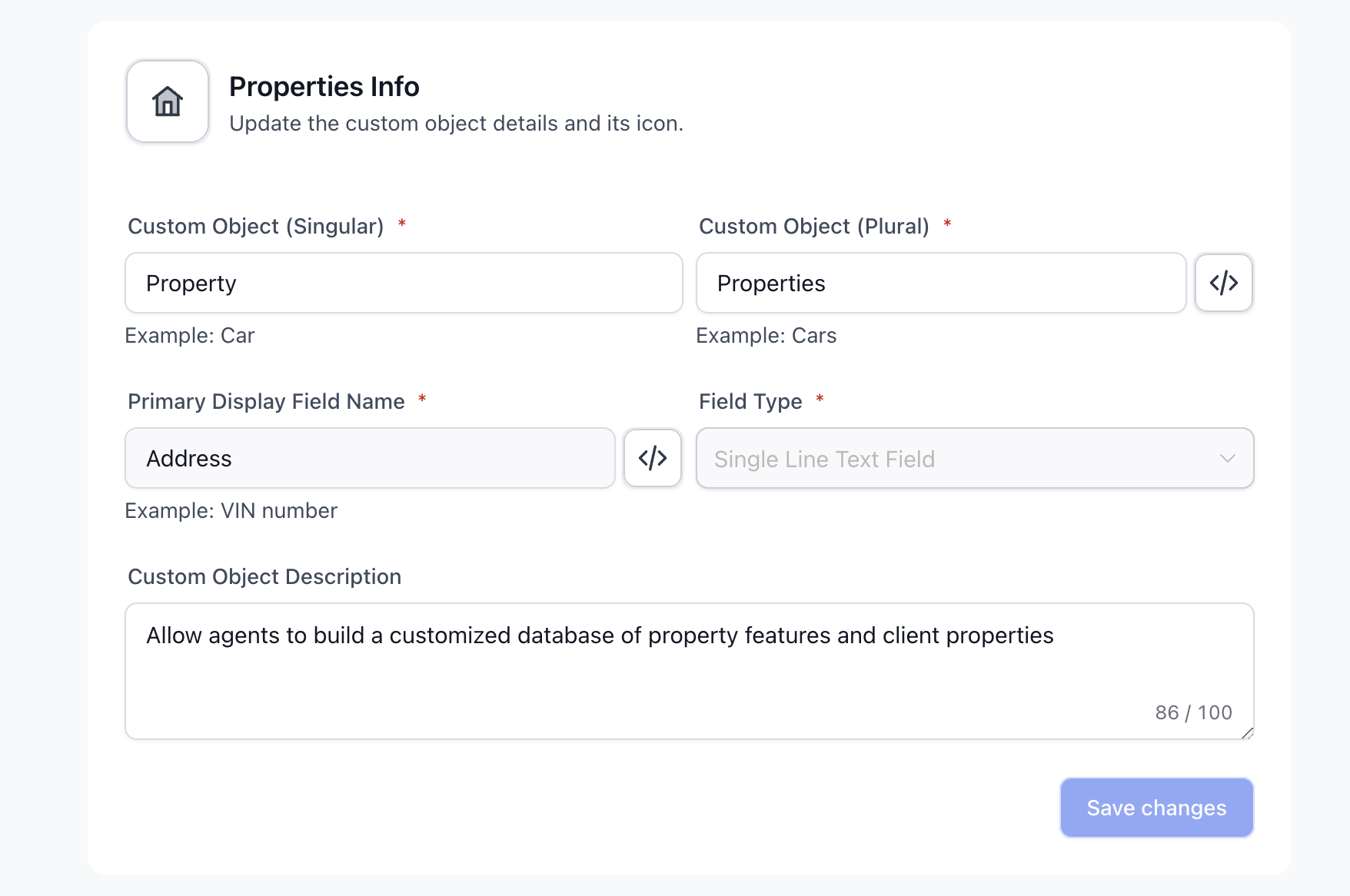
Custom objects let estate agency teams model "Properties" and other related entities in a flexible way. This article gives a property-sector-specific overview of how to use custom objects in Futuria CRM.
Property businesses can use custom objects to track unique property details, associate properties with clients and suppliers, manage maintenance deadlines and organise transaction data. These objects allow agents to build a tailored database of property features and client preferences, making targeted matching easier and improving relationship management. They store exactly the fields you care about and connect to clients, suppliers and deals, so information is centralised and always available for reporting.
Key benefits of custom objects for the property sector
-
Targeted matching: align client preferences with detailed property attributes.
-
Operational visibility: centralise maintenance and transaction information for every property.
-
Faster workflows: filter and find the right listings quickly.
Practical applications
-
Creating and managing property records
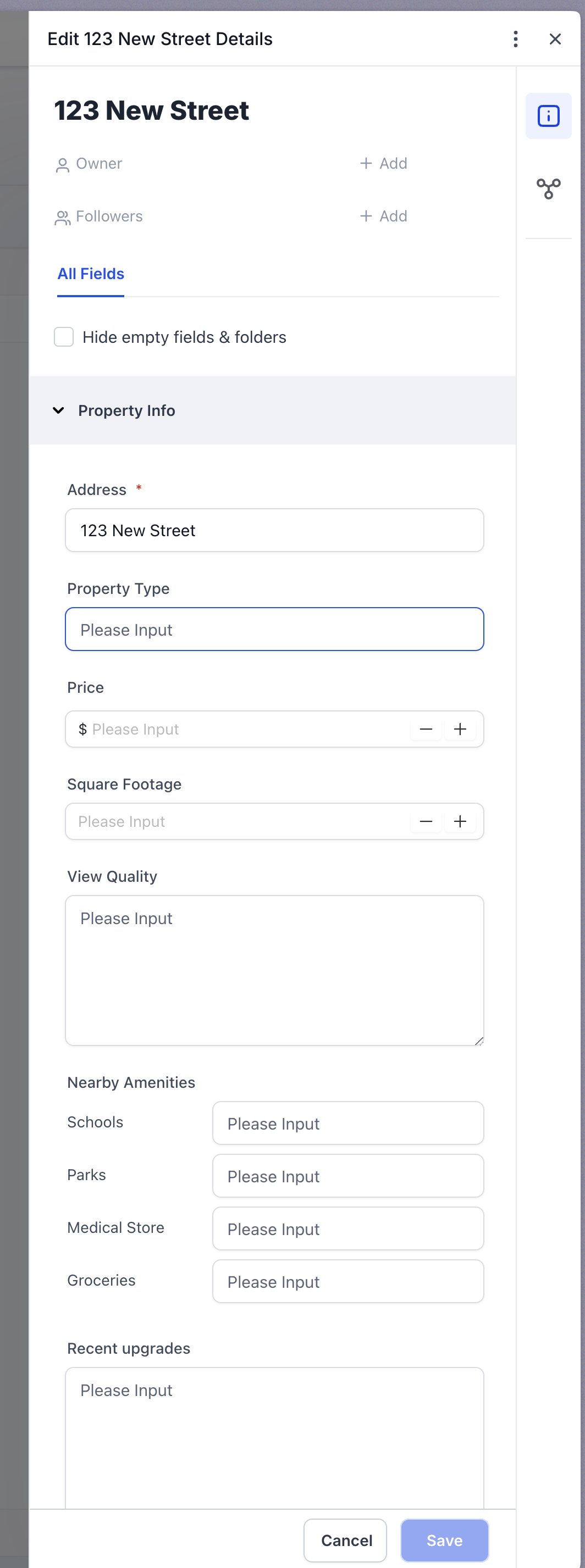
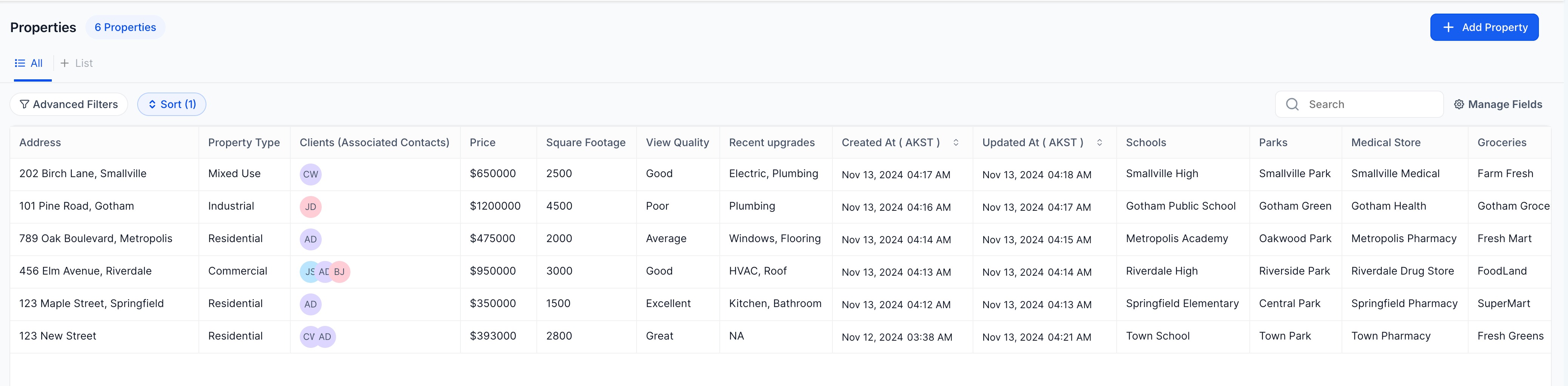
Each property can be added as a custom object record, with specific fields such as address, property type, price and floor area. Custom fields let agents record unique attributes of the property, such as the quality of the view, nearby amenities and recent renovations.
-
Associating properties with clients and suppliers
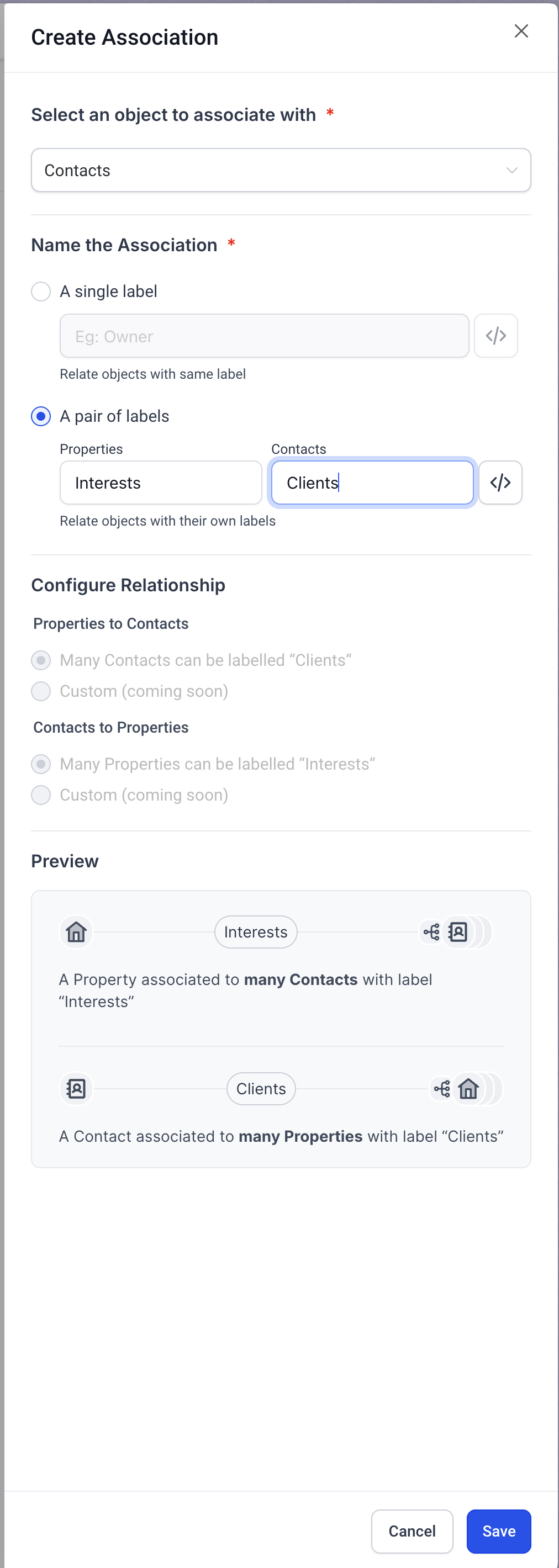
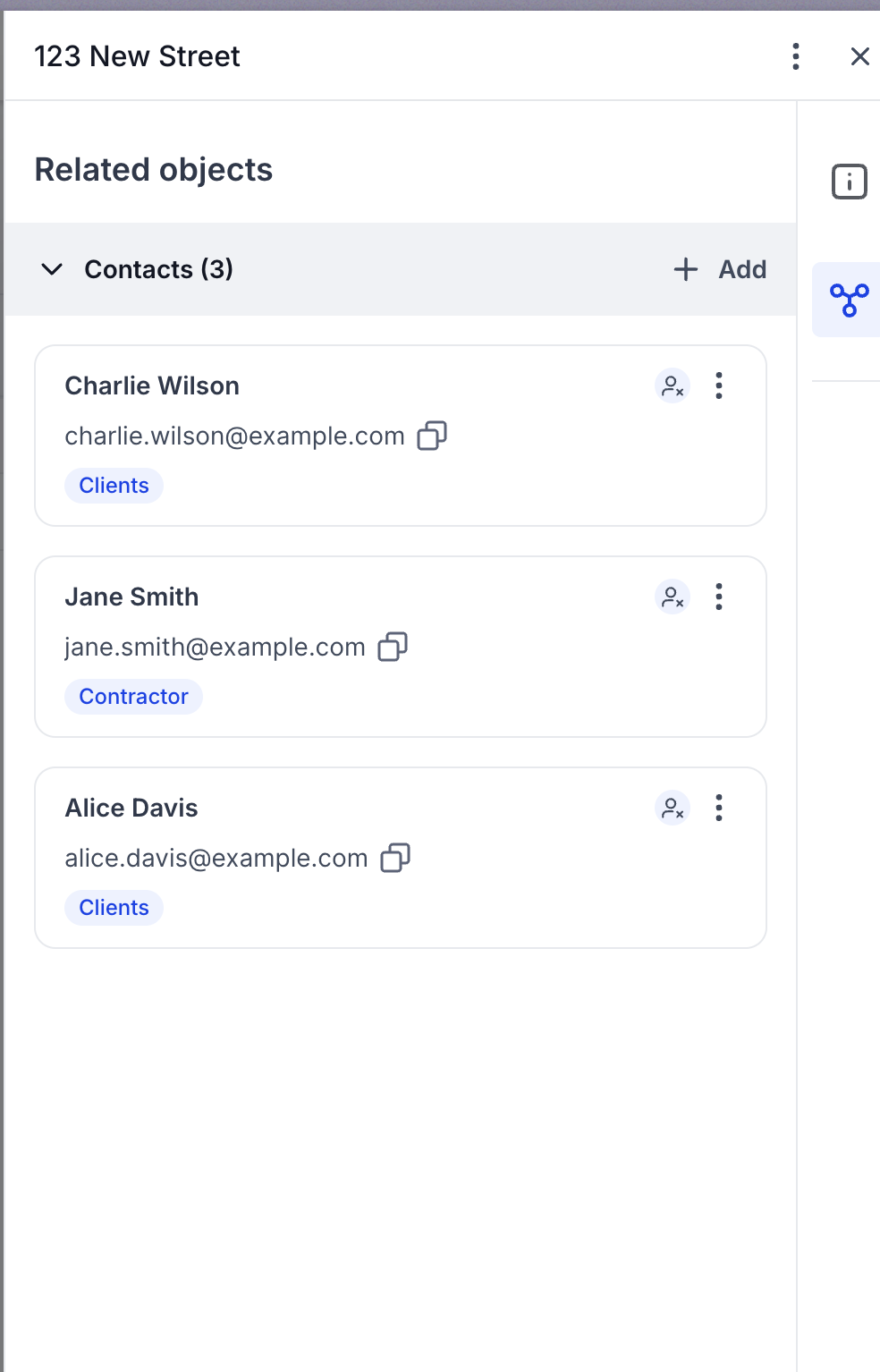
Using association labels, agents can link properties to clients, keeping track of the properties they are interested in or have scheduled a viewing for. Suppliers, such as contractors or surveyors, can also be linked to properties to manage maintenance and inspection tasks easily.
-
Filters and list views for efficient tracking
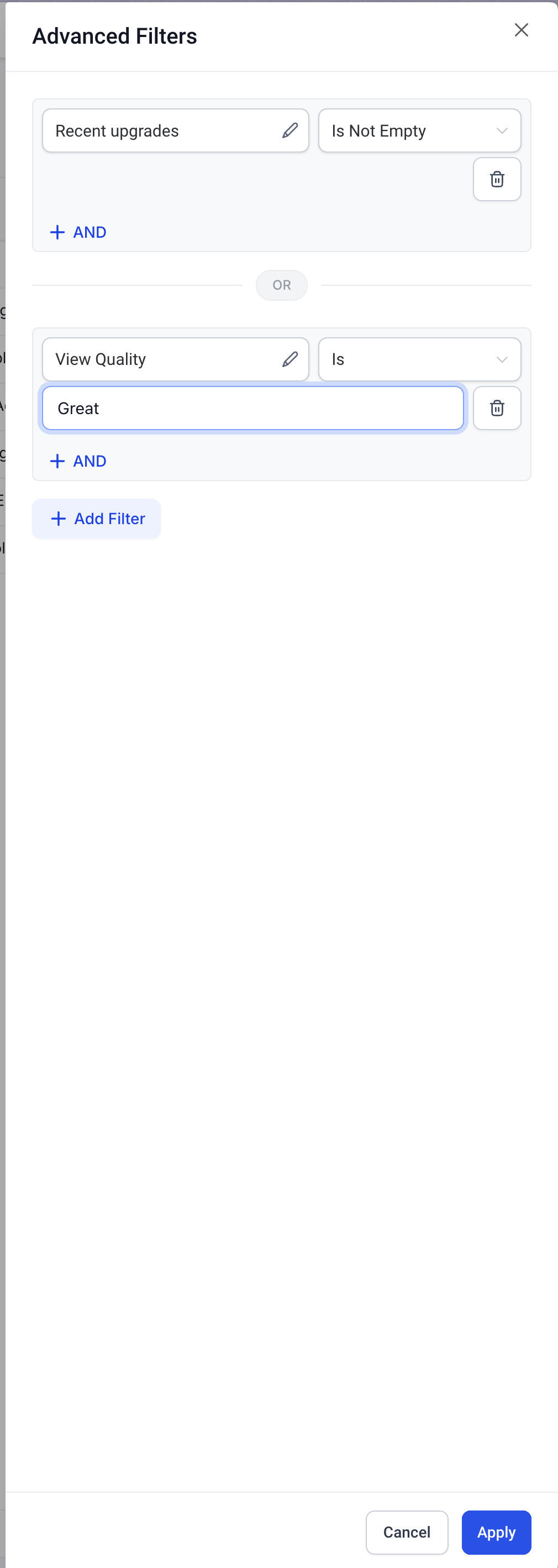
By applying filters in the list view, agents can quickly pinpoint properties based on specific criteria, such as area, price range or property type. This can speed up the matching process when working with clients who have particular requirements.
Expected results
-
Better client-to-property matching: thanks to detailed property records and the ability to filter properties by preference, agents can match clients to properties more effectively, increasing the likelihood of a sale.
-
Simplified maintenance management: by linking properties to suppliers and maintenance deadlines, agents can efficiently monitor how the property is looked after, increasing both its value and client satisfaction.
-
Greater organisational efficiency: custom objects allow property businesses to optimise their workflows by creating a centralised database that is easy to access and can be customised to their own needs.