


Table of contents
- Introduction to the 'Valid WhatsApp' field at contact level
- Understanding the 'Valid WhatsApp' field
- How to use this feature
- How the 'Valid WhatsApp' field is updated
- 1. When a message is delivered successfully on WhatsApp
- 2. If a message fails to deliver or there are issues with Meta
- 3. When a contact starts a conversation on WhatsApp
- 4. If there has never been a WhatsApp conversation
- How to put the 'Valid WhatsApp' field to work
- How to add the 'Valid WhatsApp' column to the contacts page
- How to create a smart list that excludes invalid WhatsApp contacts
- FAQ: Frequently Asked Questions
Introduction to the 'Valid WhatsApp' field at contact level
We have introduced a new field called 'Valid WhatsApp' at contact level to help you identify the WhatsApp status of your contacts more efficiently.
This feature gives you clear guidance on whether a phone number is valid on WhatsApp, making your communication smoother and better targeted.
Understanding the 'Valid WhatsApp' field
The 'Valid WhatsApp' field helps you determine whether a contact's phone number is available on WhatsApp. It has three possible statuses:
- Valid – The phone number is active on WhatsApp, which means you can message this contact successfully.
- Invalid – The phone number is not available on WhatsApp, so the contact cannot receive messages.
- Not validated – The system has not yet confirmed whether the phone number is active on WhatsApp. Further interaction may be needed before you can send messages.
How to use this feature
With the 'Valid WhatsApp' filter you can make sure you only message active WhatsApp users, avoid messaging inactive numbers or numbers that are not on WhatsApp — reducing failed delivery attempts — and identify the numbers that need validating before you send.
This feature helps improve efficiency, message deliverability and overall engagement with your contacts.
How the 'Valid WhatsApp' field is updated
1. When a message is delivered successfully on WhatsApp
When a message is delivered correctly, the system automatically marks the contact as 'Valid'.
2. If a message fails to deliver or there are issues with Meta
Where a message is not delivered or there are issues with the Meta platform, the contact is marked as 'Invalid'.
3. When a contact starts a conversation on WhatsApp
When a contact messages you first on WhatsApp, the status is updated to 'Valid', giving you real-time validation. This confirms that the contact has actively engaged through WhatsApp, confirming that their number is valid.
4. If there has never been a WhatsApp conversation
If there has never been a WhatsApp conversation with a given contact, the status stays 'Not validated' until a future interaction.
How to put the 'Valid WhatsApp' field to work
Filter contacts efficiently: use the filter options to segment contacts by their WhatsApp status. For targeted communication, filter contacts with the 'Valid' status to reach active users only.
Optimise your smart lists: improve your smart lists by including the 'Valid WhatsApp' field to build tailored communication strategies.
Get deeper analysis: gain valuable insight into the responsiveness and engagement levels of your WhatsApp contacts.
How to add the 'Valid WhatsApp' column to the contacts page
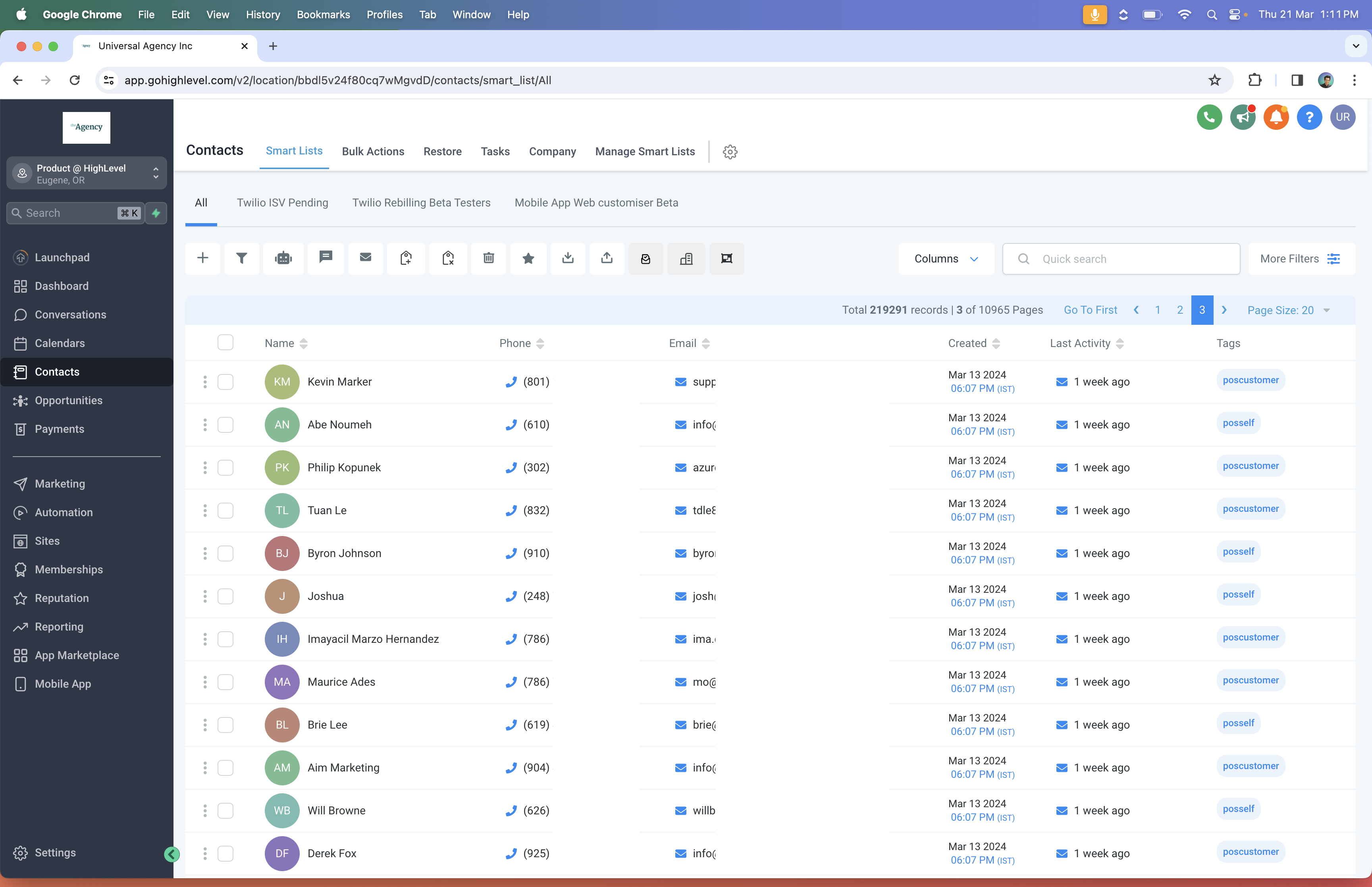
Step 1: go to the Contacts tab.
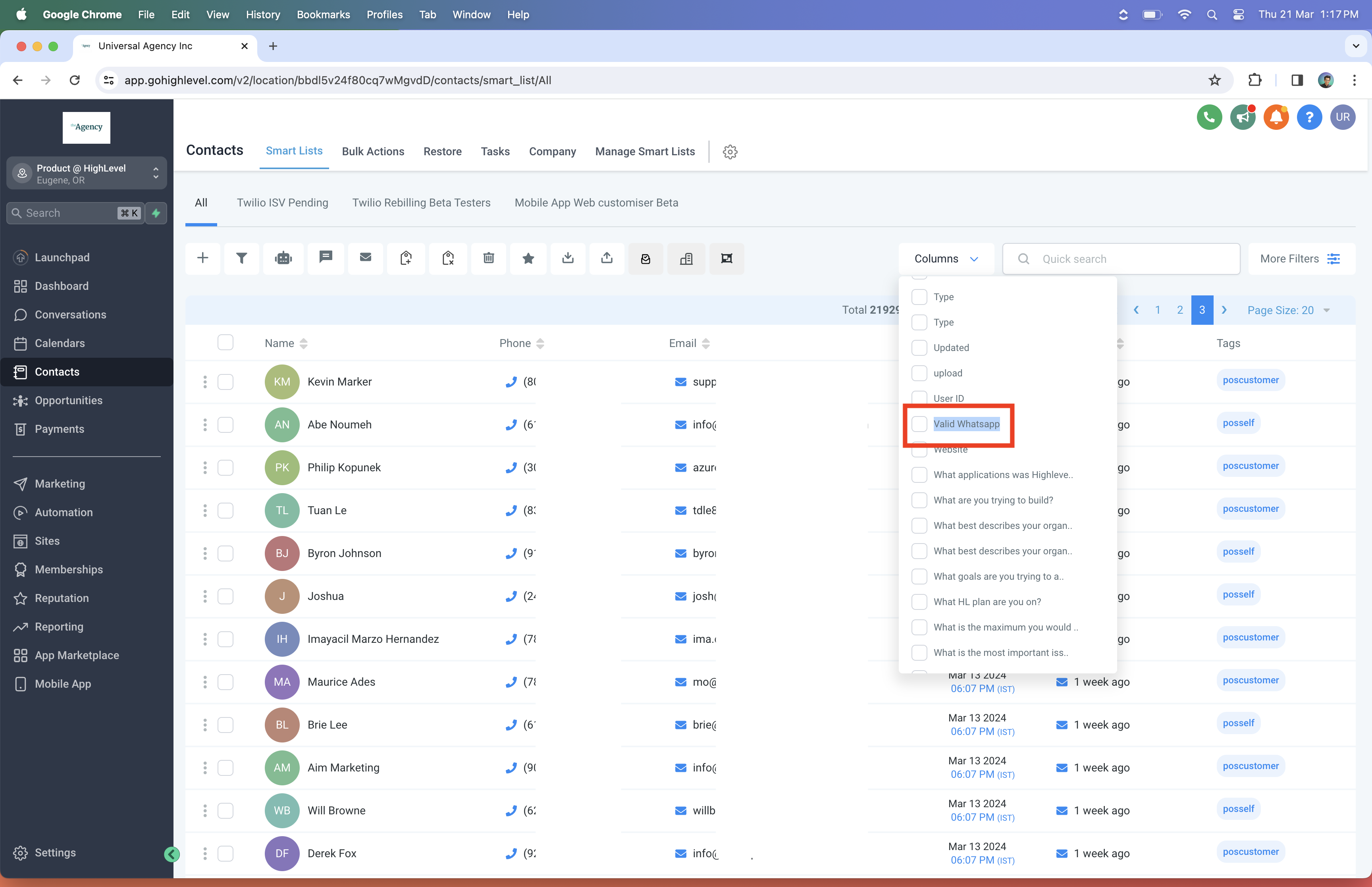
Step 2: click Columns and select Valid WhatsApp.
How to create a smart list that excludes invalid WhatsApp contacts
Step 1: go to the Contacts page and click More filters.
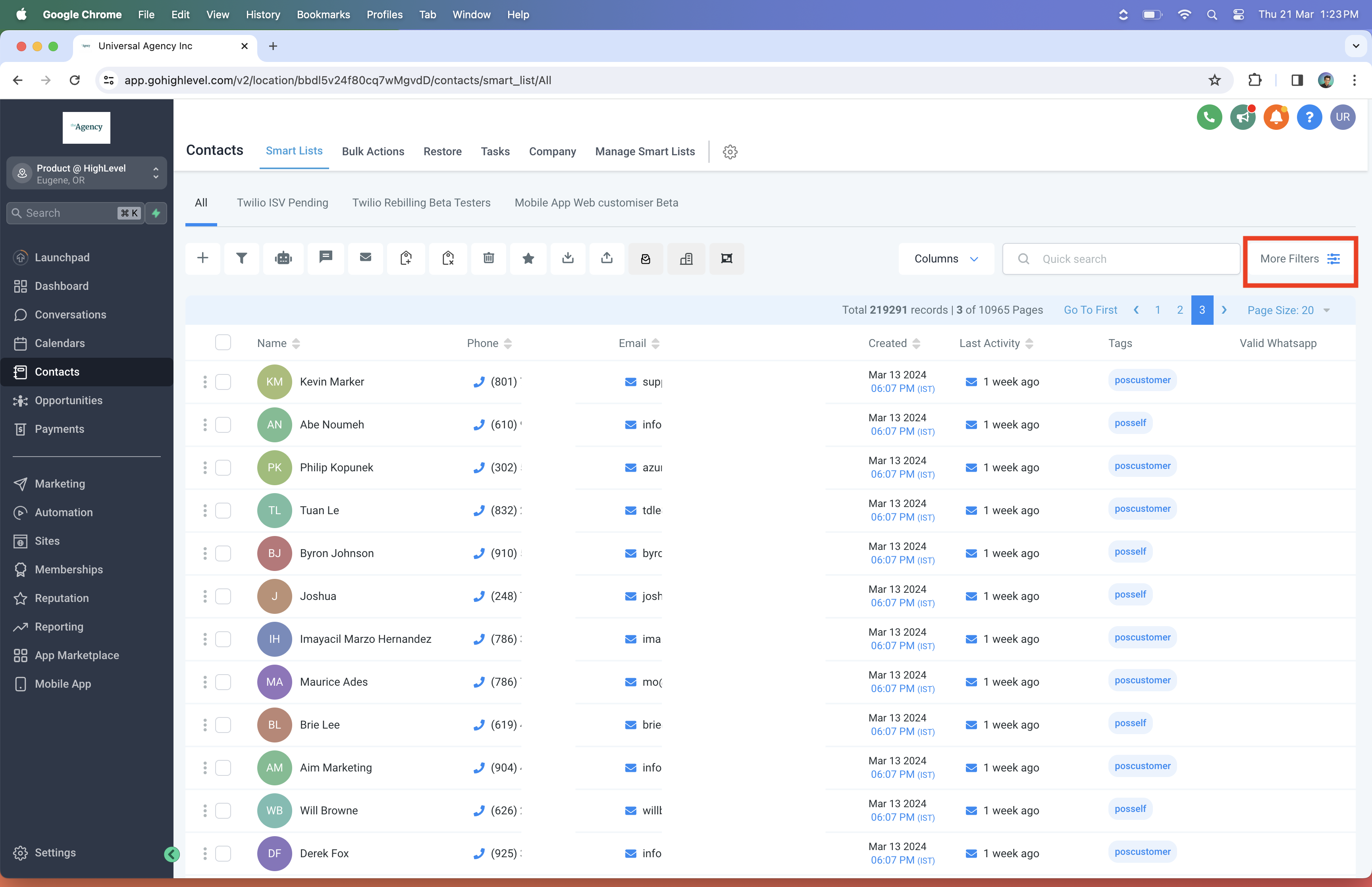
Step 2: search for 'Valid WhatsApp'.
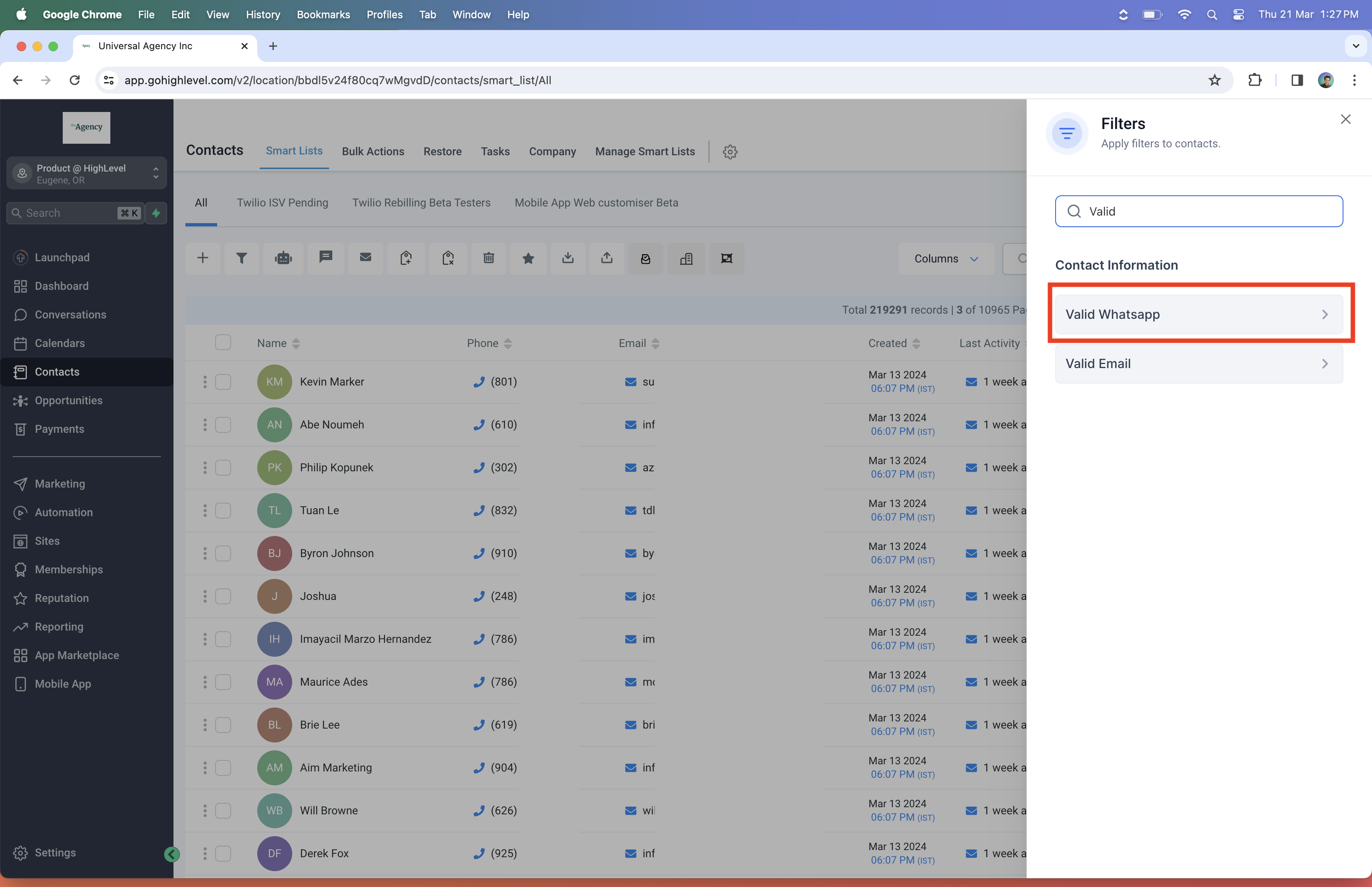
Step 3: select 'Is valid' and click Apply.
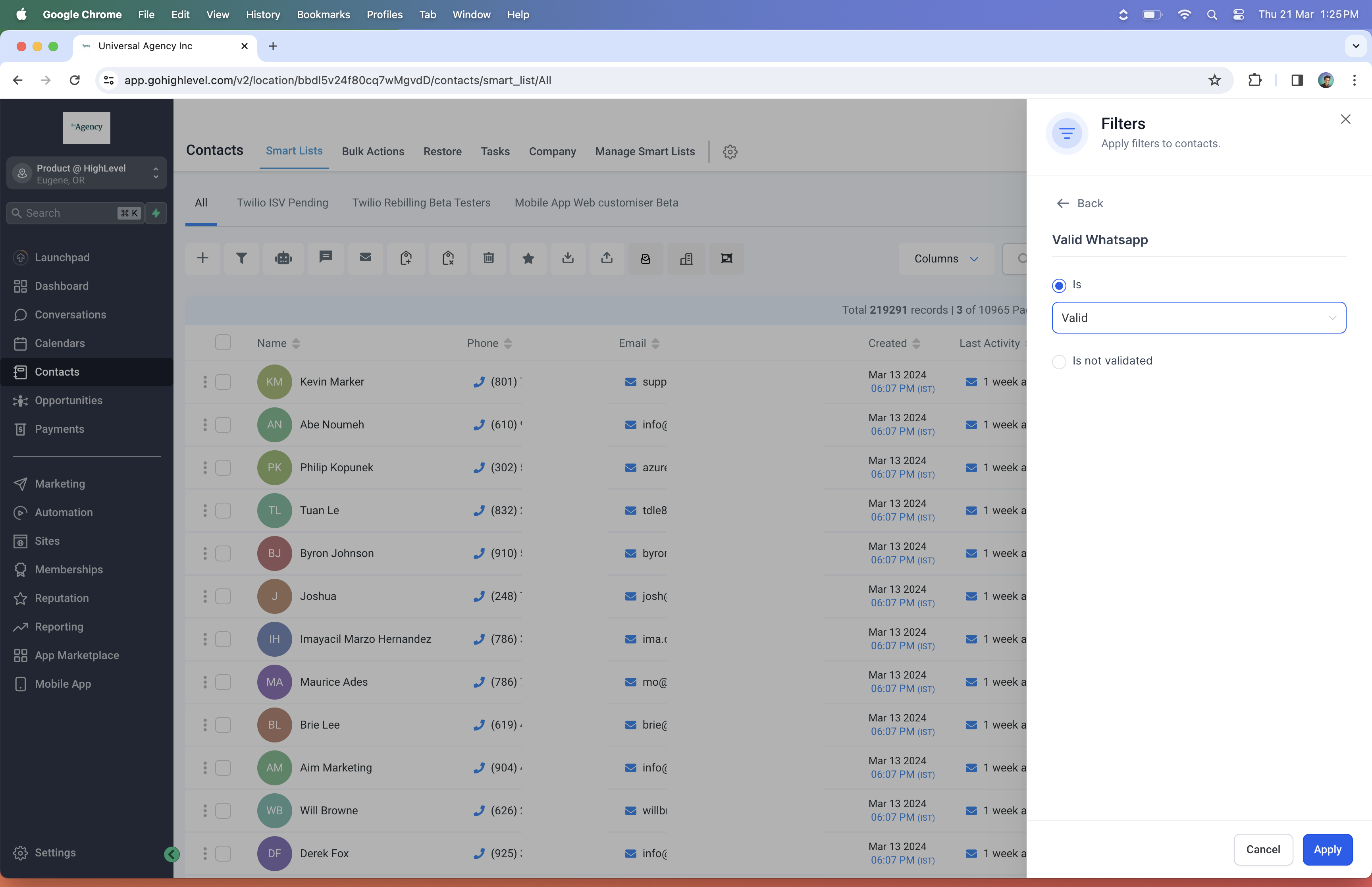
Step 4: select the OR condition and choose 'Is not validated'.
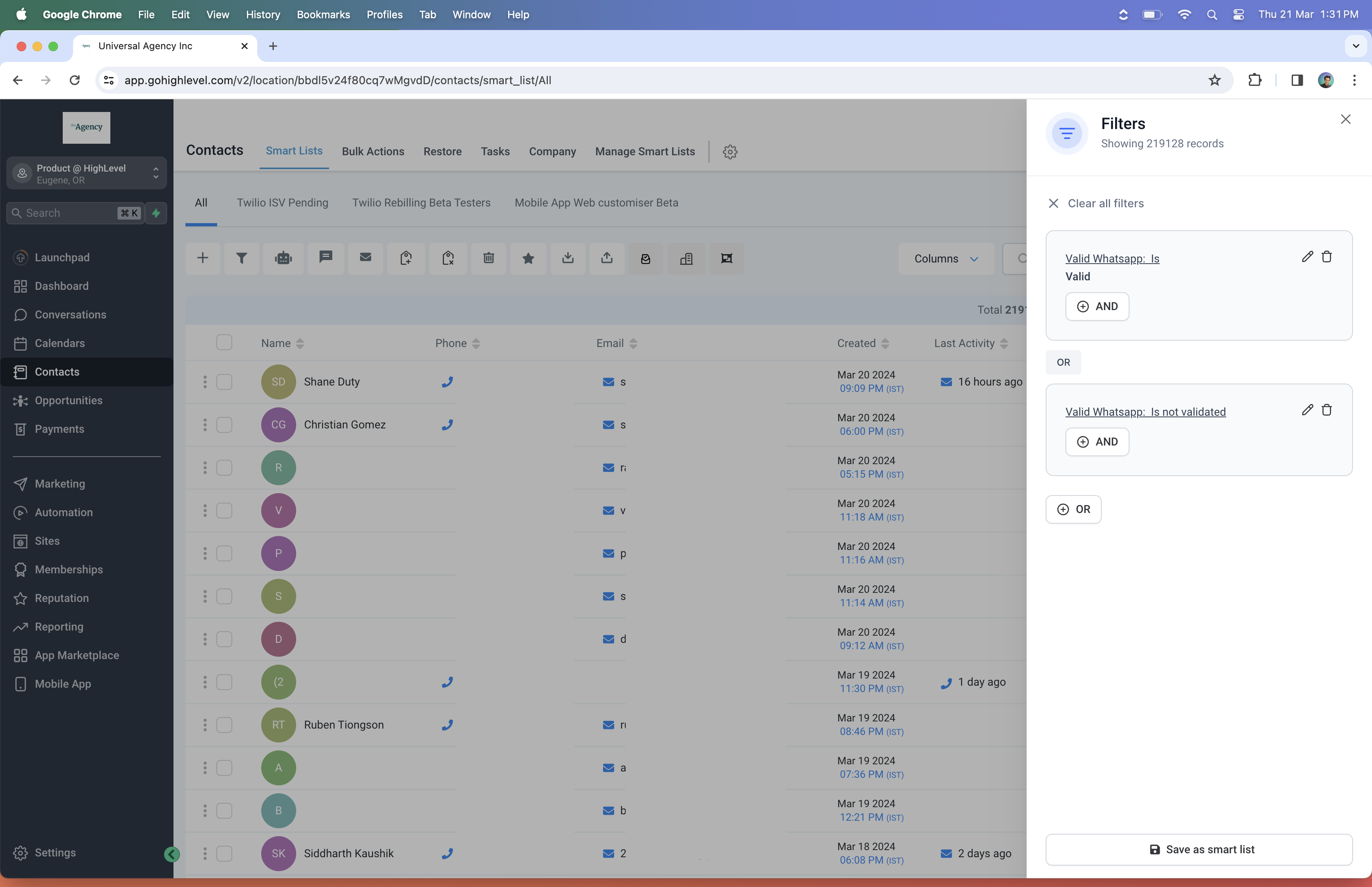
Step 5: click Save as smart list and give your list a name.
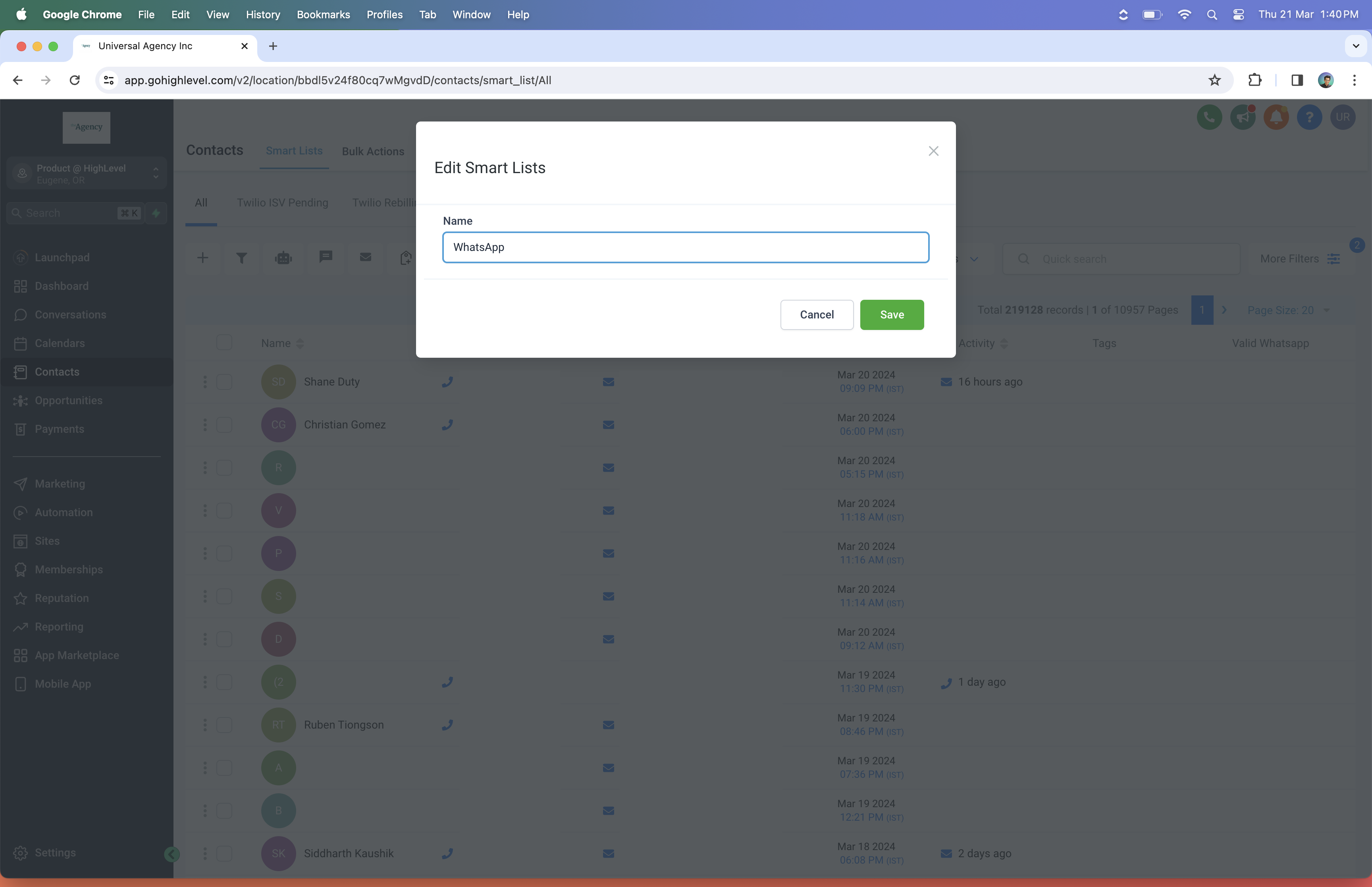
This smart list updates dynamically as soon as a contact becomes active or inactive on WhatsApp. You can use the smart list you have created to send your WhatsApp campaigns.
The reason for including 'Not validated' contacts is to make sure WhatsApp messages also reach contacts for whom the system has not yet determined a WhatsApp presence, because there is no conversation history.
FAQ: Frequently Asked Questions
How often are these fields updated?
The fields are updated in real time based on the scenarios described above.
Can I update a contact's WhatsApp status manually?
No, the system updates the status automatically based on user interactions and message delivery outcomes.
What is the 'Valid WhatsApp' field?
The 'Valid WhatsApp' field is a new feature that tells you directly whether a contact's phone number is registered and active on WhatsApp.
What do the different 'Valid WhatsApp' values mean?
- Valid: the contact has an active WhatsApp account.
- Invalid: the contact's number is not currently on WhatsApp.
- Not validated: the system has not yet confirmed whether the number is on WhatsApp.
How is the 'Valid WhatsApp' status updated?
It is automatic. Here is how it works:
- You send a message successfully: the status changes to 'Valid'.
- Message delivery fails: the status changes to 'Invalid'.
- A contact messages you on WhatsApp: their status changes instantly to 'Valid'.
Can I filter my contacts by their WhatsApp status?
Yes. There is a new filter specifically for 'Valid WhatsApp'. Use it to view only the contacts you can reach on WhatsApp.