


Table of contents
- How to enable sales receipts
- How to customise your sales receipts
- Receipt delivery
- Using custom templates
- Frequently asked questions
How to enable sales receipts
Receipts are fundamental to business transactions, as they give customers documented confirmation of their purchases. They act as proof of payment and allow both businesses and customers to keep accurate records.
We understand how important efficient receipt management is, which is why we have introduced the automatic receipts feature. With this feature, businesses can effortlessly send receipts to contacts for purchases made through order forms.
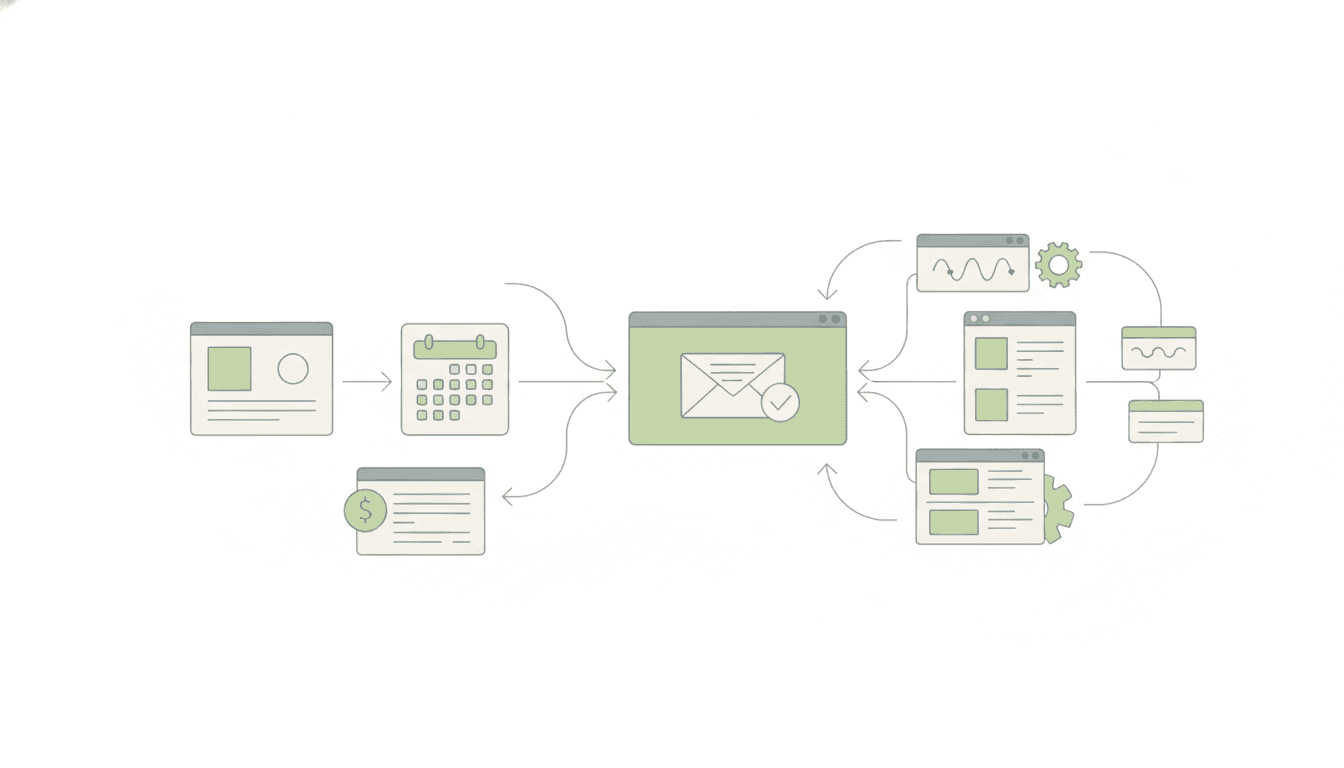
This functionality covers main purchases, bumps and upsells on 1-step and 2-step order forms, as well as subscriptions, payments for calendar appointment bookings and invoice payments. By automating the process, we aim to simplify your workflow and improve the overall customer experience.
How to customise your sales receipts
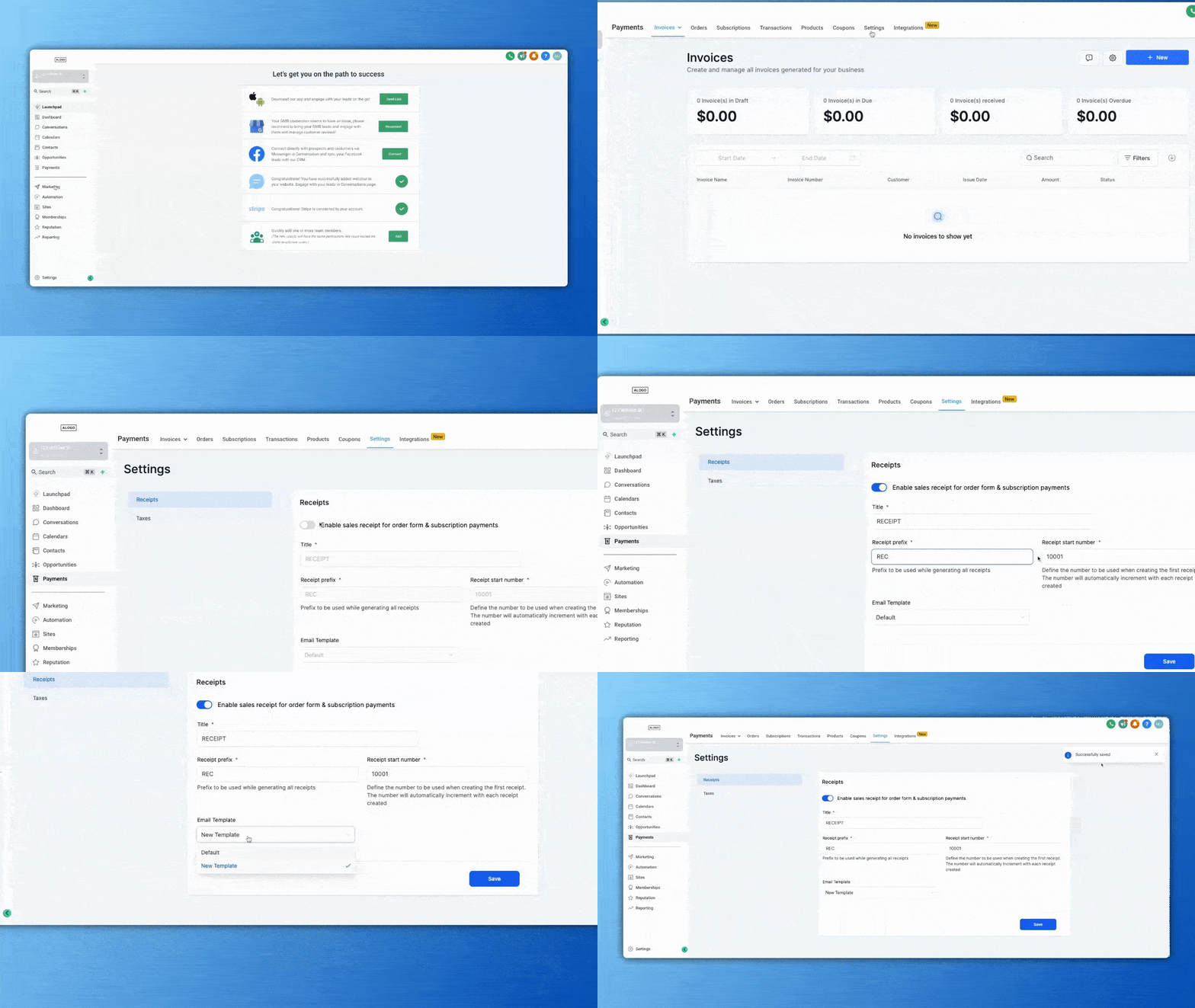
Futuria CRM gives you complete control over your receipts and offers several options for customising them:
- Custom title: Customise the receipt title to give it a personal touch in line with your brand.
- Receipt numbers: We understand how important it is to keep your records in order, so we let you assign a prefix and a starting number to your receipts. This makes transactions easier to track and manage.
- Email template: Customising your email templates when you send receipts to customers is the perfect way to reflect your brand identity. With this feature, you can design and adapt the email content to suit your preferences, creating a professional, consistent experience your customers will appreciate.
Receipt delivery
Automatic receipts ensure a smooth delivery process. Receipts are sent as downloadable PDF files attached to an email, straight to the contact's address.
This convenient delivery method makes it easy for customers to access and save their receipts.
Using custom templates
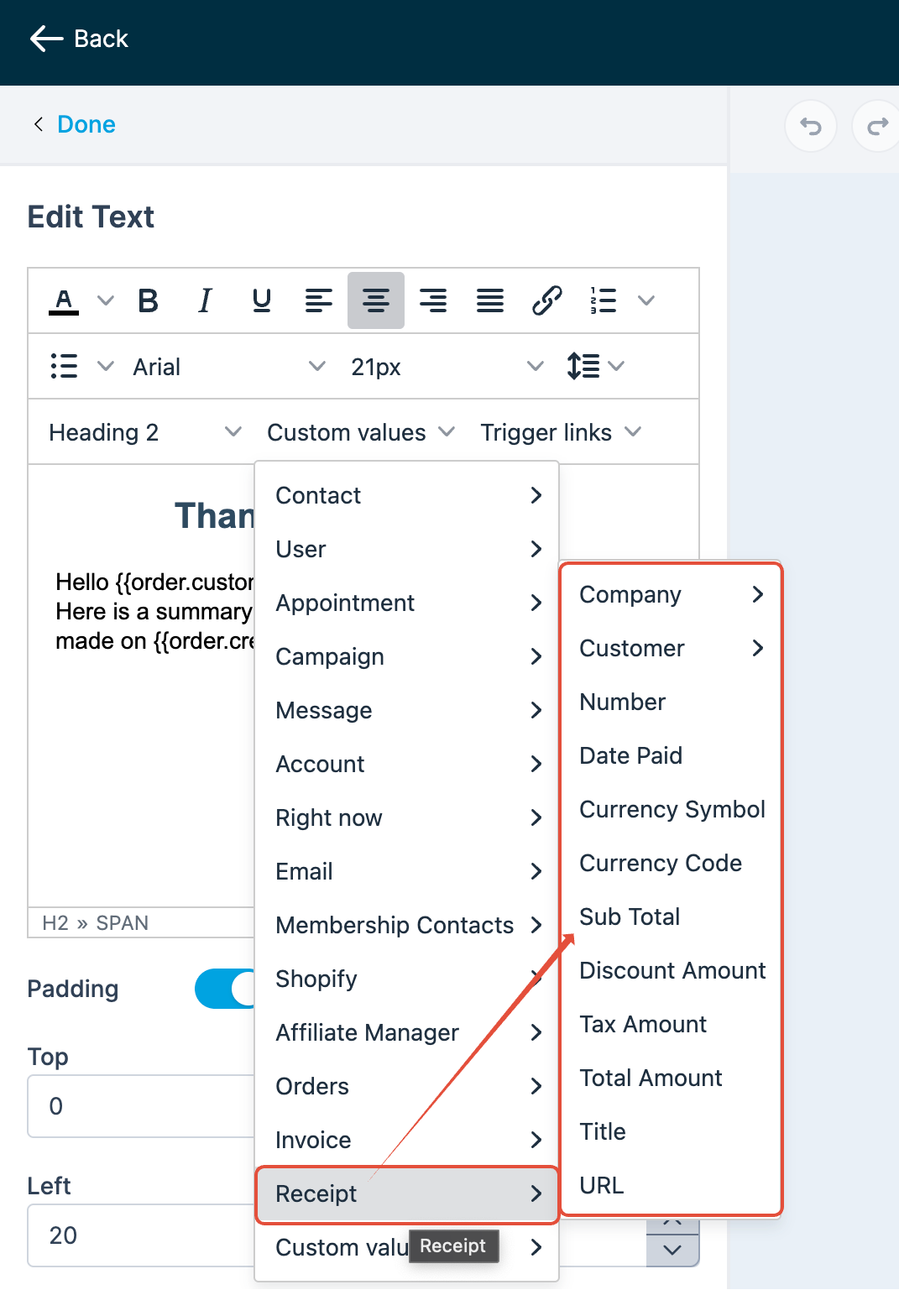
We give you the flexibility to use custom templates when sending receipts. You can create custom, branded templates using the custom values available in our email editor.
Create visually appealing, professional receipts that align with your business's unique style.
Frequently asked questions
Can I send automatic sales receipts for certain payment types only?
No, enabling sales receipts applies globally to all payments made through order forms, calendar bookings and invoices. If you want selective receipt management, you will need to disable automatic receipts and send them manually for specific payments.
Can sales receipts include custom fields or personalised messages?
At present, sales receipts do not support adding custom fields or personalised messages beyond the standard transaction details. You can, however, customise the email template associated with the sales receipt to include a general message or elements of your brand.
Are sales receipts sent immediately after a payment is processed?
Yes, sales receipts are sent to the customer automatically as soon as the payment is processed successfully. Delays can occur, however, depending on email delivery factors outside Futuria CRM's control, such as the recipient's mail server.
How can I check whether a sales receipt was delivered successfully to a customer?
You can check whether a sales receipt was delivered successfully by looking at the Email Reports section within your account. To get there, go to Marketing > Email > Email Reports.
Once there, you can use the filters to search for the recipient's email address or the subject line of the receipt email. The reporting dashboard will show the delivery status — for example whether the email was delivered, opened or bounced — helping you confirm whether your customer received the receipt.
How can I stop the system from sending receipts to my customers automatically?
If you prefer to send receipts manually or through a third-party platform (such as Stripe), you can disable the native automatic receipts by following these steps:
- Go to Payments in the left-hand sidebar.
- Click Settings at the top of the page.
- Select the Receipts tab.
- Find the "Enable automatic sales receipts for payments" toggle.
- Switch the toggle to OFF and click Save.
Can I change a receipt number to a shorter or lower number?
No. Receipt numbers are generated automatically and must always be higher than the last one used. They cannot be edited, reset or overwritten.
If I turn off automatic receipts, will I still have a record of the payment?
Yes. Disabling automatic email sending does not affect your internal accounting. The system will still record every successful payment in the Transactions tab for your records.
Does this setting apply to both one-off and recurring payments?
Yes. Once this toggle is switched off, the system will stop sending automatic receipt emails for all transaction types captured through your connected payment gateways.