Table of contents
- Mentioning and tagging profiles in posts from the Social Planner
- Key benefits of tags and mentions
- Important information
- How to add a mention or a tag to your posts
Mentioning and tagging profiles in posts from the Social Planner
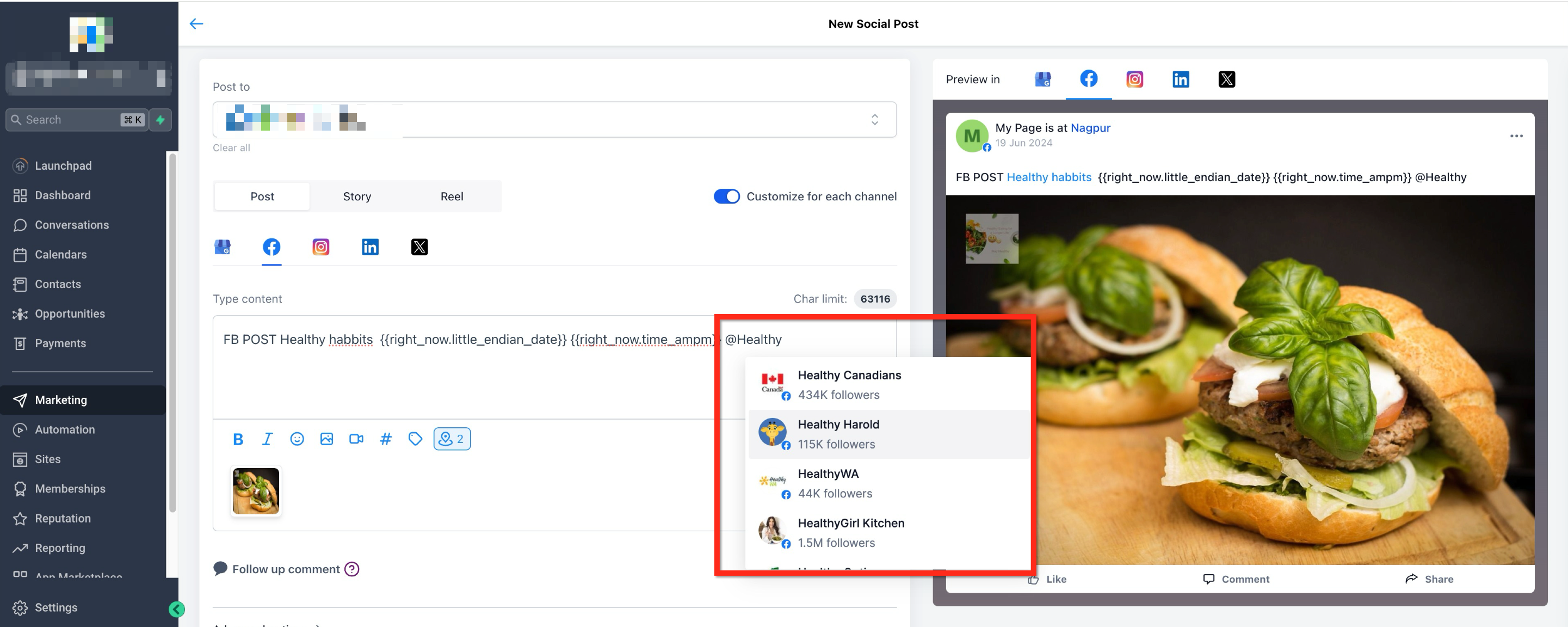
The Social Planner now lets you add @Mentions to your posts. @Mentions work on social networks such as Facebook and LinkedIn (company pages only), while plain text will be available for Instagram, TikTok and Google Business Profile. @Mentions let you search for public profiles or pages.
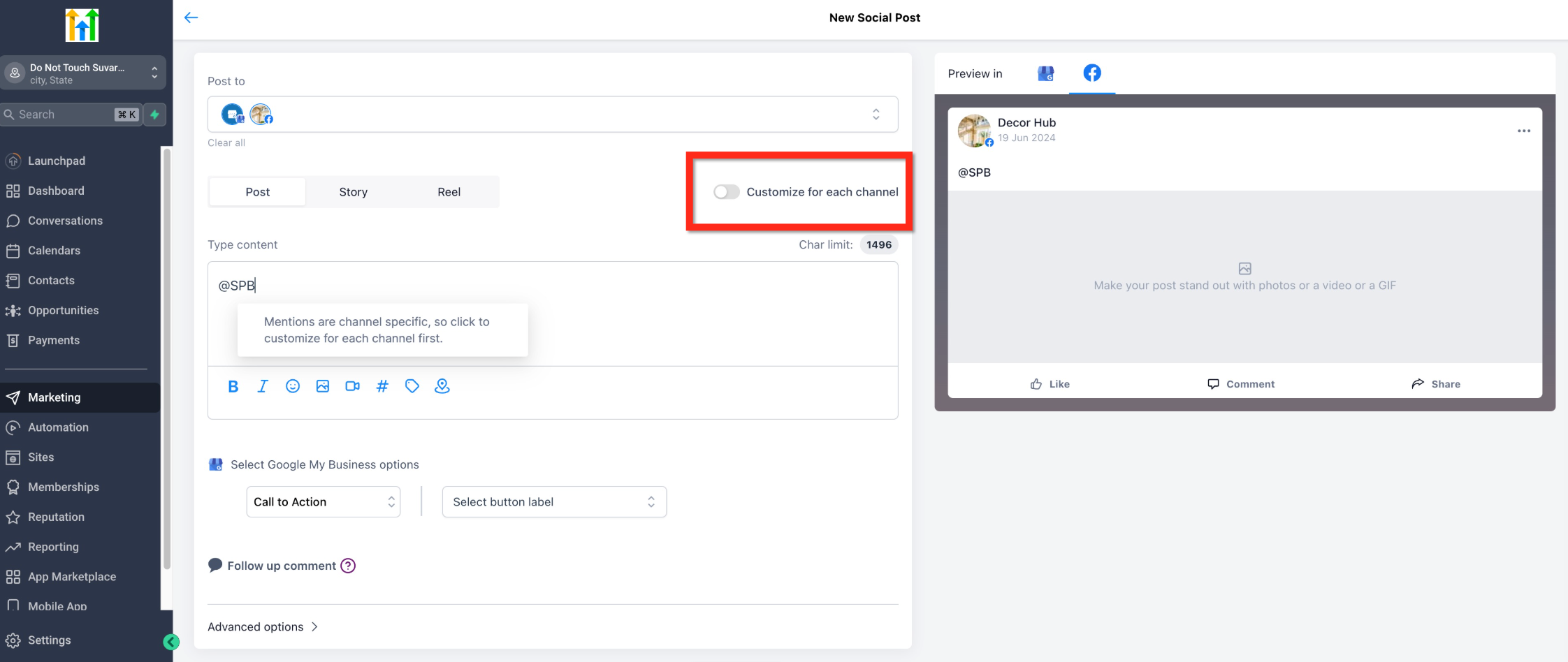
If you select more than one social channel, the system will ask you to enable customisation for each channel. This will let you search for profiles by name, by follower count and by social network.
Key benefits of tags and mentions
- They increase post engagement.
- Brands and influencers often use @Mentions strategically to cross-promote each other's content.
- On some platforms, @Mentions help improve how easily your content can be found.
Important information
- This feature is not available for CSV imports or for other options such as publishing reviews or posts from RSS feeds.
- The tag will appear highlighted (in blue) in the preview. This visual highlight confirms that the tag has been correctly recognised by the system.
- Automatic mention suggestions are not available for Instagram. You will need to type @username manually, and the person you tag must have their settings enabled to allow mentions.
How to add a mention or a tag to your posts
Step 1: Go to the Social Planner
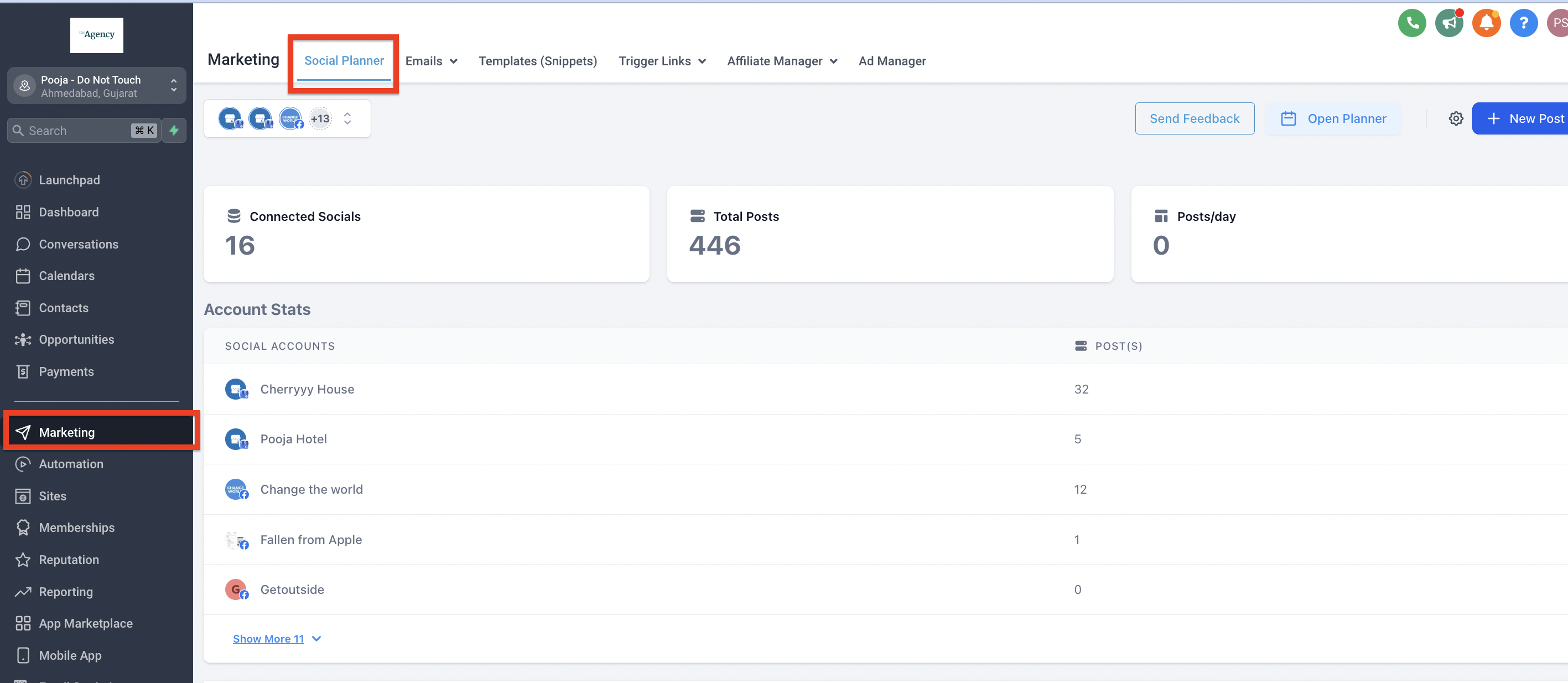
- In the left-hand navigation bar, select Marketing.
- Click the Social Planner tab in the top navigation menu.
Step 2: Create a new post
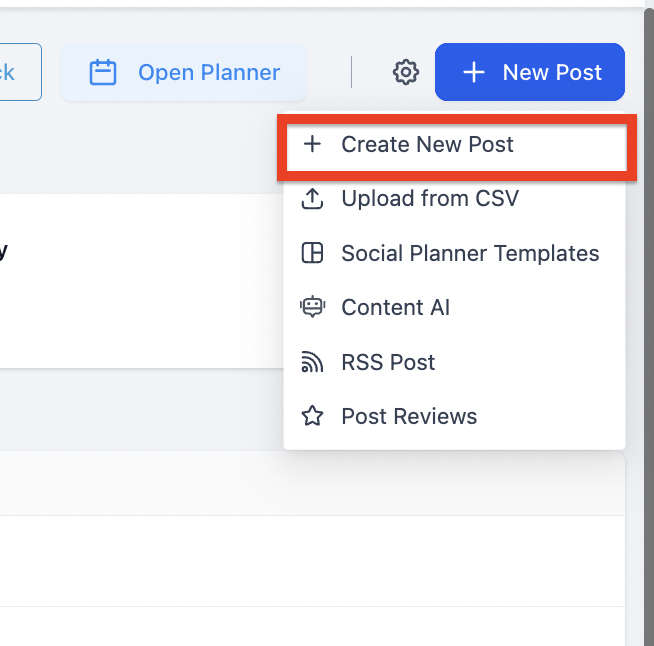
- Click the blue + New post button.
- From the drop-down menu, select + Create new post.
Step 3: Select the social channels
- While you create a new post, select the social channels.
- If you select more than one channel, you will be asked to enable the option to customise the post for each channel.
Step 4: Write the post
- Create the post for each social channel.
- To mention a profile, use the @ symbol followed by the username of the profile you want to tag.
- Once you have typed the first few letters, suggestions will appear.